.svg)



Key features
Server groups: Control and clarity in multi-server environments
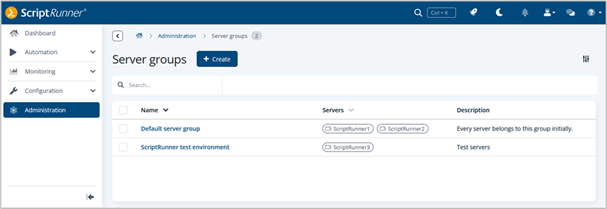
With the current release, ScriptRunner Enterprise 7.4, we are introducing a new feature: Server groups. This enables you to use your servers (formerly “nodes”) in new ways – making controlling actions in complex infrastructures easier and more precise.
To ensure that an upcoming major feature planned for ScriptRunner Enterprise Version 8 integrates seamlessly, we have updated our terminology: In the ScriptRunner Portal, what were previously called “nodes” are now referred to as “servers.” This change lays the groundwork for future innovations and ensures consistent user experience.
Now, let’s take a closer look at server groups. Previously, it was never possible to predict exactly on which server an action would be executed. This was a significant disadvantage, especially in complex environments with various requirements.
Server groups provide a remedy here: they enable the logical grouping of servers so that actions are only executed on those servers that are intended for them. For example, security-critical processes can be isolated on sealed-off servers, or certain actions can be executed only in defined infrastructure environments. Location-based or account-specific restrictions can now also be implemented without any problems.
Keep in mind that in order to ensure reliability in multi-server environments, it is essential that a server group on whose servers critical processes are executed is always equipped with at least two identically configured servers.
An additional advantage of server groups is that it is also perfect for test scenarios. A separate server group for ScriptRunner test instances allows new processes to be simulated in isolation without affecting the production environment.
The feature is automatically fully activated as soon as version 7.4 is installed and at least two servers are licensed.

User profiles: Individual settings in one place
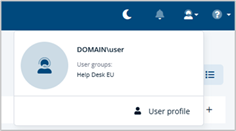
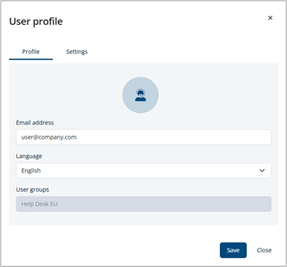
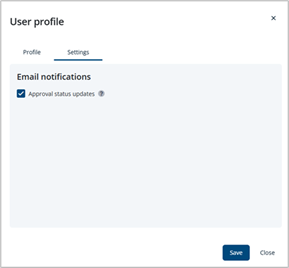
Starting with version 7.3, ScriptRunner made it possible to persistently save certain settings for each user, e.g., individual column arrangement or dark mode setting. Now, ScriptRunner offers each user a personal user profile dialog where they can set their preferred Portal language and provide an email address.
As of version 7.4, users can decide if they want to receive notifications about approval request statuses at this email address and enable the corresponding option in their profile. See Approvals: Increased transparency through email notifications for more information on the new approval notification function.
Approvals: Increased transparency through email notifications
The approval function now offers greater transparency and convenience in the approval process. Starting with this version, users who are authorized to grant approvals and users who submit approval requests can be notified of the status of a request by email, provided that ScriptRunner’s Email Notification connector has been configured.
For each action for which the approval flow is activated, you can now specify which users should be automatically notified of new requests as soon as their approval is required.
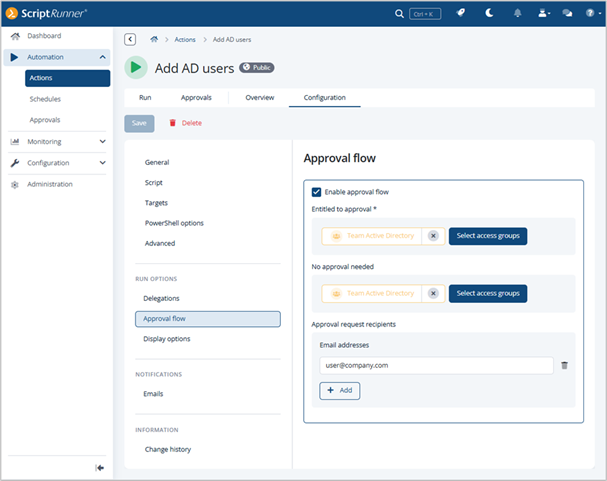
Users who request approval for an action can enter their email address in their user profile to receive status updates by email. See User profiles: Individual settings in one place for more information on user profiles.
Additional improvements
The latest ScriptRunner update not only makes the user interface clearer, but also more functional. Here is a brief overview of the key improvements:
Portal: New information dialog after updates
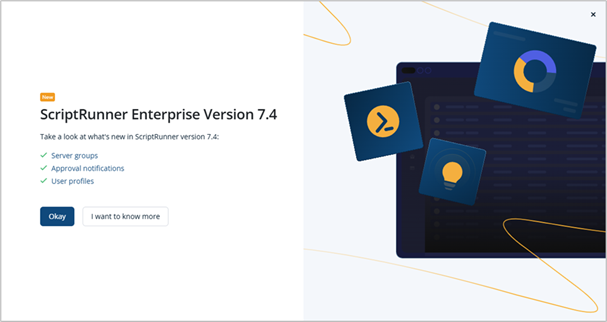
After a ScriptRunner update, an information dialog box will now appear the first time you launch the program, summarizing the most important new features.
Additionally, you will find links to the relevant documentation, providing you with all the necessary information at your fingertips.
Portal: New headers & improved pagination
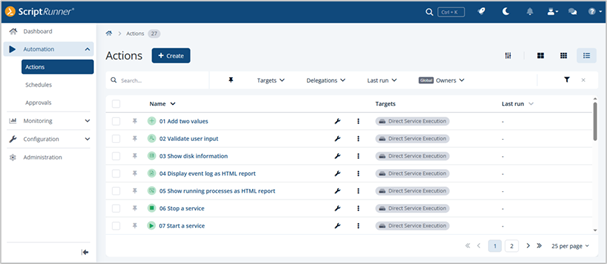
The new space-saving header area ensures a clearer presentation of content in many areas. All essential buttons have been moved to the top of the page and are clearly separated from the content by the filter bar.
The page navigation has been relocated to below the content and now provides the option to set the number of entries per page individually.
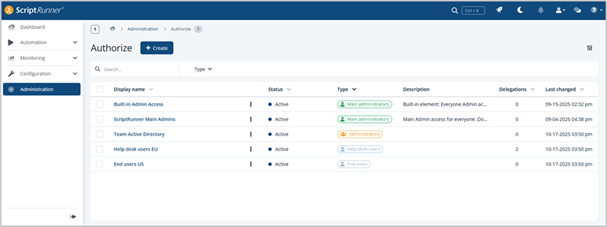
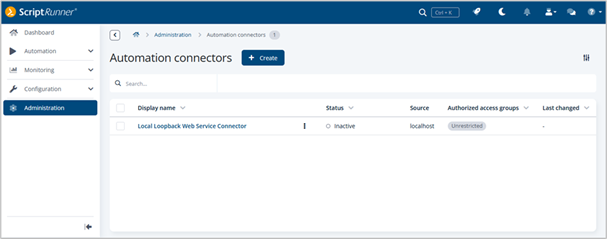
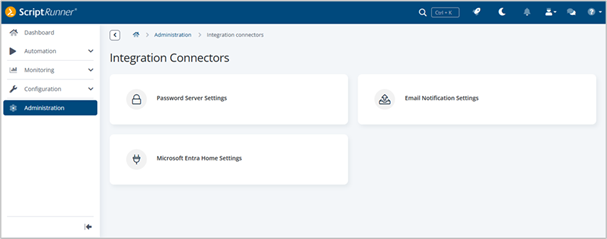
Connectors & Authorize: Redesigned user interface
Both Connectors and Authorize have been visually redesigned and now offer a redesigned user interface. Further, connectors are now clearly separated into two types—for greater clarity and improved usability.
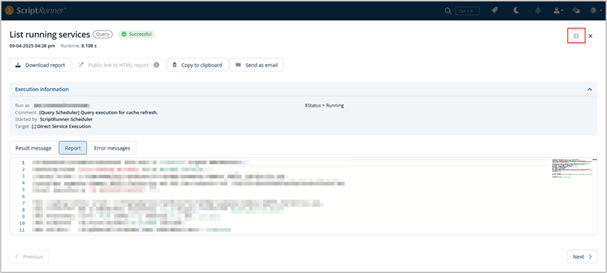
Reports: Dialogs can now be maximized
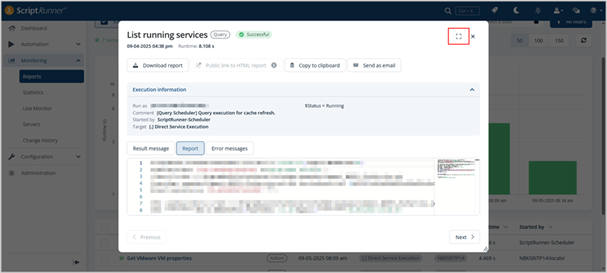
Both the Run and Report dialogs can now optionally be displayed in full-window mode, giving users more space to work with complex data and configurations.
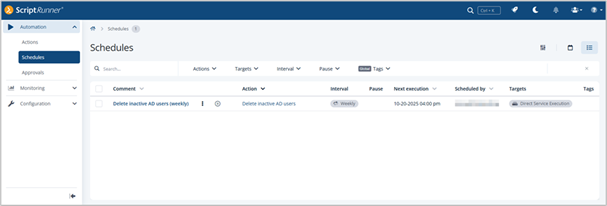
Schedules: Scheduling permissions for all administrators
All administrators are now able to access the schedule list and calendar view. This empowers each team to better manage and coordinate their scheduled tasks.
Learn more about the highlights of ScriptRunner Enterprise Version 7.4 in this walkthrough video:
Related links
- ScriptRunner ActionPacks will help you automate tasks
- Try out ScriptRunner here
- ScriptRunner: Book a demo with our product experts