.svg)


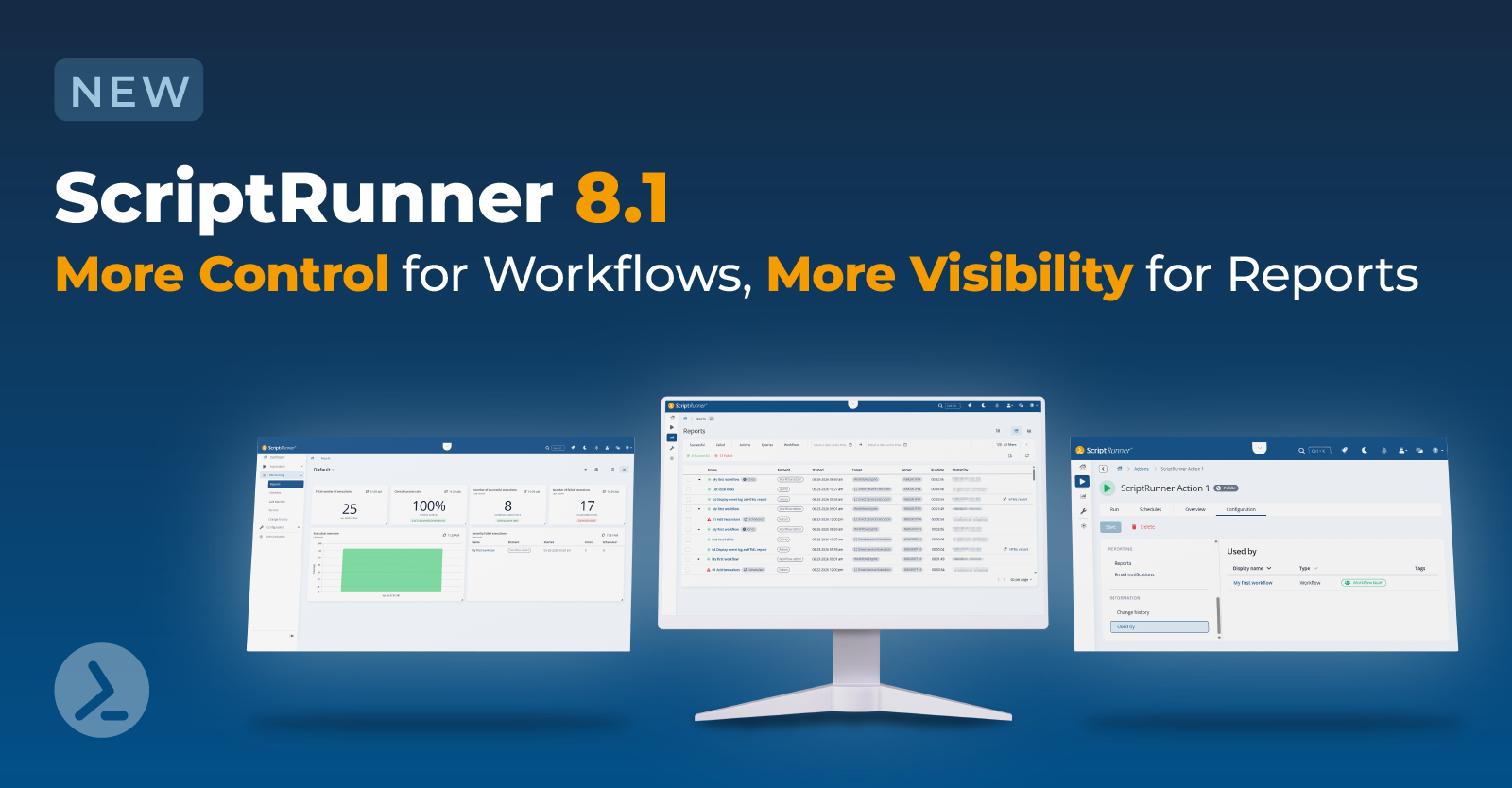

With version 8.1, ScriptRunner continues to evolve the workflow-driven approach introduced in version 8.0. This release focuses on stronger governance, greater reporting visibility, and a more streamlined user experience.
The new enhancements give you better control over workflows, clearer insights into your automation environment, and improved efficiency in everyday operations.
Key features
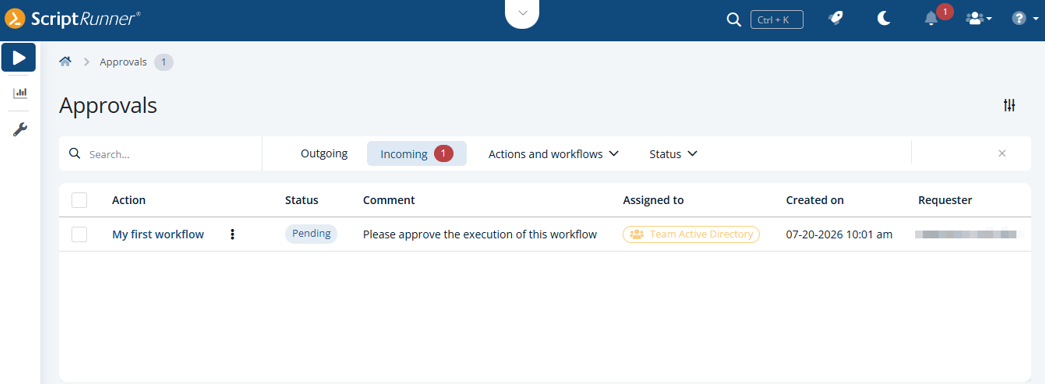
Delegate, schedule and approve workflows
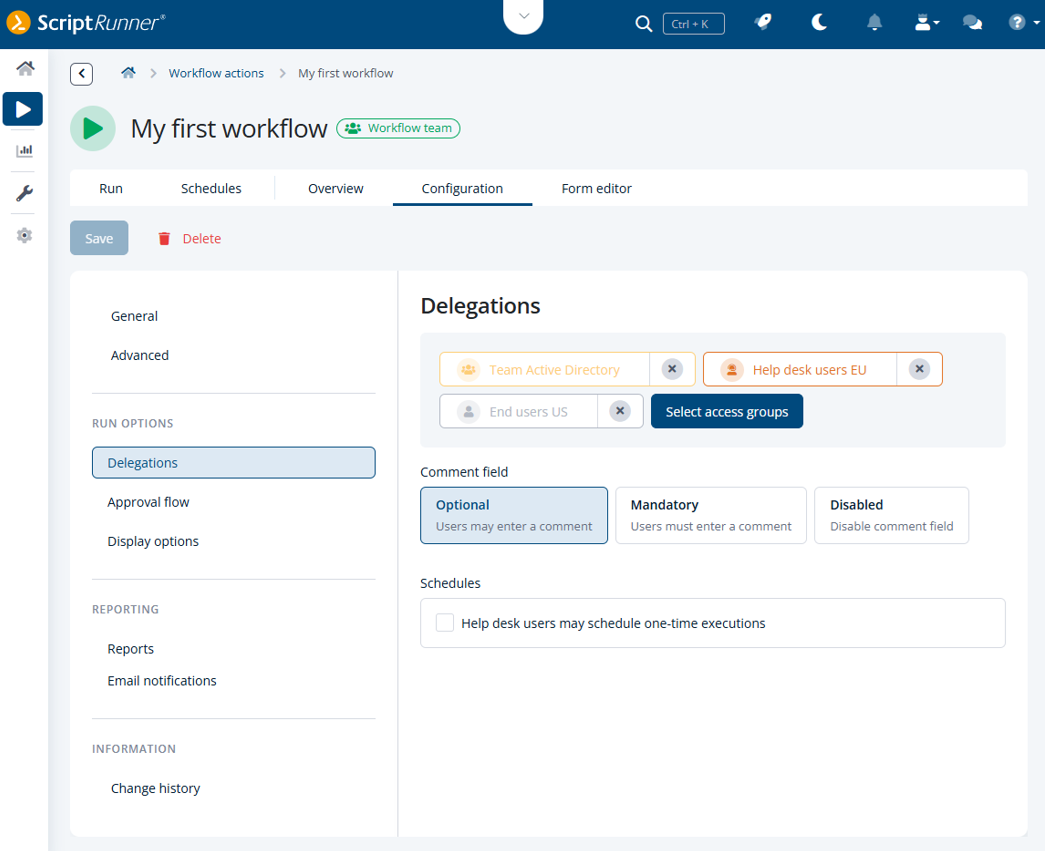
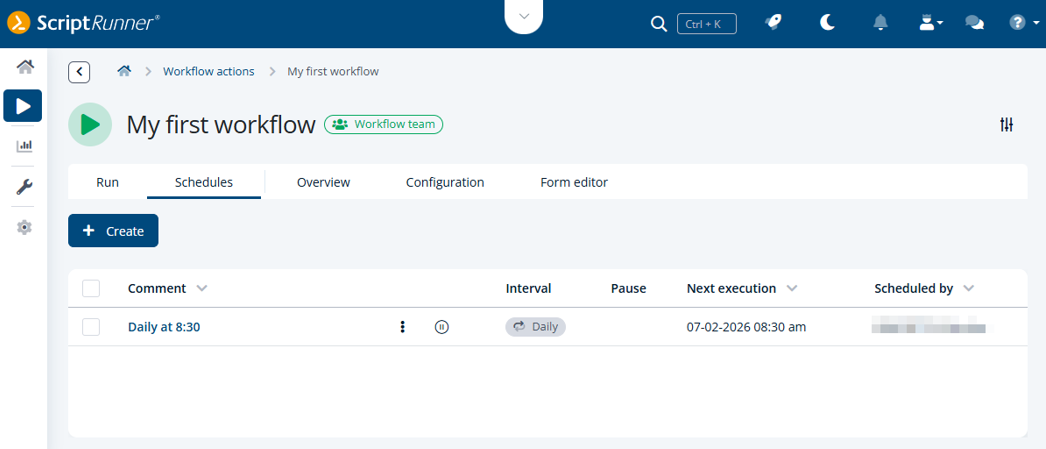
Workflow actions can now be designed with significantly more flexibility and control. Delegation allows responsibilities to be transferred when needed, ensuring continuity even when individual users are unavailable. Scheduling enables workflows to run automatically at defined times or intervals.
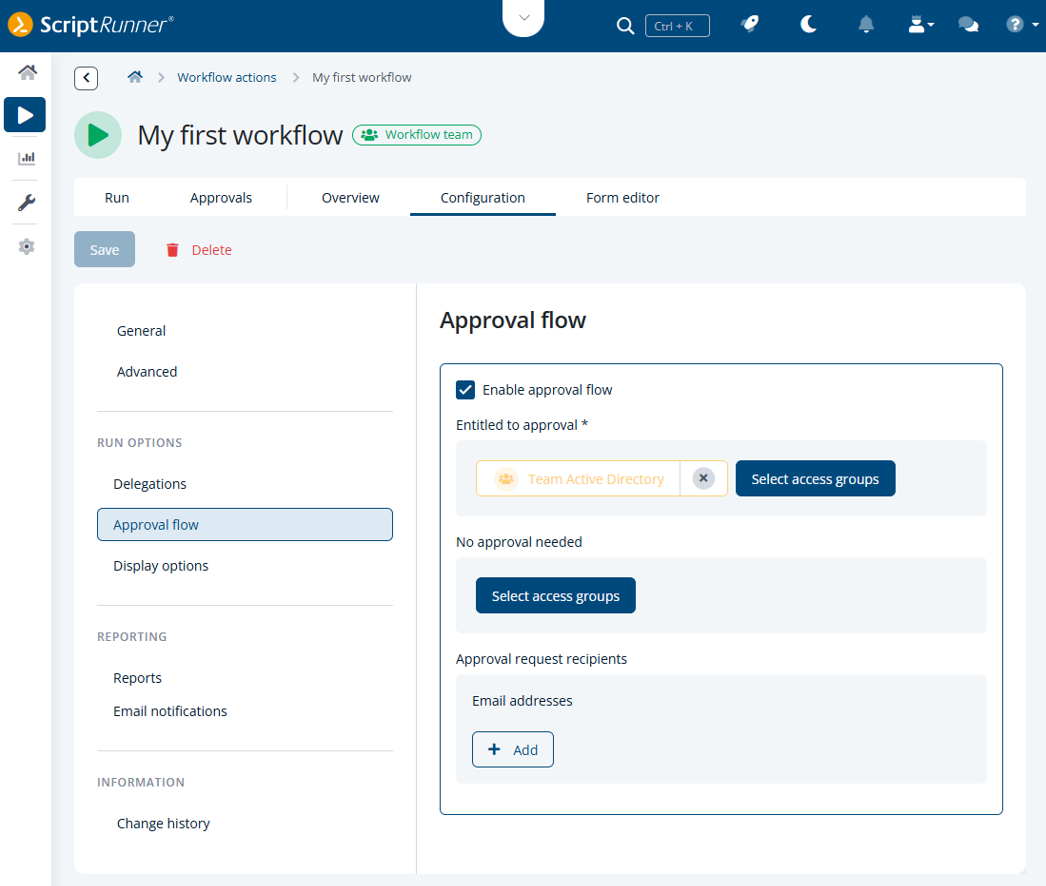
In addition, the approval flow is introduced for workflow actions. This allows you to combine automation with manual validation, ensuring that critical operations are executed only after explicit confirmation. Together, these capabilities make workflows more reliable and better suited for complex enterprise environments.

Create customized report dashboards
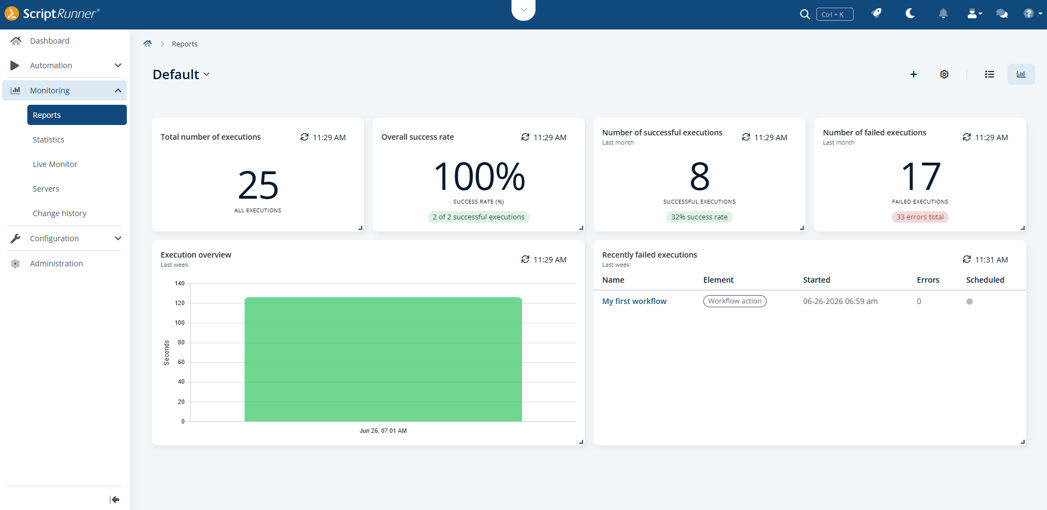
With version 8.1, the Reports module introduces a configurable dashboard that complements the reports list with a visual and condensed view of your data.
On the top right, you can now switch between the detailed report list and the dashboard at any time, depending on whether you need full transparency or a quick overview. The dashboard allows you to create multiple personal views using configurable widgets, such as charts, KPIs, or tables, tailored to your needs.
Combined with familiar filtering options and flexible layout through drag-and-drop, the dashboard helps you quickly identify trends, monitor key metrics, and reduce the effort required for manual analysis.
Allow report visibility for additional access groups
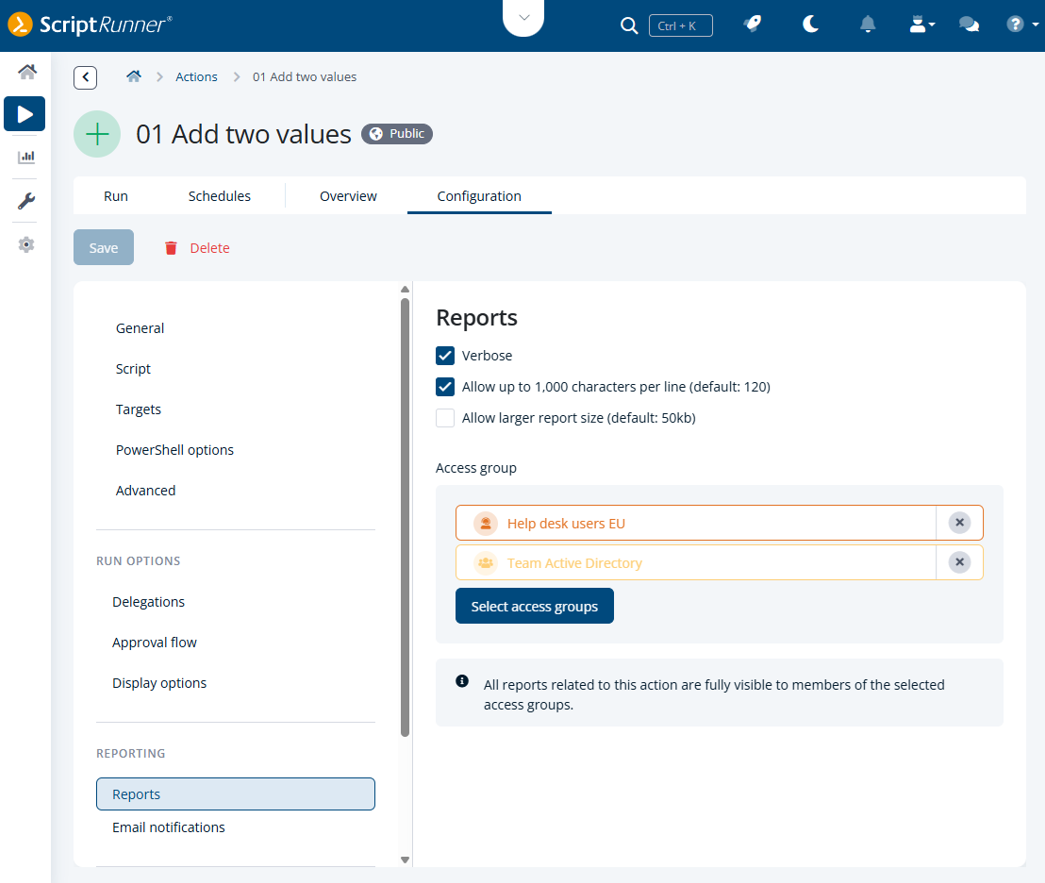
ScriptRunner 8.1 introduces a new configuration option that allows administrators to grant additional access groups visibility into reports on actions and workflow actions.
These groups can access all associated reports, independent of ownership, delegation, or execution context. This ensures that relevant information is available across teams, which is particularly useful in support and cross-team scenarios.
At the same time, the feature follows a clear opt-in model, ensuring that access remains controlled and transparent from a governance perspective.
Workflow improvements
Avoid outdated workflow executions
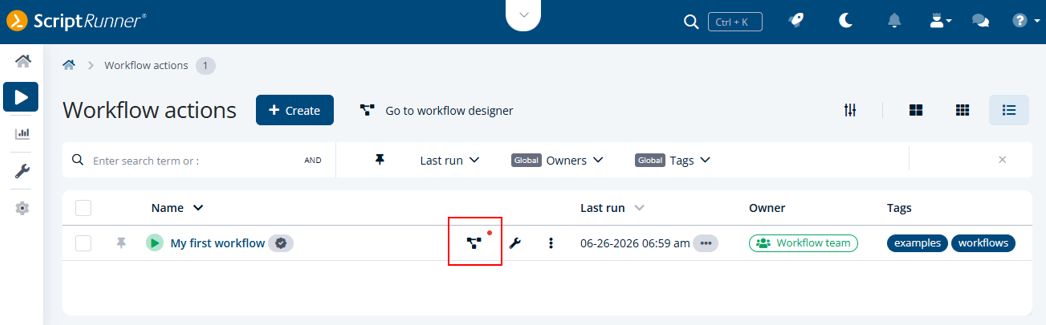
If a referenced workflow contains unpublished changes, this is now clearly indicated in the workflow action list.
This allows you to immediately recognize when the executed version does not reflect the latest modifications. As a result, you can ensure that changes are published in time and avoid inconsistencies.
Understand action dependencies at a glance
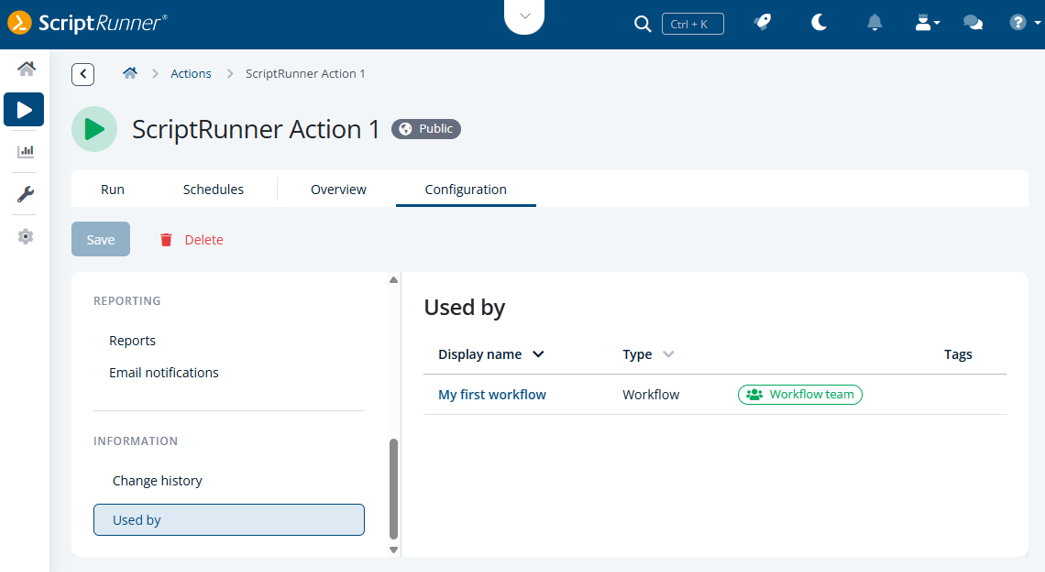
The new Used by tab for actions provides transparency into how actions are used across workflows that you have created in the Workflow Designer.
You can now directly see whether and in which workflows an action is referenced, allowing you to assess dependencies before making changes. This helps prevent accidental deletion of actions that are still in use and supports safer maintenance of your automation environment.
Stay in control of complex workflows
The Overview tab of workflow actions has been enhanced to give you better insight into workflow composition.
You can now see which ScriptRunner actions and queries are involved in the referenced workflow, along with a direct link to the Workflow Designer. This makes it easier to understand workflows, validate configurations, and troubleshoot issues, especially in complex scenarios.

Create and connect workflows without context switching
You can now create and link workflows directly within the configuration of a workflow action.
Instead of switching to the Workflow Designer first, you can initiate workflow creation directly in the workflow action. The workflow is automatically prepared and published, allowing you to connect it immediately and extend it as needed afterward.
This reduces manual steps and helps you build and integrate workflows more efficiently.

Want to see it in action? Have a quick demo to discover all Key Features in ScriptRunner Enterprise Version 8.1, here:
Additional improvements
In addition to major enhancements, version 8.1 introduces several improvements that streamline everyday tasks.
Filter reports with the new filter bar
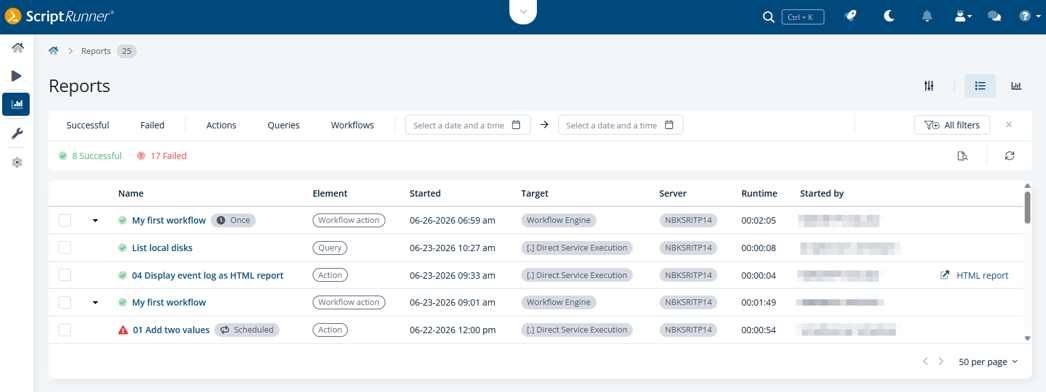
The Reports section now features a redesigned filter bar that replaces the previous filter area and serves as the central entry point for filtering reports.
While visually aligned with other Portal areas, the filter bar is specifically designed for analyzing runtime and reporting data rather than configuration objects. It offers a clear, reduced default view with predefined quick filters, while more filters can be added via a sidebar as needed.
Filtering follows a structured logic: filter groups are combined with AND conditions, while multiple values within a group are combined with OR conditions. You can now also filter directly by job IDs to quickly locate a single specific report in large data sets.
This approach keeps the interface simple while still supporting complex filtering scenarios and provides a scalable foundation for working with growing amounts of report data.
Re-run queries without losing your input
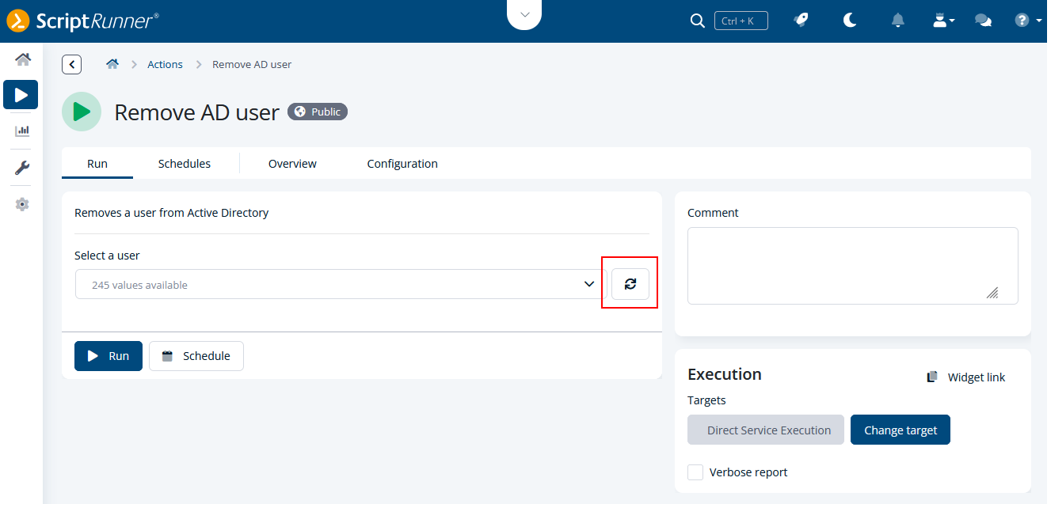
Working with queries is now more efficient, as you can re-run them directly within the run form without reloading the entire page.
Previously entered values are preserved, allowing you to adjust parameters and validate results without re-entering data.
Analyze report data with greater precision
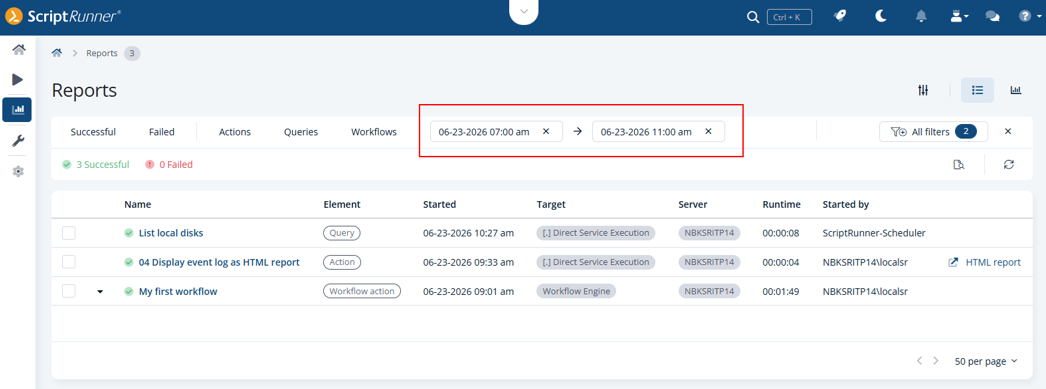
Filtering in the Reports section has been extended to support more granular time ranges.
In addition to filtering by day, you can now narrow down report data by hours and minutes. This enables more precise analysis of execution windows and helps you investigate time-critical processes more effectively.
Limit the number of reports loaded into the Portal
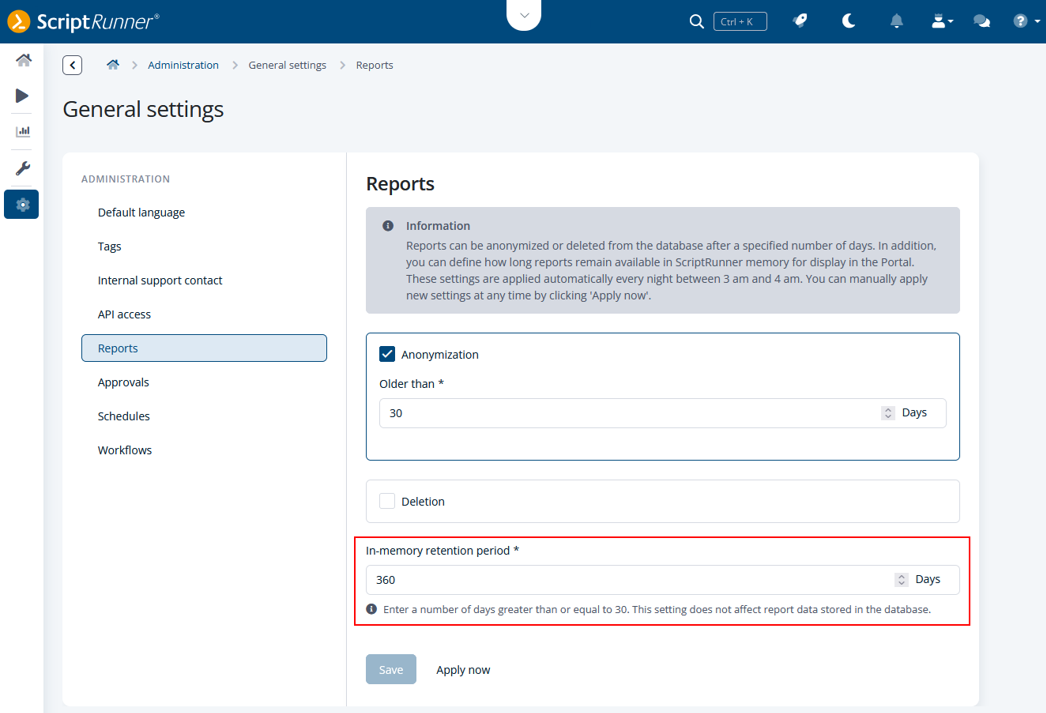
To improve performance and reliability in environments with large amounts of report data, ScriptRunner now allows main administrators to limit the number of reports loaded into the Portal memory at once. The improved report handling reduces database load and helps prevent SQL timeouts that could previously occur when working with large amounts of reports. This ensures that reports load more reliably and that report maintenance tasks, such as cleanup operations, can be processed smoothly even in larger installations.
For more information about the new features as well as how to upgrade to version 8.1, visit ScriptRunner's Online Documentation Portal.