.svg)



Automation and configuration
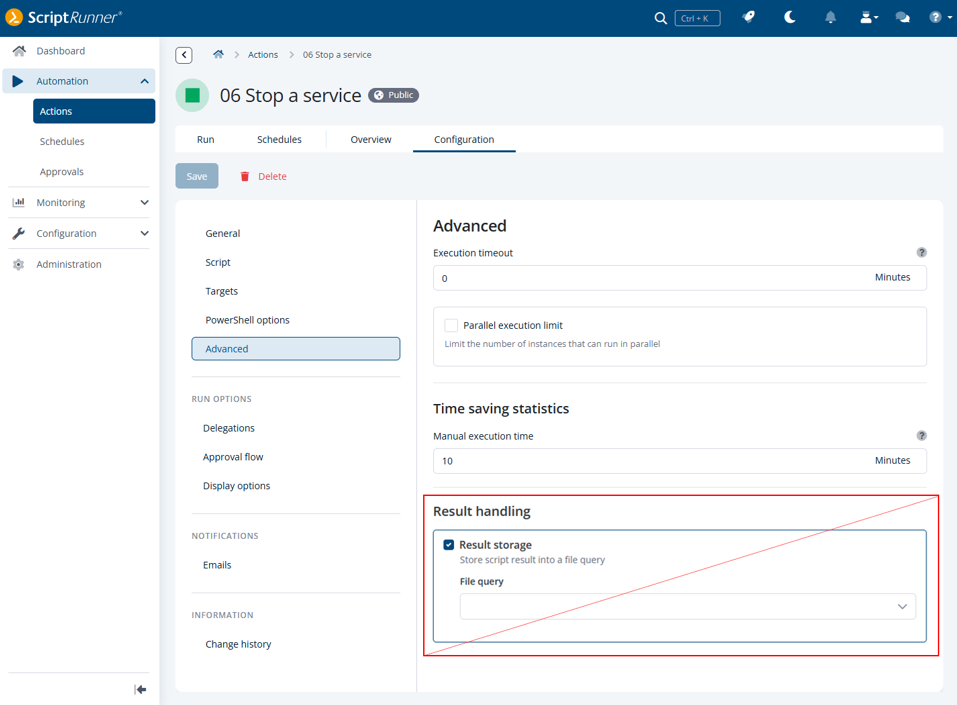
Action function ‘Result handling’ deprecated
The “Result handling” function has been removed. If you have used the function for actions, they will receive an error badge.
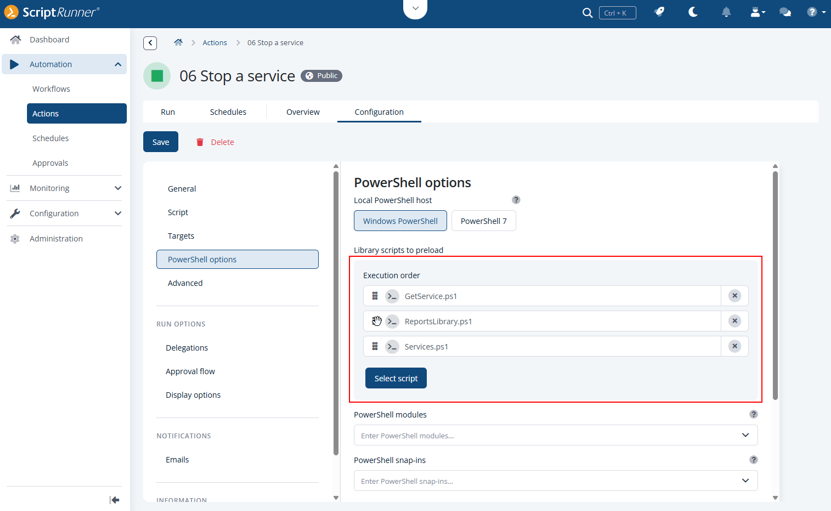
Specifying the execution order of library scripts
Library scripts configured in the PowerShell options of actions can now be reordered as you need it. This allows precise control over the script preload sequence and ensures that dependencies are resolved according to the defined execution hierarchy. This improvement is also available for script queries.
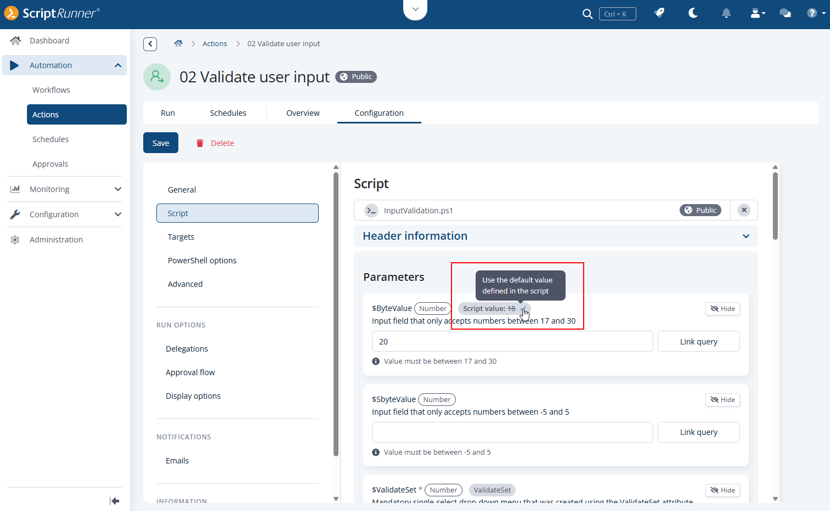
Resetting parameter values to script default values with one click
If you have stored default values in the script that you later needed to override in the action configuration, you can now easily restore and use the original script values with a single click in the action configuration.
Script queries now support parameter types
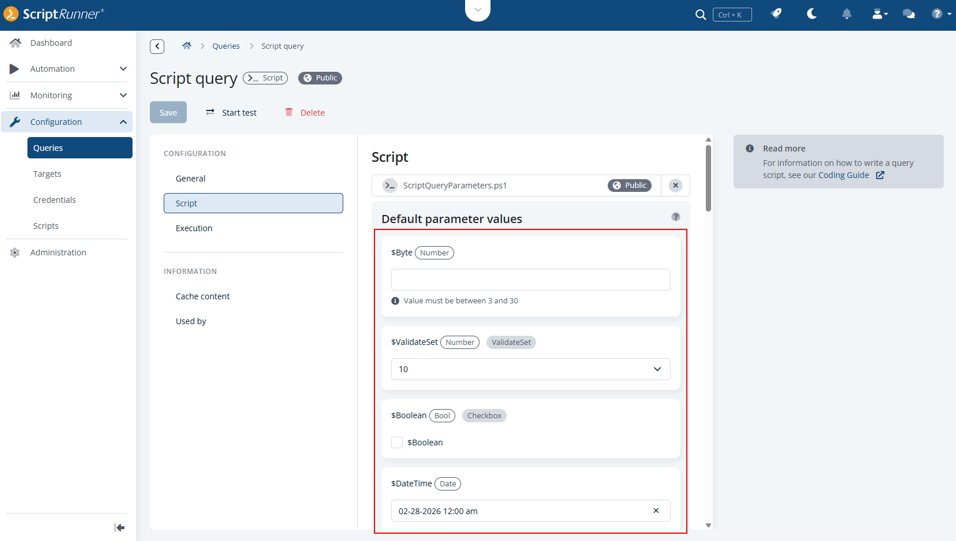
In the script query configuration, the most important parameters are now displayed according to their declaration in the query script, i.e., string as a text field, DateTime as a date picker, Switch as a checkbox, etc.
Furthermore, the entries in these fields can be validated, thus minimizing configuration errors, e.g., by defining regular expressions or text lengths. With a few exceptions, the parameter configuration is identical to the parameter configuration you find in an action.
Modernized credential architecture for greater security
ScriptRunner Enterprise Version 8 introduces a fully revised credential architecture following a structured model based on credential type and intended use. This makes configuration more transparent and reduces misconfiguration risks in complex automation environments.
A key improvement is that credentials can now be created directly in context where you need them, for example while configuring targets and connectors, allowing you to complete configuration steps faster and with fewer navigation paths.
Despite the architectural changes, ScriptRunner Enterprise Version 8 remains fully backward compatible: all existing credentials continue to function, ensuring a smooth, disruption free upgrade experience.
The refactored credential system also lays the groundwork for related improvements introduced in Version 8, such as simplified connector configuration and updates to the Password Server and Email Notification connectors, which now align more closely with ScriptRunner’s enhanced security model.
API keys can be used as script parameters
ScriptRunner now makes it easier to integrate with external services and APIs by supporting API keys as script parameters. Instead of hard-coding credentials or embedding them directly in scripts, API keys can be securely passed at runtime as PSCredential parameters. This improves both security and flexibility when working with third party APIs. To use this feature, ScriptRunner offers the new credential type Script parameter.
This approach improves flexibility and security by separating authentication data from script logic. It also simplifies reuse, as the same script can be executed with different API keys depending on the target system or execution context.
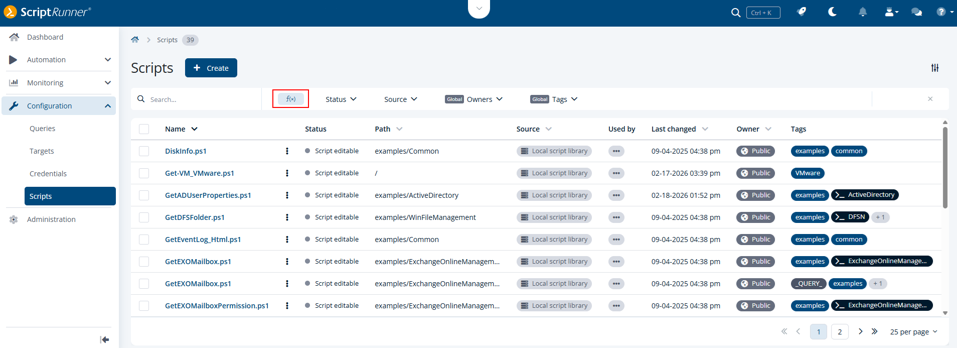
Easier script browsing with function filter
A new filter in the filter bar of the Scripts section enables you to selectively display or hide script functions. This enhancement significantly improves clarity in Portals that contain extensive script libraries with a large number of functions.
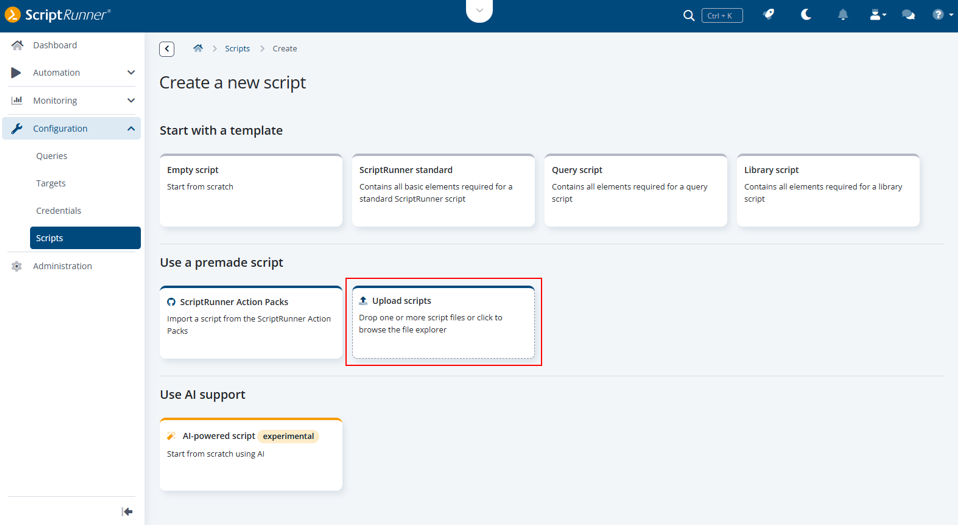
Scripts upload section moved for clearer view
To save space and match the design, the upload option for scripts has been moved.
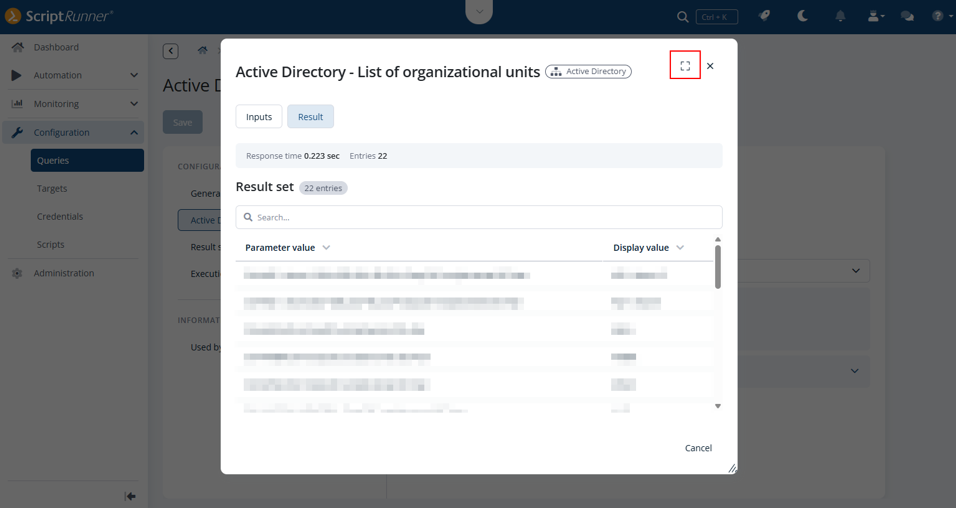
More dialog windows in the ScriptRunner Portal can now be maximized
The following dialog windows can optionally be displayed in full-window mode now, giving you more space to work with their details:
• Script diff viewer
• Query test
• Target test
• Report comparison
Monitoring
Report improvements
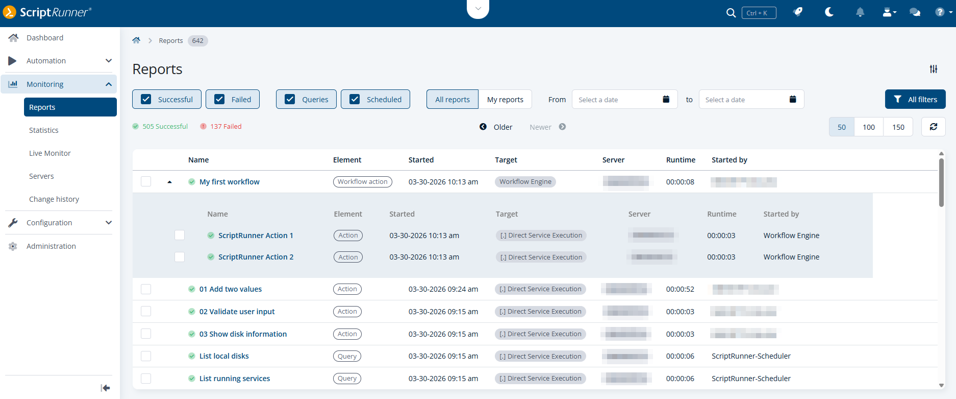
In preparation for the report overhaul planned for ScriptRunner Enterprise Version 8.1, the chart has been removed, and several improvements have been implemented. These include enhanced readability through standardized report durations displayed in the format hh:mm:ss, as well as the introduction of nested workflow reports, where each workflow report contains dedicated sub reports for the actions involved.
Enhanced Live Monitor filtering, charts, and KPIs
The Live Monitor has been enhanced with new filtering capabilities, visualizations, and KPIs. A dedicated Queued filter is now available, allowing you to display all workflows, actions and script queries that are currently waiting in the execution queue. These queued items are also reflected in the chart above, independently of whether the filter is enabled, ensuring full visibility into system activity at all times.
Further, the tile view on the right-hand side has been extended with a new tile providing real-time insights into running workflows, giving you an even clearer overview of operational performance.
Last but not least, the new duration format mentioned before was also used here to improve readability.

Pagination for server’s event log entries
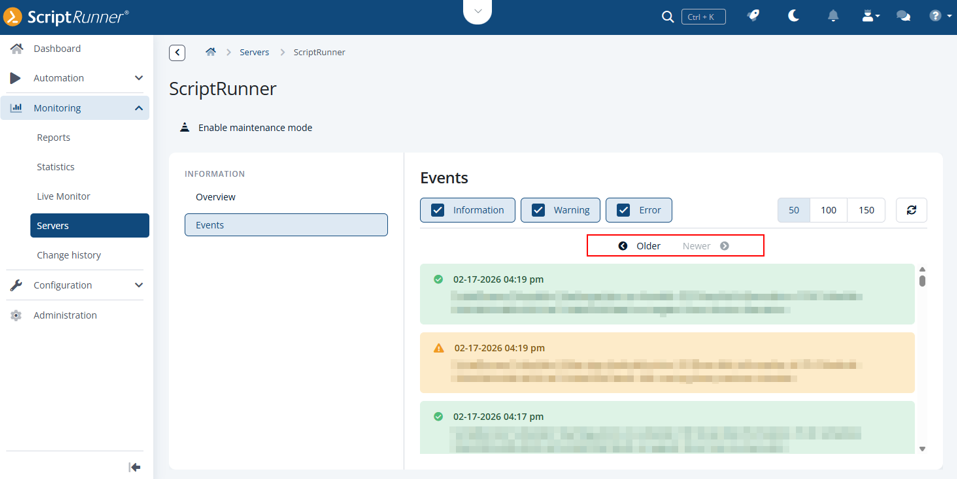
Event log entries are now displayed in a paginated format. This makes it easier for you to browse and locate older records without having to scroll through long lists.
Administration and security
Email Notification connector supports SMTP authentication with OAuth 2.0
Exchange Online is increasingly relying on OAuth 2.0 with XOAUTH2 for SMTP email delivery, thereby gradually replacing classic Basic Authentication. The Email Notification connector therefore now also supports modern SMTP services that no longer allow Basic Authentication. Authentication with OAuth2 is performed in a token based manner via Microsoft Entra ID, fully replacing username and password based sign ins for SMTP access.
Improved security for Swagger UI and API documentation
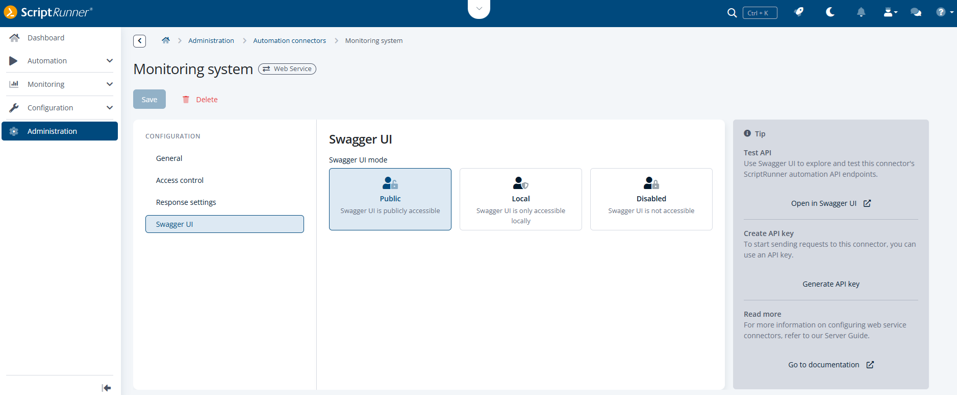
Access to the Swagger UI and its JSON documentation can now be restricted after configuring a Web Service connector to prevent unauthorized exposure of sensitive details. Each Web Service connector allows you to define whether Swagger UI should be publicly accessible, available only from the local machine, or disabled entirely.
Licenses section has been enhanced
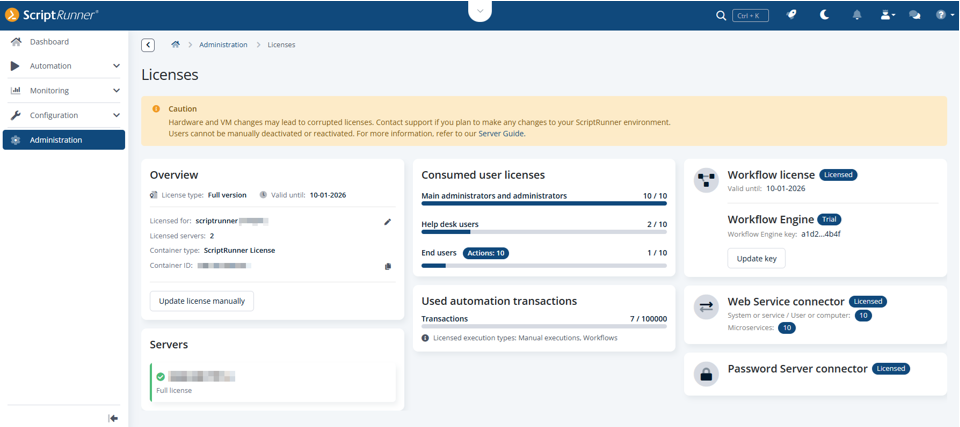
The Licenses section has been updated so that you can now also view your license details for the new workflow feature.
Further, in the Overview tile, the company name and email address of the license owner can be updated manually. The details entered are automatically stored in your database after saving.
Would you like to discuss your specific requirements or see a personalized demo? Then book a meeting today.