.svg)
See what ran. Know what changed.
Bring your automation into the bigger picture.
Connect ScriptRunner events and configuration changes to your existing SIEM and observability environment through OpenTelemetry. Investigate automation with the context you need, in the tools you already use.
When something changes, you need the full context.

Events without the bigger picture
An automation event is only part of the story. Connecting it with infrastructure and security signals takes extra work when the data stays separate.
Changes that take time to trace
When automation behaves differently, you need to find relevant ScriptRunner configuration changes without piecing together scattered records.
Investigations that cross silos
IT operations and security need the same context. Manual handoffs and separate views make it harder to build a shared understanding.
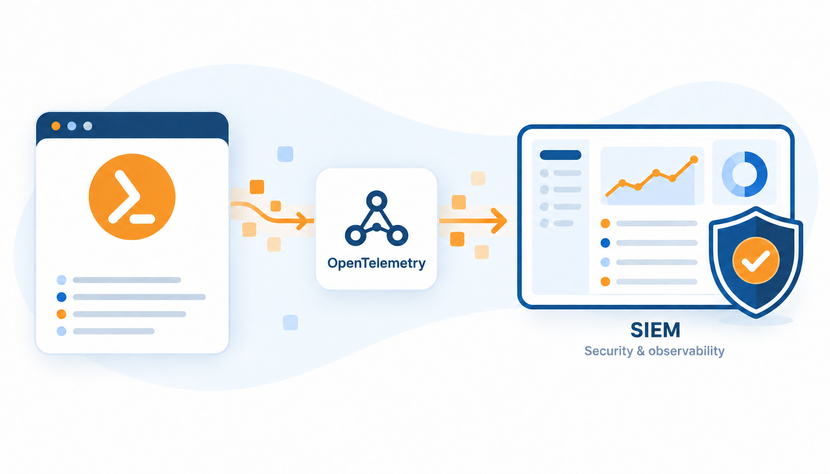
One automation platform. Three ways to see more.
The SIEM & observability connector brings together visibility inside ScriptRunner and integration with your wider monitoring environment.

Central Event View
Start with what happened.
Review ScriptRunner system events in a central Monitoring view. Give investigations a clear starting point within the platform.

Configuration History
Follow what changed.
Trace the complete change history of ScriptRunner configuration elements, at the element level and in a central view.

OpenTelemetry Integration
Connect the wider context.
Forward events and change history through an OpenTelemetry Collector to compatible SIEM and observability platforms for correlation, alerting, and investigation.
Context for your team. Oversight for your organization.
Bring automation events and configuration changes into view so you can investigate with less manual effort. Give IT operations, security, and leadership the shared context to support oversight and audit preparation as automation grows.
For IT Teams, Admins, Engineers & Architects
Less searching, more understanding.

Troubleshoot with more context
Review ScriptRunner events and configuration changes to narrow down what needs investigating.
Spend less time gathering logs
Find system events in a central Monitoring view instead of collecting information from separate locations.
Trace configuration changes
Access the change history of ScriptRunner configuration elements, individually and in a central view.
Investigate in familiar tools
Correlate automation events with infrastructure and security data in your compatible SIEM or observability platform.
Fit your monitoring architecture
Forward telemetry through OpenTelemetry and bring ScriptRunner into your existing monitoring workflows.
For IT Decision Makers
Scale automation and maintain visbility.
Strengthen operational oversight
Bring automation activity into the same monitoring environment as the rest of your IT operations.
Support audit readiness
Make event and configuration-change records easier to access for reviews and evidence collection.
Reduce operational blind spots
Give teams visibility into automation events and changes that could otherwise be disconnected from central monitoring.
Extend existing investments
Add automation context to the SIEM and observability tools your organization already uses.
Align IT operations and security
Give both teams a shared source of automation context for investigations and operational reviews.


Trusted by Enterprise IT Teams Worldwide
Leading organizations across industries rely on ScriptRunner to automate securely, enforce governance, and scale PowerShell operations with confidence. Explore how global enterprises trust our platform to meet their highest standards for security, compliance, and operational resilience.


.svg)



Confidently start with
a proven 3-step approach
Effortlessly streamline IT operations and eliminate repetitive admin tasks with ScriptRunner.

Step 01.
Identify
Pinpoint repetitive IT tasks
with our experts

Step 02.
Automate
Start your Guided Trial

Step 03.
Scale
Expand automation securely
and efficiently