.svg)


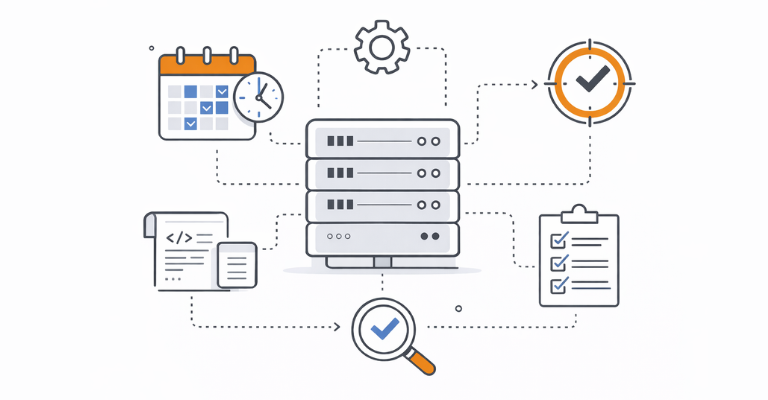

Scheduled automation is the backbone of IT operations. Patching, cleanup jobs, reporting, and user provisioning are tasks which need to run reliably, on time, and without manual intervention. But in most environments, this means dozens of jobs scattered across Windows Task Scheduler instances on different servers, with no central visibility, no consistent credential management, and no reliable way to tell what actually ran. ScriptRunner changes this by turning scheduled automation into a solution that you can centrally manage, monitor, and trust.
Why Windows Task Scheduler Fails at Scale
Windows Task Scheduler works well for simple, isolated jobs. But as the number of scheduled scripts grows across an organization, it quickly becomes a governance problem.
Scripts are scheduled directly on individual servers, each with its own Task Scheduler configuration. There is no central overview of what runs where, when, or how often. Credentials are stored locally, often using service accounts with overly broad permissions. When a scheduled job fails, there is no notification, and the failure only becomes visible when something downstream breaks.
For system administrators, this means spending time logging into servers one by one to check job status, collecting execution logs manually, and hoping that nothing critical was missed. Worse, knowing which server runs which job often depends on tribal knowledge. When the person who set up the schedule leaves the team or goes on vacation, that knowledge walks out with them. When an auditor or manager asks for a report on scheduled automations, the answer usually involves a spreadsheet and a lot of guesswork.
How ScriptRunner Centralizes Scheduled Automation
ScriptRunner eliminates the need to manage schedules on individual servers. Instead, schedules are attached directly to Actions, which are the central automation building blocks in ScriptRunner.
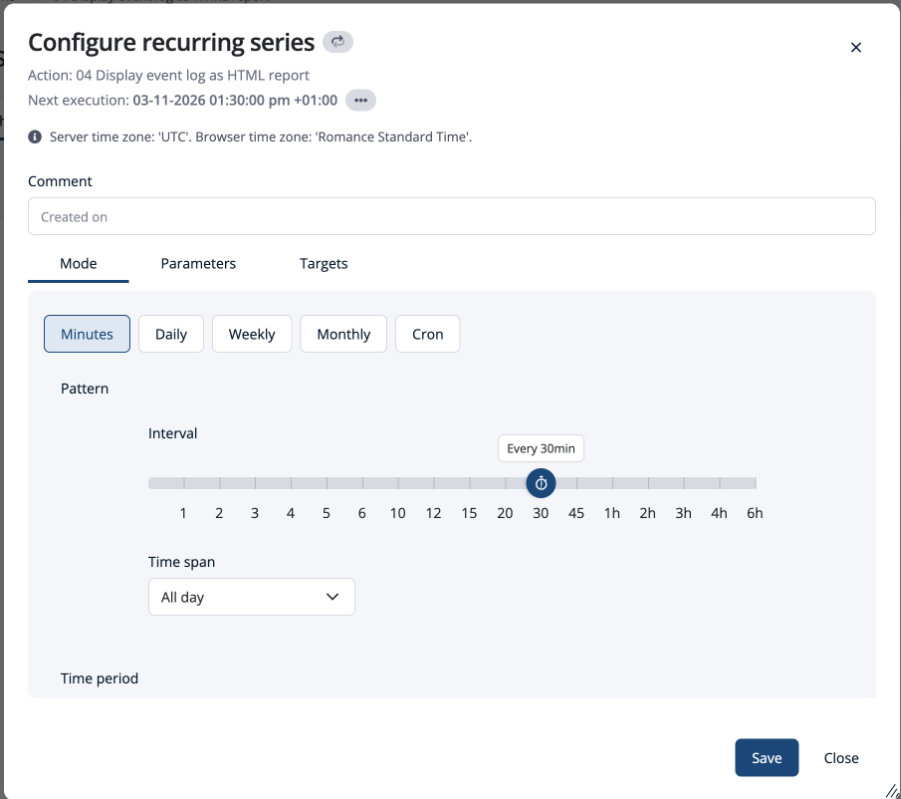
Setting up a schedule is straightforward. ScriptRunner provides a GUI-based scheduling interface where you can define when and how often an Action should run.
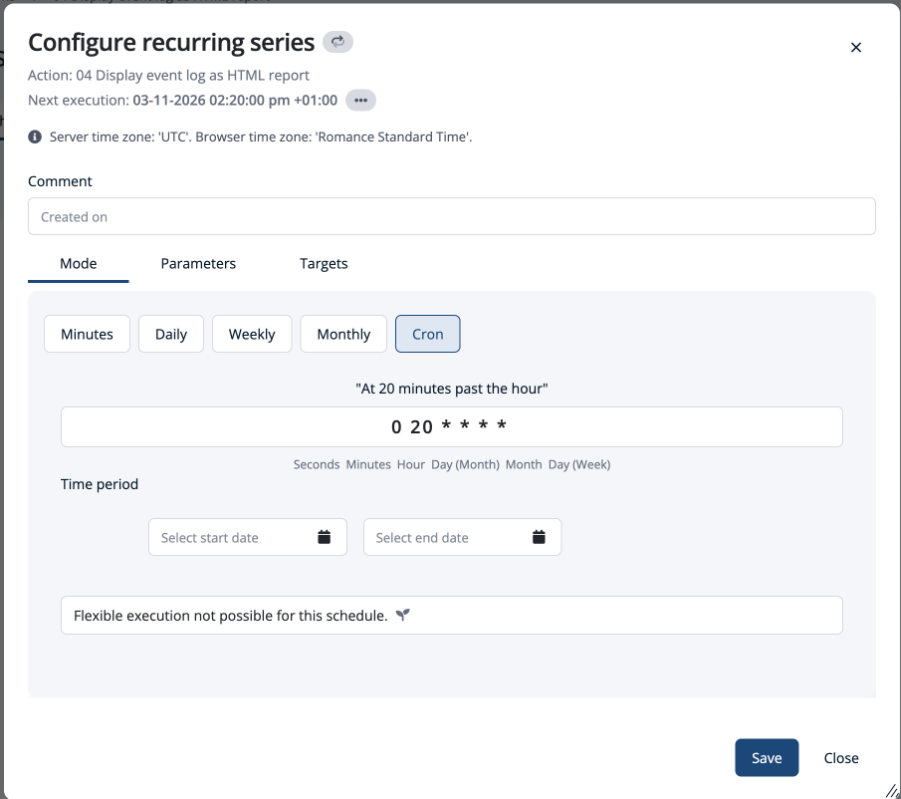
For administrators who are used to working with cron and prefer that syntax, ScriptRunner also supports cron expressions as an alternative way to define schedules.
Since schedules are attached to Actions, they inherit the Action's script and credentials. When you create a schedule, you specify which parameter values and target systems that particular run should use. This means you can attach multiple schedules to the same Action with different parameter sets and targets—for example, running a cleanup script daily against test systems with one configuration and weekly against production with another. Everything is managed in one place, with no need to duplicate Actions or configuration across servers.
Central Visibility: See All Scheduled Executions at a Glance
One of the most immediate benefits of centralizing schedules is visibility. ScriptRunner provides a central view of all upcoming scheduled executions, showing what will run, when, and on which targets.
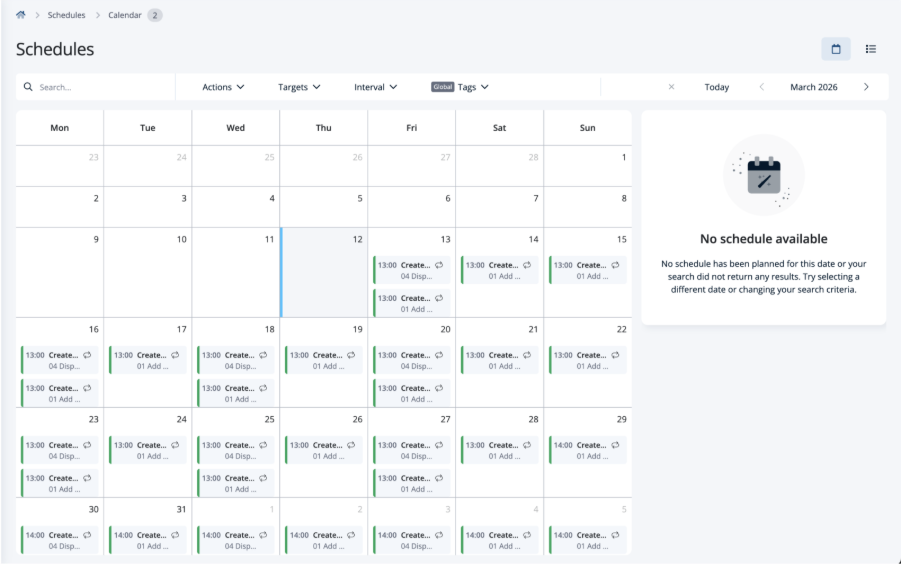
This is something Windows Task Scheduler simply cannot offer across a multi-server environment. With ScriptRunner, you see everything in one place instead of checking each server individually.
Equally important is the ability to pause and resume schedules. Before going on vacation or during a planned maintenance window, you can pause scheduled Actions to prevent them from firing while you are away. Once you are back or the maintenance is complete, you resume them with a single click. No more worrying about jobs running unattended at the wrong time.
Secure Credential and Target Management for Scheduled Jobs
One of the biggest risks with Task Scheduler is how credentials are handled. Passwords are stored locally, often tied to service accounts that have far more permissions than the job requires. When a password changes, scheduled jobs break silently.
In ScriptRunner, credentials are created and managed centrally, then attached to the Action. When a schedule runs, it inherits the credential from its Action, so there is no need to configure credentials at the schedule level. Credentials can also be retrieved at runtime from external password servers such as CyberArk or Pleasant Password Server, meaning passwords are never stored in a scheduler configuration on a remote server.
Monitoring and Alerts: Knowing Immediately When a Scheduled Job Fails
With Task Scheduler, a failed job is a silent event. Unless you actively check, you will not know something went wrong until the consequences surface.
ScriptRunner logs every execution result automatically. Success and failure states are visible from a central dashboard, giving you an immediate overview of how your scheduled automations are performing. When a scheduled Action fails, you can configure notifications so the right people are informed immediately rather than discovering the problem days later.
This turns scheduled automation from a fire-and-forget setup into something you can actively monitor and respond to.
Audit Trail for Scheduled Executions: Tracking Every Run for Compliance
Every scheduled execution in ScriptRunner is fully logged. For each run, the system records who configured the schedule, when the Action executed, which parameters were used, and what the result was.
This audit trail is available centrally and ties directly into ScriptRunner's broader audit and reporting capabilities. When compliance or security teams need a report on what scheduled automations ran, when, and under whose authority, the data is already there. No manual log collection, no stitching together information from multiple servers.
Key Takeaways
- Central scheduling replaces scattered Windows Task Scheduler jobs across servers
- GUI-based scheduling for quick setup, with cron expression support for advanced use cases
- Full visibility into all planned executions from a single view
- Pause and resume schedules for vacations or maintenance windows
- Credentials defined at the Action level, with support for external password servers
- Automatic execution logging with failure notifications
- Complete audit trail for every scheduled run, ready for compliance reporting
Bottom Line
Scheduled automation should not mean scattered jobs across dozens of servers with no oversight. ScriptRunner brings all your scheduled tasks into the same enterprise PowerShell automation platform that also governs execution across Microsoft environments with full credential control, real-time visibility, and a complete audit trail.
Scheduled automation should not mean scattered jobs across dozens of servers with no oversight. ScriptRunner brings all your scheduled tasks into one platform: with central scheduling, full credential control, real-time visibility, and a complete audit trail. Whether you are running ten scheduled Actions or hundreds, ScriptRunner ensures they are managed, monitored, and auditable from a single place.
To see exactly how centralised scheduling could transform your operations, book a meeting with us.