.svg)
.svg)

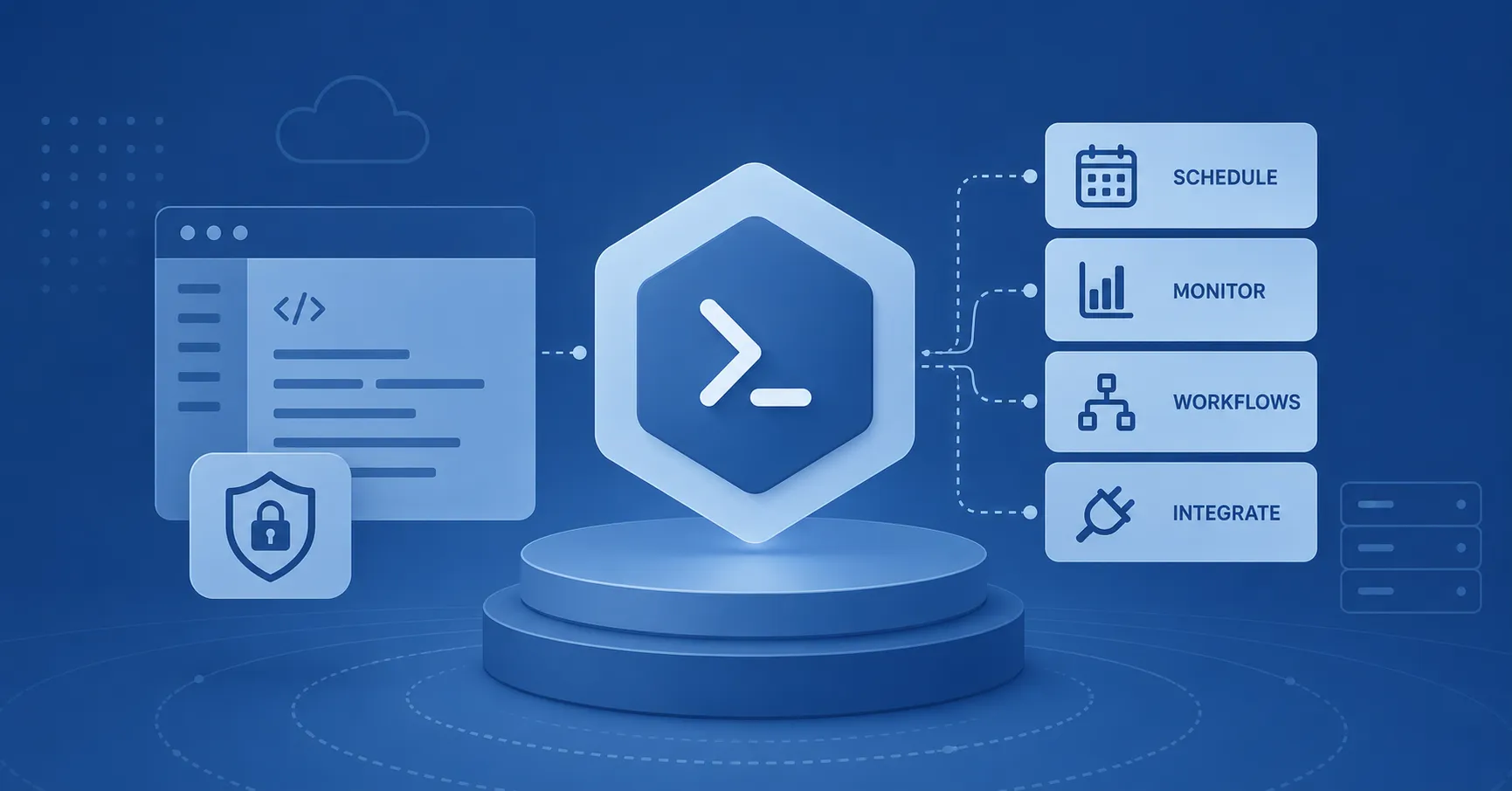
PowerShell is the default automation layer in Microsoft IT environments, but as usage increases, organizations can struggle to consistently control how it runs. Enterprise PowerShell automation allows organizations to run scripts and workflows from a central platform with governance, delegation, credentials, scheduling, and auditability. Instead of individual administrators running isolated scripts, you begin operating automation as infrastructure.
This matters in Microsoft IT environments because of their complexity. Administrators are often dealing with Entra ID, Active Directory, Microsoft 365, Exchange, Azure, VMware, hybrid infrastructures, and more. Each of these surfaces has its own operational risks, permissions model, failure modes, and service dependencies.
PowerShell reaches deeply into these systems. This is why unmanaged PowerShell automation at scale is risky. It's easy for a senior engineer to store scripts in personal folders on individual servers and schedule them to execute with broad admin rights. Over time, however, that creates knowledge silos, credential exposure, and inconsistent standards.
What Is Enterprise PowerShell Automation?
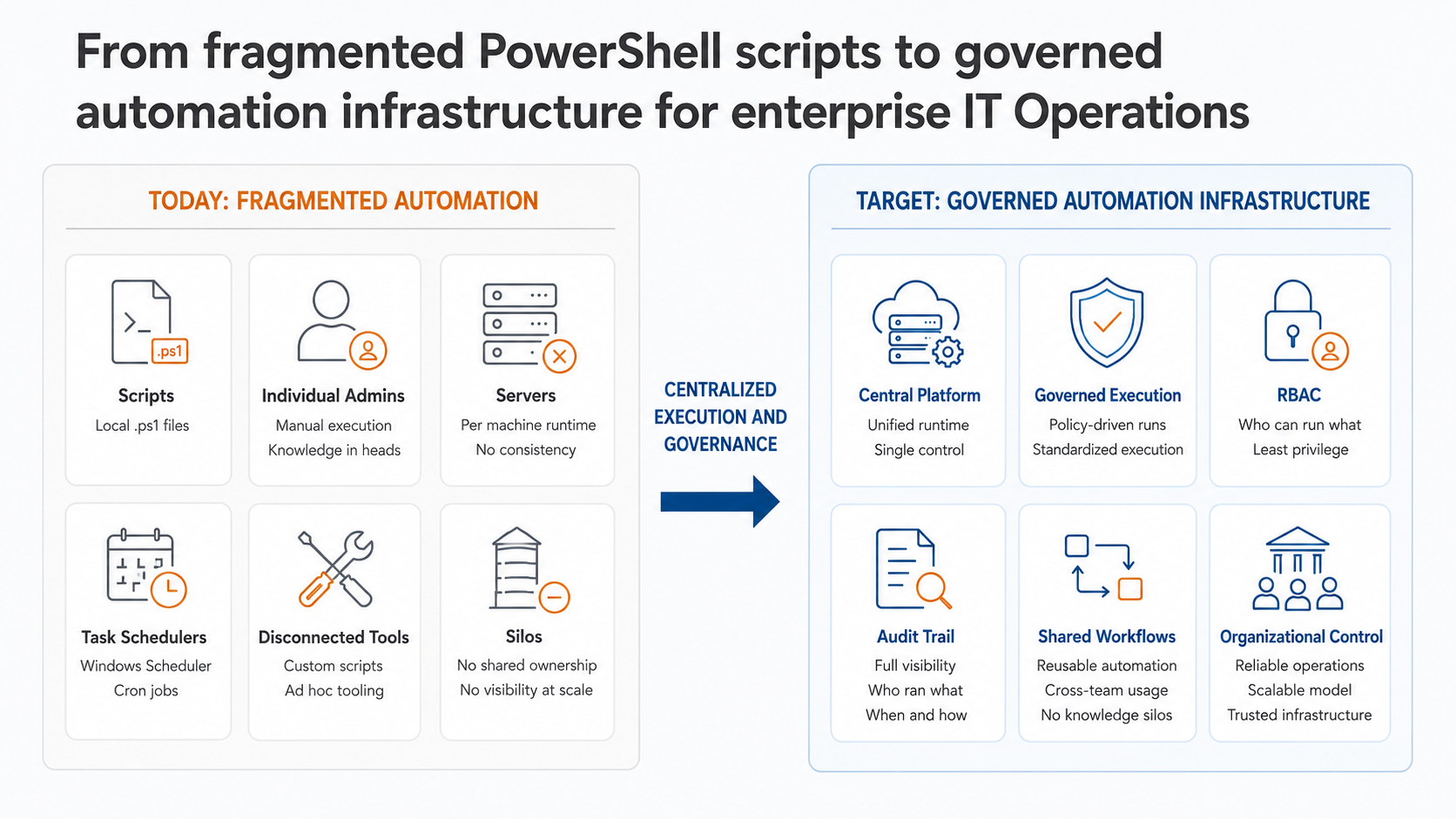
Enterprise PowerShell automation is the practice of managing scripts, execution, permissions, credentials, logging, scheduling, and reuse through a single controlled model instead of scattering them across folders and workstations. It moves execution off individual machines and onto a managed automation platform. This centralization in turn enables the governance, delegation, and auditing that are necessary in enterprise environments.
The result is a shared operational capability the whole IT organization can rely on. Leaders gain visibility into operational risk, and administrators get a practical way to reduce repetitive work without giving up the flexibility of PowerShell.
Four contrasting paradigms illustrate this difference clearly:
- Ad hoc scripts → a managed automation platform. Automation evolves from a pile of files to become a system with a defined way to store, run, and govern work.
- Individual expertise → shared operational capability. What one person knows how to operate becomes something many people can run safely, without learning PowerShell themselves.
- Manual execution → controlled execution. Tasks no longer depend on someone opening a console and remembering the right parameters. Instead, they run under defined permissions, on a schedule or in response to a trigger, with credentials managed outside the script.
- Opaque runs → an audit trail. Every execution leaves a record. You can always see who triggered it, when, against which target, and with what result. The same automation that does the work also documents it.
An enterprise PowerShell automation platform must fulfill all of these criteria. ScriptRunner, for example, accomplishes this by providing an end-to-end enterprise automation system that sits on top of the PowerShell scripts an organization already has. It does not replace PowerShell or the administrators who write the scripts. Instead, it turns enterprise PowerShell automation into the infrastructure that makes your organization's expertise reusable, auditable, and safe to operate at scale.
Why PowerShell Automation Breaks Down in Microsoft Environments
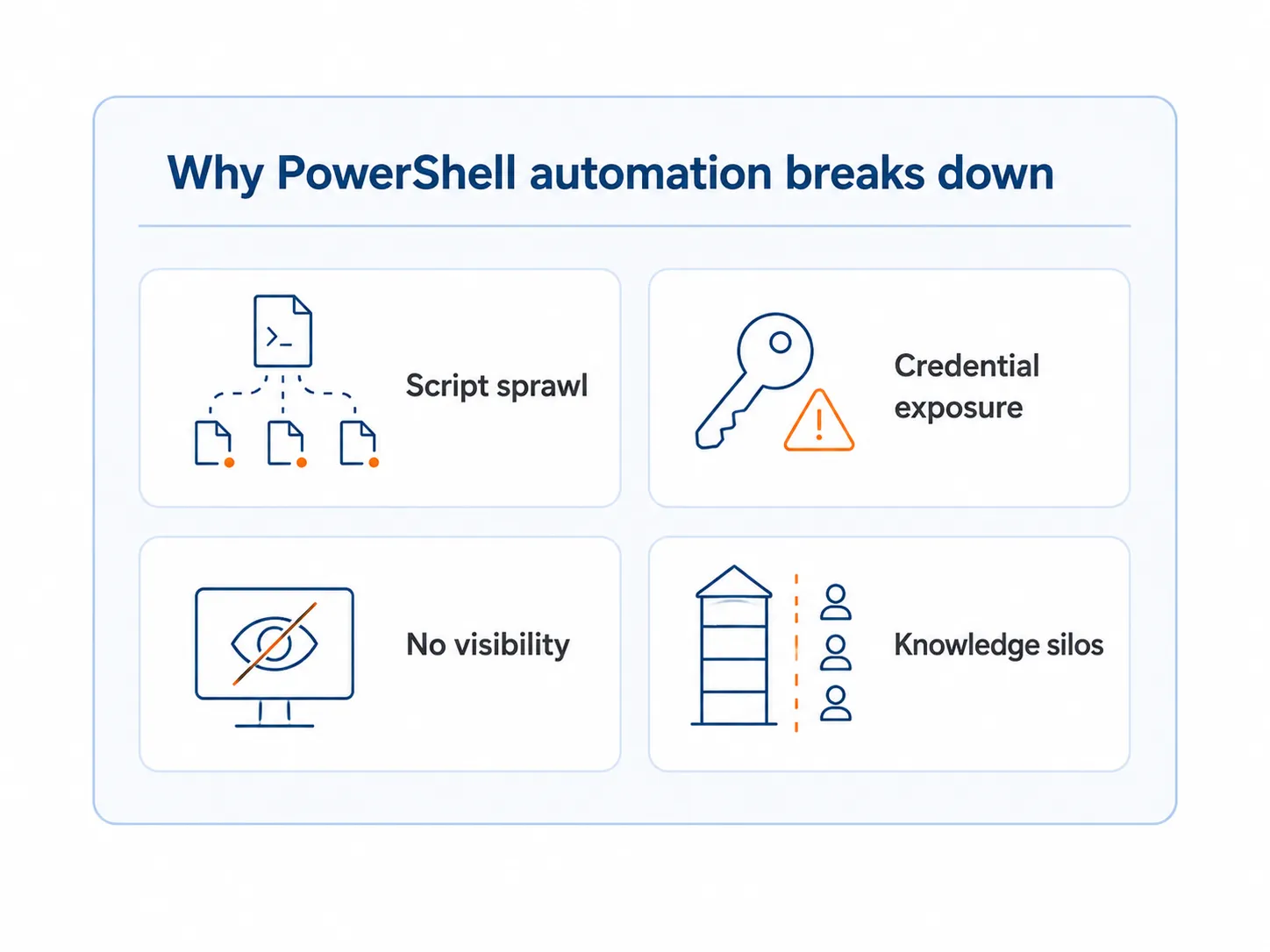
PowerShell automation breaks down when the way scripts are stored, run, and shared does not scale with requirements. A script written for one admin's workflow becomes a liability the moment three other people need it, the original author leaves the organization, or an auditor asks who ran it and when.
Often, the manual work that automation was supposed to handle is still being done by hand because no one can find the scripts when they need them. That's because they're sitting in personal folders of an employee's PC or a network share. There's no canonical version, and no one owns the scripts, so it's hard to know if they can be trusted.
Some additional failure modes we see across Microsoft IT environments:
- Scripting standards are inconsistent so two scripts that do similar things behave differently and fail differently.
- A very limited number of PowerShell experts become a bottleneck for routine work and a single point of failure when they are unavailable.
- Scripts run with broad privileges, compromising security, because it's too difficult to assign granular permissions.
- Credentials get exposed when passwords and secrets are hard-coded into scripts or passed around in plain text.
- There's no execution visibility, no reliable record of what ran, against which systems, with what result.
- Central governance and auditability are lacking, leaving no consistent way to control or review automated actions.
- Fragmented task schedulers, DIY tools, and team-specific automations are all maintained separately and represent discrete points of failure.
The most expensive problems are rarely technical issues. The costliest issue for larger organizations in fact tends to be the concentration of operational knowledge. When critical automations live in a single person's scripts and mind, the organization's business processes are at risk if that employee falls ill, retires, or leaves the company. This makes eliminating PowerShell knowledge silos in Microsoft IT as much about continuity as it is about efficiency.
Counterintuitively, having more scripts can even slow a team down. That's because PowerShell script sprawl increases the cost of finding, trusting, and maintaining the script inventory faster than new scripts add value.
If your admins are wasting time searching for scripts, rewriting existing work, checking whether a script is current, or asking the original author how to use it, you may be hitting that structural limit. For IT leaders, the problem manifests as key person dependency, inconsistent execution, avoidable errors, and limited visibility into operations.
From Scripts to a Managed Automation Engine
To get enterprise-grade PowerShell automation, you don't need to change the scripts themselves, but rather what surrounds them. When execution runs through a centralized engine, it makes access and scheduling something you can see, control, and account for. This transforms the same logic that ran on a single machine into governed infrastructure the organization can depend on.
Centralization changes the following:
- Scripts become reusable assets rather than one-off files, stored, versioned, and documented in a shared library.
- Execution becomes standardized, so the same task runs the same way regardless of who initiates it.
- Tasks run on schedules and trigger consistently without depending on per-machine schedulers.
- Permissions can be controlled, so who can run what is a deliberate decision, not an accident of who has access to a folder.
- Credentials can be vaulted, removed from script bodies, and managed centrally.
- Logs and audit trails become available as a natural by-product of running automation through one controlled path.
- Workflows become repeatable, combining individual actions into reliable operational sequences.
- Automation becomes less dependent on individual admins, because the capability lives in the platform rather than in any one person.
This is the difference between a one-off script and an automation and orchestration engine for enterprise IT: the engine is what makes PowerShell automation something an organization can scale without scaling its risk.
Core Capabilities of Enterprise PowerShell Automation
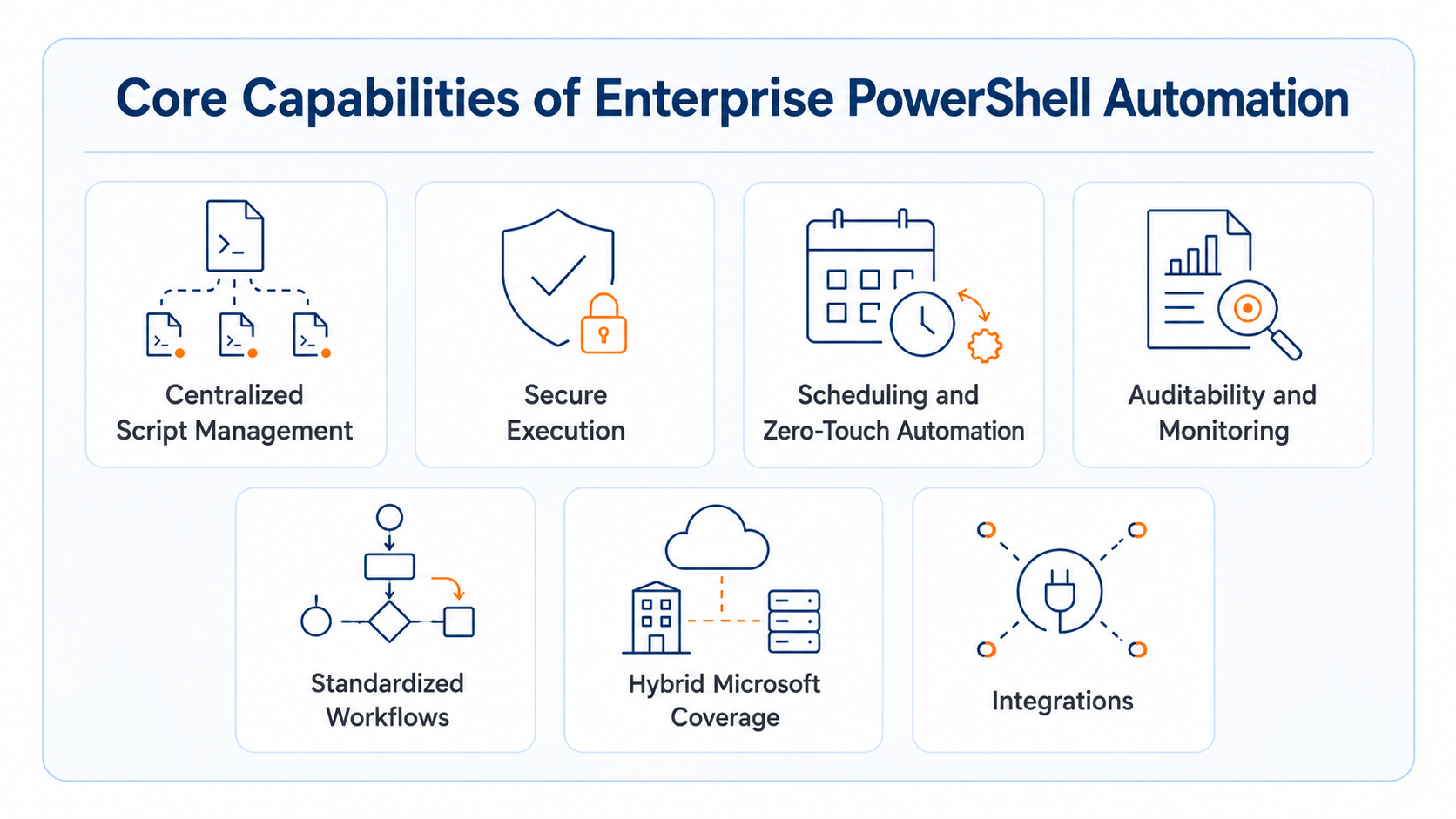
A managed automation platform turns the principles from the previous section into concrete capabilities. Below, we've detailed the building blocks of enterprise PowerShell automation mapped to the example of how ScriptRunner implements them for Microsoft IT environments. Each one is essential. Secure execution without monitoring leaves blind spots. Scheduling without ownership still results in fragile automation. The enterprise value comes from connecting these capabilities into a single managed automation model.
Centralized Script Management
Centralized script management means storing, organizing, versioning, documenting, and reusing PowerShell scripts across teams from a single controlled location. Instead of duplicating near-identical scripts on different machines, teams gain a single source of truth where scripts are discoverable, trusted, and consistent.
This is also where standards become enforceable in practice. Enforcing PowerShell standards across distributed teams is far easier when every script flows through a central library with shared conventions. This includes naming, parameters, execution methods, ownership, documentation, and lifecycle management.
For teams that already have a large body of working scripts, the path forward is usually adapting existing PowerShell scripts for centralized execution. There's no need to start from scratch. You simply leverage what already exists.
Secure Execution
Secure execution means running PowerShell automation under controlled permissions, with credential vaulting, role-based access control (RBAC), and policy-based execution. This way, tasks operate with only the access they are authorized to use. The principle of least privilege, hard to enforce across isolated scripts, is much easier to apply when execution runs through a central engine.
Credential vaulting is a good example of how central execution improves security. One of the most frequent PowerShell security failures we see happens when people embed credentials directly inside scripts. Now anyone with access to the script could also gain access to the systems those embedded credentials reach.
Removing credentials from PowerShell scripts with Azure Key Vault is a proven method of reducing this risk. Using a central execution engine with vaulting separates three things: the script, the secret, and the permission to use the secret. Secrets remain in the vault (instead of in the script body) and are retrieved only at runtime by approved jobs or identities. Delegation, JEA, and self-service also build on the same foundation of central execution, allowing users to run approved automation without receiving broad administrative privileges.
Scheduling and Zero-Touch Automation
Scheduling and zero-touch automation eliminate repetitive manual work by running automation on a defined schedule or in response to a trigger. Routine operations such as nightly reports, recurring provisioning, and periodic cleanup run without anyone opening a console, the same way every time.
Orchestrated centrally rather than through scattered per-server task schedulers, scheduling becomes both governable and reliable. By using ScriptRunner for scheduled automation, teams can retire the patchwork of individual schedulers that no one fully tracks.
Auditability and Monitoring
Auditability and monitoring mean the platform automatically records what ran, when, who ran it, where, and with what result. This is one of the most valuable downstream effects of running automation through a centralized platform. Instead of something you have to bolt on, visibility becomes inherent to how automation executes.
Whereas individual scripts and automation can fail silently, a central platform can issue PowerShell automation failure notifications and alerting so you never miss a failure. And because every execution runs through the same engine, the audit trail isn't something you have to build separately — it's a natural by-product of how the system operates. That record becomes the foundation for reporting and regulatory evidence for compliance with regulations and standards such as ISO 27001, NIS2, DORA, and SOC.
Standardized Workflows
Standardized workflows turn individual scripts into approved, repeatable operational sequences. Multi-step processes run as a single reliable operation rather than chains of scripts triggered manually. Standardization is what makes automation durable: it builds continuity, resilience, and scale into operations that would otherwise depend on someone remembering the right order.
That durability matters most for the operations a business cannot afford to lose, which is why building continuity for critical PowerShell operations treats automation as something to be planned and protected. Standardized workflows also benefit from disciplined development practices: Staging environments for PowerShell script workflows keep changes from going straight to production, and PowerShell capacity planning and performance monitoring ensure sufficient capacity as operations scale.
Hybrid Microsoft Coverage
Hybrid Microsoft coverage means automation reaches across the full Microsoft estate through one consistent model spanning everything from Entra ID, Active Directory, Microsoft 365, Exchange, and Azure to VMware and hybrid infrastructures. Most enterprise environments are not cloud-only or on-premises-only, they are hybrid. Automated systems must therefore extend across the Microsoft ecosystem from a single platform. Two of the most common entry points we see are virtualization and directory work: teams can automate VMware vSphere with PowerShell PowerCLI and handle Active Directory management with PowerShell through the same governed model.
Integrations
Integrations connect PowerShell automation to the rest of the operational stack (ITSM, monitoring, directories) over a REST API, so automation can be triggered by and report back to the systems IT already runs. ScriptRunner's REST API specifically supports integration with ITSM platforms such as ServiceNow and Ivanti, alongside directory, monitoring, and tooling.
This is what lets automation move from a tool that admins open to a service other systems call: triggering automation via REST API from ITSM, monitoring, and ticketing systems turns ScriptRunner into an execution engine for the whole stack. At an organizational level, treating integration as a deliberate strategy rather than a series of point connections is the argument behind an API integrtion strategy for enterprise automation.
Where Enterprise PowerShell Automation Creates Value
Enterprise PowerShell automation creates value on two fronts at once: it makes admins' day-to-day work faster and more secure, and it gives IT leaders a way to scale operations without scaling their risk or headcount.
For IT admins, the value is practical. Centralized automation means less time spent repeating known tasks, searching for scripts, fixing inconsistent parameters, or running privileged commands manually. It gives practitioners a safer way to reuse proven work and a clearer way to hand off automation to others. It also reduces the friction between writing a useful script and making that script operational for the wider team.
- Less repetitive manual execution
- Easier reuse of existing automation
- Lower cognitive load — less context to hold in your head
- Fewer errors from manual, inconsistent runs
- Safer script execution under controlled permissions
- Better troubleshooting, because there is a record of what ran
For IT team leaders, the value is operational. Centralized PowerShell automation helps increase productivity without simply adding headcount. It reduces key person dependency by turning individual expertise into shared capability. It standardizes execution for important tasks. It improves visibility into what automation is running and where failures occur. It also creates a stronger foundation for governance, delegation, orchestration, and tool consolidation.
- Higher productivity without increasing headcount
- Reduced operational and compliance risk
- Better standardization across teams
- Less dependency on individual experts
- Stronger automation maturity over time
The clearest symptom that this value is being left on the table is when expensive, senior engineers are still doing manual IT work. Centralized automation is, in large part, the answer to reclaiming that capacity.
Common Microsoft Use Cases
Centralized PowerShell automation covers the recurring, high-volume tasks that define Microsoft IT operations. This is work that is too frequent to do manually and too sensitive to leave ungoverned. Typical use cases include:
- User onboarding and offboarding across Entra ID and Active Directory
- AD and Entra ID user and group administration
- Microsoft 365 licensing and service provisioning
- Exchange mailbox configuration and maintenance
- Azure administration
- Access control changes
- Password, group, and permission workflows
- Configuration and drift checks
- Compliance evidence collection
- Monitoring-triggered remediation — automation that responds to an alert without human intervention
- Hybrid infrastructure maintenance
- Automated reporting
Onboarding and offboarding are usually the first places teams centralize, because they are repetitive, error-prone, and security-sensitive. Practical starting points include PowerShell scripts for user and service management and PowerShell scripts for Active Directory onboarding and offboarding, both of which translate directly into reusable, governed automation.
Centralized Automation vs Isolated Scripts
While an isolated script may solve a task once, centralized automation makes that task repeatable, controlled, auditable, and safe to run across the Microsoft environment.
How to Start Centralizing PowerShell Automation
Centralization is a sequence, not a switch. The path below moves from low-risk groundwork to fully governed, self-running automation:
- Identify repetitive Microsoft IT tasks — the manual work done often enough to be worth automating.
- Inventory existing scripts and their owners — find what already exists and who maintains it.
- Standardize scripts for reuse — bring them up to a consistent, documented standard.
- Centralize script management — move scripts into one controlled library as the single source of truth.
- Centralize execution and scheduling — run scripts through one engine, with controlled credentials, defined access, and consistent scheduling instead of per-machine schedulers.
- Add RBAC, credential handling, and audit logging — control who can run what, vault secrets out of scripts, and record every run.
- Delegate safe execution — let more people run approved automation through controlled interfaces or approval flows, without giving them broad access.
- Expand into workflows and monitoring-triggered remediation — combine actions into standardized workflows and let automation respond to events on its own.
Conclusion: PowerShell Automation as Microsoft IT Infrastructure
PowerShell automation is not just a collection of scripts. In Microsoft IT, it is operational infrastructure — and it should be treated like infrastructure: centralized, governed, secured, and monitored. Centralizing it allows teams to reduce manual work, preserve knowledge that would otherwise live in a few people's heads, control risk, and scale automation securely across hybrid Microsoft environments.
The organizations that get the most from PowerShell are not the ones with the most scripts. They are the ones that integrate those scripts into a managed automation platform — a shared capability that runs reliably whether or not the person who wrote it is in the room.
If you'd like to talk to us about enterprise PowerShell automation, just book a meeting with our automation experts.
Frequently Asked Questions
What is enterprise PowerShell automation? Enterprise PowerShell automation is the use of PowerShell to automate IT operations at organizational scale — across teams, systems, and hybrid Microsoft environments — in a way that is centralized, governed, secured, and reusable rather than dependent on individual scripts and experts.
What is centralized PowerShell automation? Centralized PowerShell automation manages scripts, execution, permissions, credentials, logging, scheduling, and reuse through one controlled model, turning private scripts into a shared operational capability the whole IT organization can rely on.
What is PowerShell script management? PowerShell script management is the practice of storing, organizing, versioning, documenting, and reusing scripts from a single controlled location, so that there is one trusted version of each script rather than copies scattered across machines and folders.
How do you centralize PowerShell scripts across teams? Start by inventorying existing scripts and owners, standardize them for reuse, move them into a central library, then route execution through one engine with controlled access, vaulted credentials, scheduling, and audit logging — and expand into delegated execution and workflows from there.
DIY PowerShell scripts vs a managed automation platform — what's the difference? DIY scripts are written and run individually, with security, scheduling, and visibility handled (or not) per script. A managed automation platform provides those controls centrally, so automation scales safely without each script having to solve governance, credentials, and auditing on its own.
Why does PowerShell automation break down in Microsoft IT? It breaks down because scripts live in personal folders, standards drift, credentials are mishandled, execution is invisible, and critical knowledge concentrates in a few experts. The scripts keep working; the way they are stored, run, and shared does not scale with the team.