.svg)


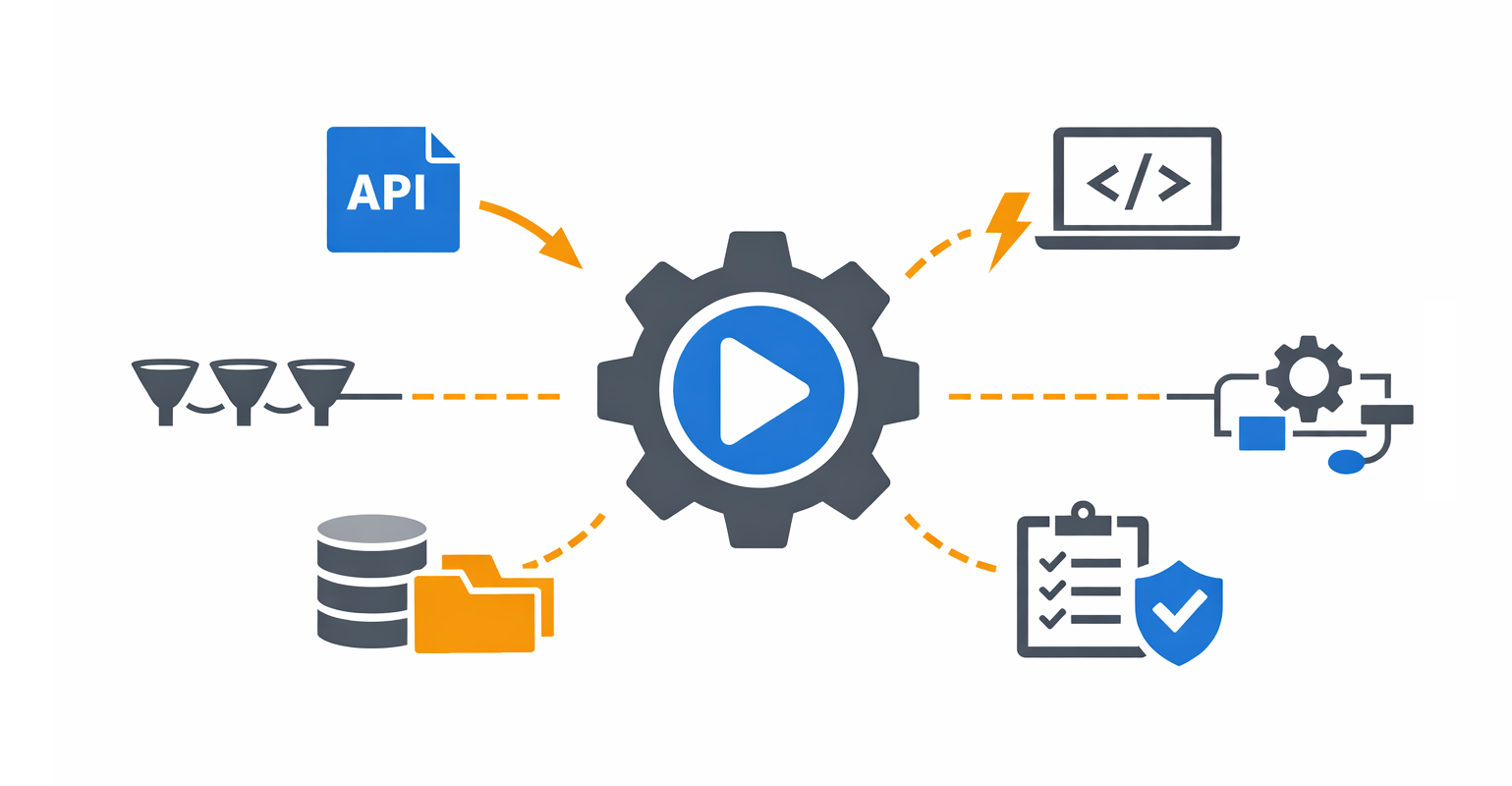

ScriptRunner offers several ways to start an Action: manually from the UI, on a schedule, through a hot folder, via inbound email, from Microsoft Teams or Slack, or – most powerfully for integration – via a REST API call.
The last option is what turns ScriptRunner from a standalone automation platform into the execution engine for every other system in your stack. Any Action you have already built can be triggered by Jira, ServiceNow, your monitoring system, your IDM, your SIEM, a low-code platform, or even a custom frontend you build yourself, without rewriting the script and without giving those systems direct access to your infrastructure.
The Many Ways to Trigger an Action
In ScriptRunner, an Action is the central building block of automation. It can be triggered manually from the UI, on a schedule (see How to Master Scheduled Automation in ScriptRunner), through inbound channels such as hot folders, email, or chat platforms like Teams and Slack – each a topic for future articles – or via a REST API call from an external system. The API call is the integration point, and it is the focus of this article.
The Problem: Disconnected Tools, Manual Translation
In most IT environments, signals that should trigger automation are everywhere. A ServiceNow ticket is approved – it should provision a user. A Datadog alert fires – a service should be restarted. A Workday event arrives – an account should be created. A SIEM detects a compromised host – it should be isolated. In practice, none of this happens automatically: an operator reads the ticket, copies the values into a script, and runs it by hand.
The teams that try to fix this usually end up writing their own ad-hoc integration scripts: small services on a forgotten VM with credentials in environment files and no audit trail. This solves the trigger problem but creates a governance problem in its place. Shadow automation, in other words.
Automation Connectors in ScriptRunner
ScriptRunner solves this with Automation Connectors, specifically the Web Service Connector, which exposes a REST API that external systems can call to start Actions. As you would expect from an enterprise PowerShell automation platform, the connector is also the security boundary.
Each connector is scoped to a specific source system, restricted by source IP and/or API key, and limited to a defined set of Actions through access groups. The practical result is that an external system can trigger automation, but only the automation you have explicitly authorized, from the network locations you allow.
From a single overview, you see every external system that can call into ScriptRunner. No hidden integrations, no forgotten receivers, no scripts running on someone’s VM that nobody remembers setting up.
Use Cases: Triggering ScriptRunner from External Systems
Once this is in place, the integration possibilities open up considerably. A few patterns to inspire what you can build:
- ITSM (Jira, ServiceNow, BMC Helix): Approved change requests trigger user provisioning, mailbox creation, or configuration changes, with results posted back to the ticket.
- Monitoring and alerting (PRTG, Datadog, Zabbix, SCOM, Nagios): Alerts trigger remediation Actions, such as restart a service, clear a disk, fail over a node, before they ever reach a human.
- HR and identity (Workday, BambooHR, Entra ID): Joiner-mover-leaver events trigger AD account creation, group updates, and offboarding. The HR system stays the source of truth; ScriptRunner is the execution layer.
- SIEM and SOAR (Sentinel, Splunk, Cortex XSOAR): Incidents trigger containment: isolate the host, disable the account, rotate a credential – within seconds, with full audit detail for the SOC.
- Low-code orchestrators (Power Automate, Logic Apps): Citizen developers build the flow; the privileged steps are delegated to ScriptRunner Actions, so the low-code platform never sees the credentials.
- Custom frontends and intranet portals: Build your own UI, such as a department portal, an HR self-service page, an intranet tool, and let it call ScriptRunner Actions via API. Your frontend stays focused on UX; ScriptRunner handles execution, credentials, and governance behind it.
- ChatOps (Teams, Slack bots): A bot command in a channel triggers a governed Action, with approval if needed.
API Call Does Not Mean Bypass: Governance Still Applies
This is where ScriptRunner-based API integration differs fundamentally from rolling your own.
When an external system calls a Web Service Connector, the call enters the same governance pipeline as any other Action execution:
- Parameters are validated against the Action’s defined schema; unexpected fields are rejected.
- Credentials stay in ScriptRunner. The calling system never carries service account credentials.
- Approval workflows still apply. If an Action requires approval, an API call creates a request, not an execution, until an authorized approver releases it (see Built–In Approval Workflows).
- Every execution is audited. Source, parameters, result, and timestamp are all logged centrally.
- Failure notifications still fire (see Sending Notifications from PowerShell Automation).
The external system gains the ability to trigger automation. It does not gain a way to bypass the controls.
Key Takeaways
- Actions can be started manually, on a schedule, via hot folder, inbound email, ChatOps, or via REST API call.
- Any Action you have already built becomes an API endpoint as soon as a Web Service Connector authorizes it – no rewriting required.
- Connectors enforce enterprise-grade security: scoped by source, restricted by IP and/or API key, limited to authorized Actions.
- API-triggered runs go through the same governance as manual runs: validated parameters, central credentials, approvals, audit trail, notifications.
- Use cases span ITSM, monitoring, HR/identity, SIEM, low-code orchestrators, ChatOps, and custom frontends.
Bottom Line
Modern IT cannot afford manual translation between systems. Tickets, alerts, identity events, and security incidents should drive automation directly, not sit in a queue waiting for an operator to copy values into a script.
ScriptRunner’s Web Service Connector turns every Action into a governed API endpoint, so any external system can become a trigger without sacrificing oversight, auditability, or credential security. API calls in ScriptRunner are not a bypass around governance. They are governance applied to the integration.
To see how API integration could connect ScriptRunner to your ticketing, monitoring, or identity stack, book a meeting with us. (https://www.scriptrunner.com/book-demo)