.svg)

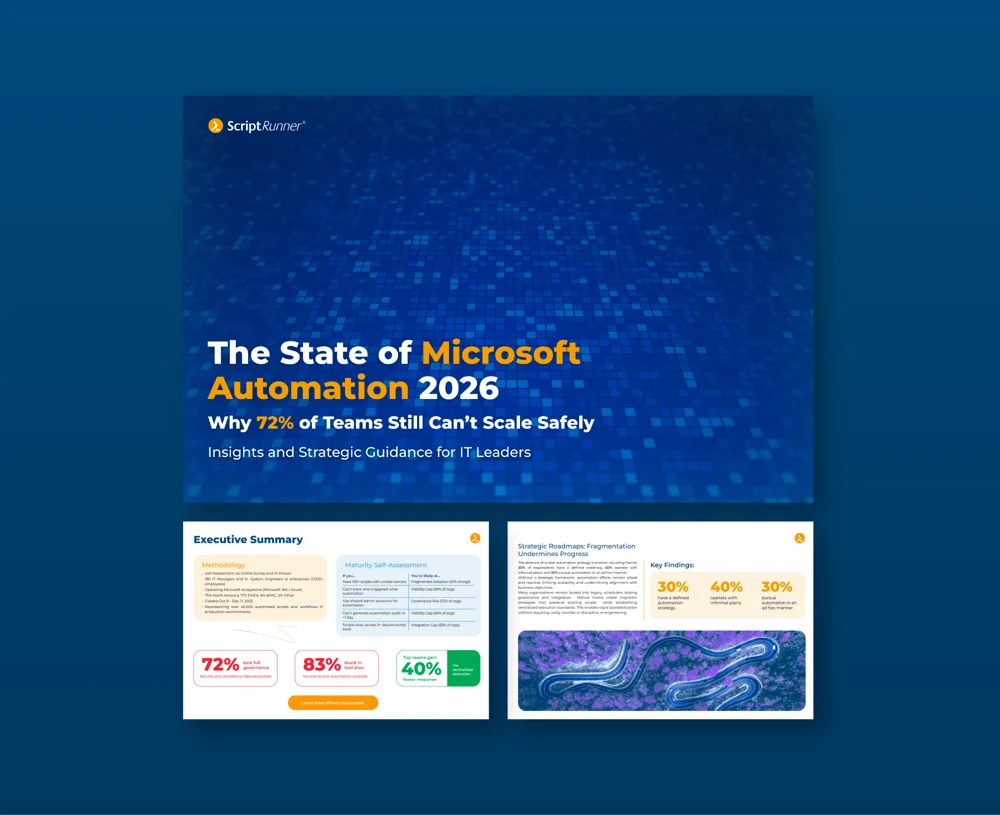


AI assistants like GitHub Copilot and ChatGPT have made writing PowerShell faster than ever. An admin describes a task, gets a script that looks like it works within seconds, and runs it. The problem is what happens next: the code often goes straight into a console with admin rights, with no review, no test run, and no record of what changed. ScriptRunner lets teams keep the speed of AI-assisted scripting while routing every generated script through the same controls as any other production code.
The New Shortcut: From Prompt to Production in One Paste
A helpdesk ticket asks IT to disable all accounts that have not signed in for 90 days. The admin who picks it up asks an AI assistant for a script, copies the result into an elevated PowerShell session, and presses Enter. The script works, or at least it seems to. Nobody else has seen the code. There is no copy of it anywhere except the admin’s clipboard history. If something went wrong, nobody could say exactly which lines ran, against which systems, or with which parameters.
This is quickly becoming the most common way new automation enters IT environments. It is fast and convenient, and it sits completely outside any governance process. It is Shadow Automation in its purest form, and the fastest way to grow a FrankenScript: code nobody reviewed, running with permissions nobody scoped, leaving traces nobody can audit.
Why AI-Generated PowerShell Needs More Scrutiny, Not Less
AI-generated scripts fail in ways that are easy to miss at a glance. Assistants invent cmdlets or parameters that do not exist. They use deprecated modules such as MSOnline or AzureAD because those are common in older training data. They hardcode credentials in examples, skip error handling, and leave out safety switches like -WhatIf. The code usually looks clean and confident, which makes these problems even harder to spot.
The person running the script often does not fully understand it either. That is the point of asking an AI in the first place. This creates a knowledge gap: the script works today, but when it breaks in six months, nobody on the team knows why it was written the way it was.
Why "Just Review It Yourself" Does Not Scale
The usual answer is a policy: "Always review AI-generated code before running it." In practice, this depends entirely on individual discipline. There is no technical gate that stops an unreviewed script from running. There is no record showing that anyone reviewed it. And there is no separation between testing and production, because the admin's console is both.
For compliance teams, this is difficult to defend. An auditor will not accept "we have a policy" as evidence. They want to see where the code came from, who approved it, where it ran first, and what happened when it ran. This raises the same question that applies to any script edit: does it count as a change?
How ScriptRunner Turns AI Output into Governed Automation
ScriptRunner does not stop anyone from using AI assistants. It changes where the generated code goes. Instead of going from the chat window into a console, it goes into a governed pipeline with review, testing, controlled execution, and a complete audit trail.
1. Commit to Git, not to the console. The generated script is committed to a Git repository such as GitHub, GitLab or Azure DevOps. That repository is connected to ScriptRunner as a script source, and ScriptRunner synchronizes the script into the platform. Teams that use pull requests can require a second pair of eyes before anything is merged. If your team is new to this setup, see how to get VS Code ready for Git and ScriptRunner.
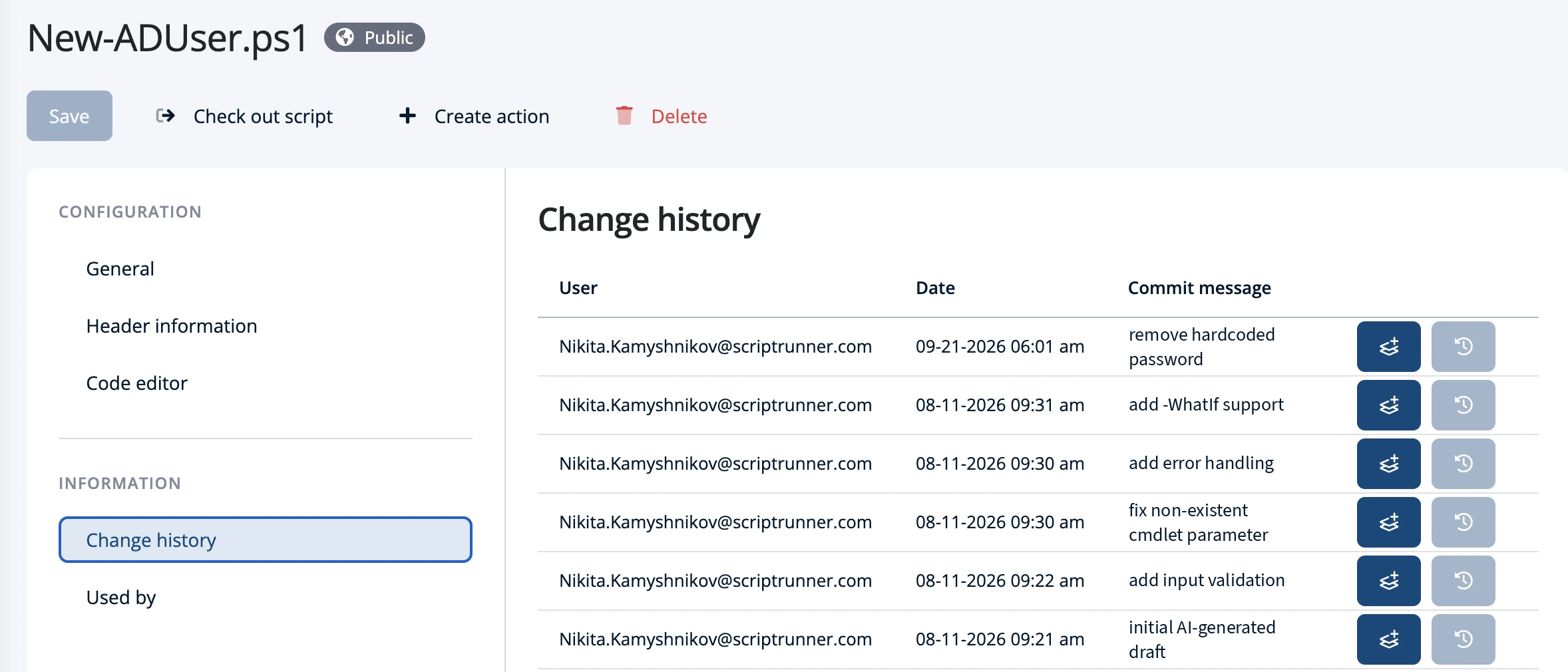
2. Review the change inside ScriptRunner. ScriptRunner shows the full change history of every script directly in its interface: who changed it, when, and with which commit message. Reviewers can compare versions and see exactly which lines the AI-generated code added or modified, without needing to use Git commands.
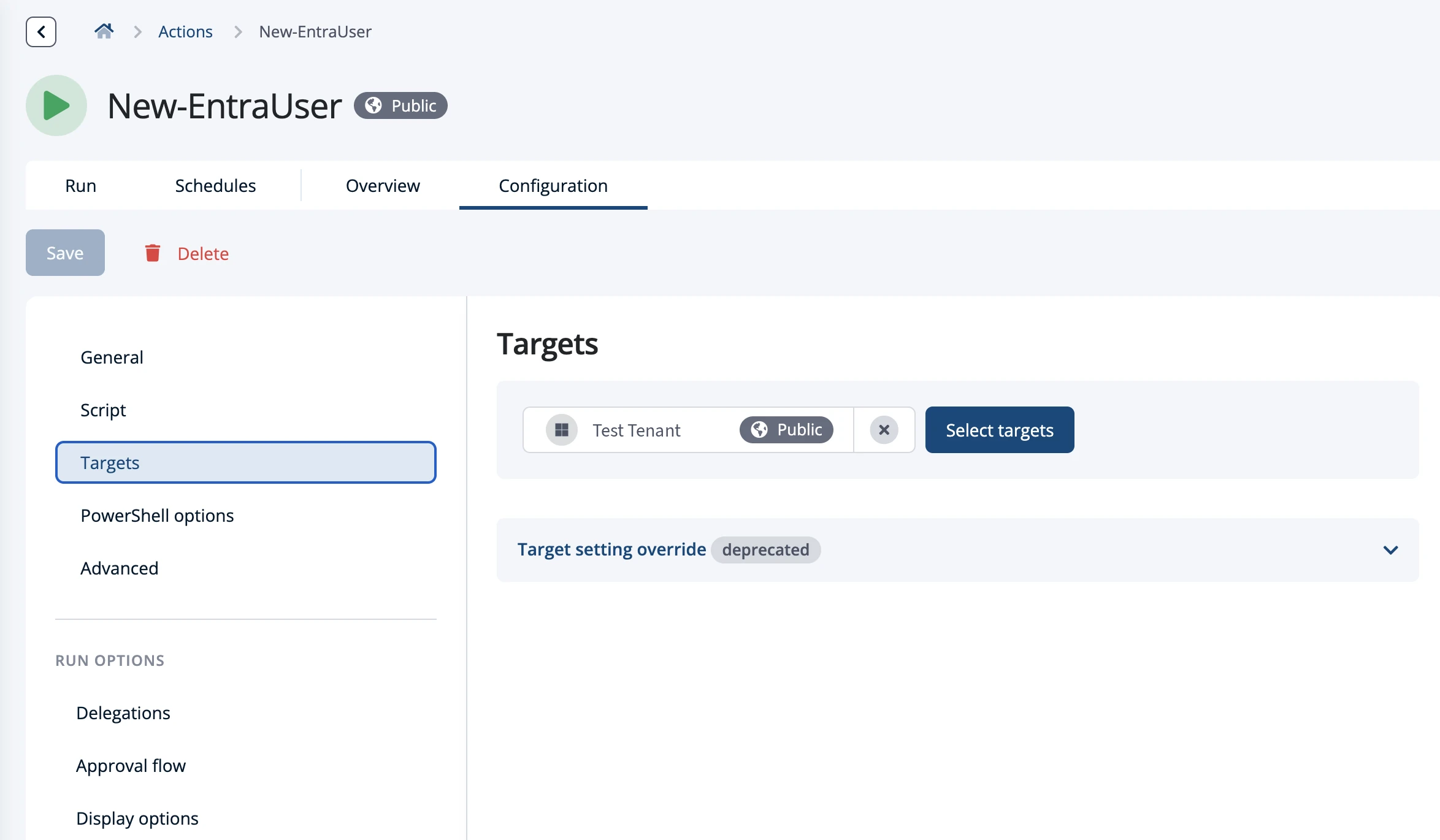
3. Run it against a test target first. You don't need a separate copy of the script to test it. Before running the Action against production, run it against a test target, for example a test OU or a test tenant. An invented cmdlet, a wrong filter or a deprecated module fails there, not in production. Once the results look right, the same Action runs against production targets.
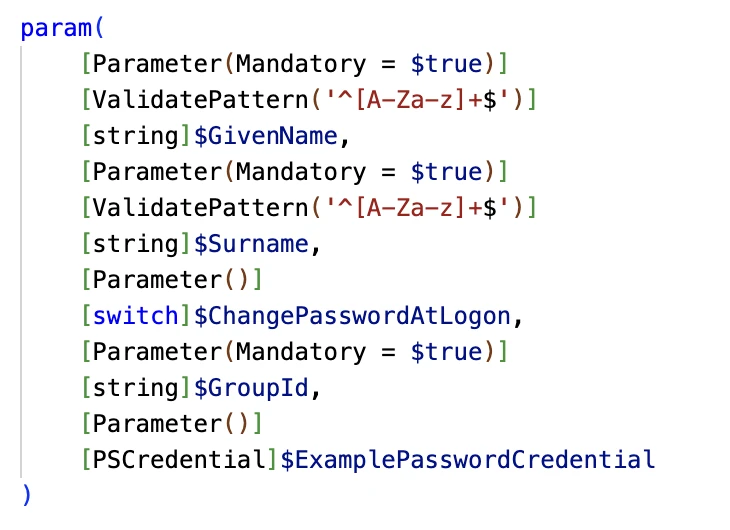
4. Remove credentials and limit what the script can do. AI assistants often put usernames and passwords directly into the code. In ScriptRunner, you delete them from the script and add a credential parameter instead. The actual credential is stored in ScriptRunner's credential store and linked to the Action, so it never appears in the script or in the form users see.
Next, you define rules for the script's inputs, for example which fields are mandatory and which values are allowed. ScriptRunner turns these into a form that rejects wrong input before the script runs. For Actions that change production systems, you can also require approval, so a colleague has to confirm each run first.

5. Keep the evidence and the way back. Every run is recorded in ScriptRunner's reports with its parameters, target, identity and result. If a new version causes problems, a single click restores the previous version.
The Result: AI Speed with Production-Grade Control
Admins keep the productivity gains of AI-assisted scripting. They still write in minutes what used to take hours. But the code no longer bypasses governance. Every generated script has a history, a reviewer, a test run and an audit trail. When an auditor asks where a script came from and whether it was tested, the answer is already in the platform. And when the script needs changing later, the commit history explains what was changed, when and by whom, closing the knowledge gap AI-generated code tends to create.
Key Takeaways
- AI assistants make writing PowerShell faster, but generated code often reaches production without review, testing or an audit trail.
- AI-generated scripts can contain invented cmdlets, deprecated modules, hardcoded credentials and missing error handling.
- A "review before you run" policy is not a technical control and leaves no evidence for auditors.
- ScriptRunner brings generated scripts in through Git script sources, with change history, version comparison and one-click restore in the GUI.
- Running the Action against a test target first makes sure new code is proven before it touches production systems.
- The credential store, parameter validation and approval flows remove secrets from scripts and limit what they can do.
- Every execution is logged, giving compliance teams a complete record from commit to result.
Bottom Line
AI has changed how scripts are written, but not what they do: they still create users, change permissions and modify production systems. Code that runs in production deserves production-grade controls, no matter who or what wrote it. ScriptRunner gives teams a governed path from AI prompt to production, so they can use AI assistants with confidence instead of hoping nothing breaks.
To see how ScriptRunner can bring AI-assisted scripting under control, book a meeting with us.