.svg)
.svg)

Pride in creating “The Mother of All Onboarding Scripts” is totally understandable. But when a piece of code grows up to cover critical business processes without an appropriate operating model, you may have a FrankenScript on your hands. And where there is one, you’ll usually find more. Nobody sets out to create a monster. But even if every individual automation works perfectly, it can quickly become a problem for auditing, security, and business continuity.
It’s an average Monday for a mid-sized company’s Exchange admin. Next ticket up: an employee left the company last week, and the manager needs access to their inbox. A couple lines of PowerShell handle it quickly. Ticket closed.
Fast forward to next year, there has been an acquisition; the company has grown. So have its scripts. Now, the service desk is submitting requests in a shared CSV. That tiny script has expanded to also disable accounts and remove licenses. Not long after, a scheduled task starts running it every night.
Over the next two years, more steps get added. The same collection of scripts begins handling both joiners and movers across Active Directory, Entra ID and Microsoft 365.
The admin who built the entire thing leaves the company. The jobs keep running. And then the audit comes.
Which identities does this automation use? What permissions do those identities hold? Who owns them? Where are the execution logs?
What started as a faster way to close tickets has become accidental infrastructure, and now it’s a business continuity risk.
For entities subject to national NIS2 regulations, this also carries weight beyond good practice. Article 20 requires the management body to approve cybersecurity risk-management measures, oversee their implementation, and holds it liable for infringements. Both approval and oversight assume somebody knows what's running.
Even the best-built automation can lack proper governance
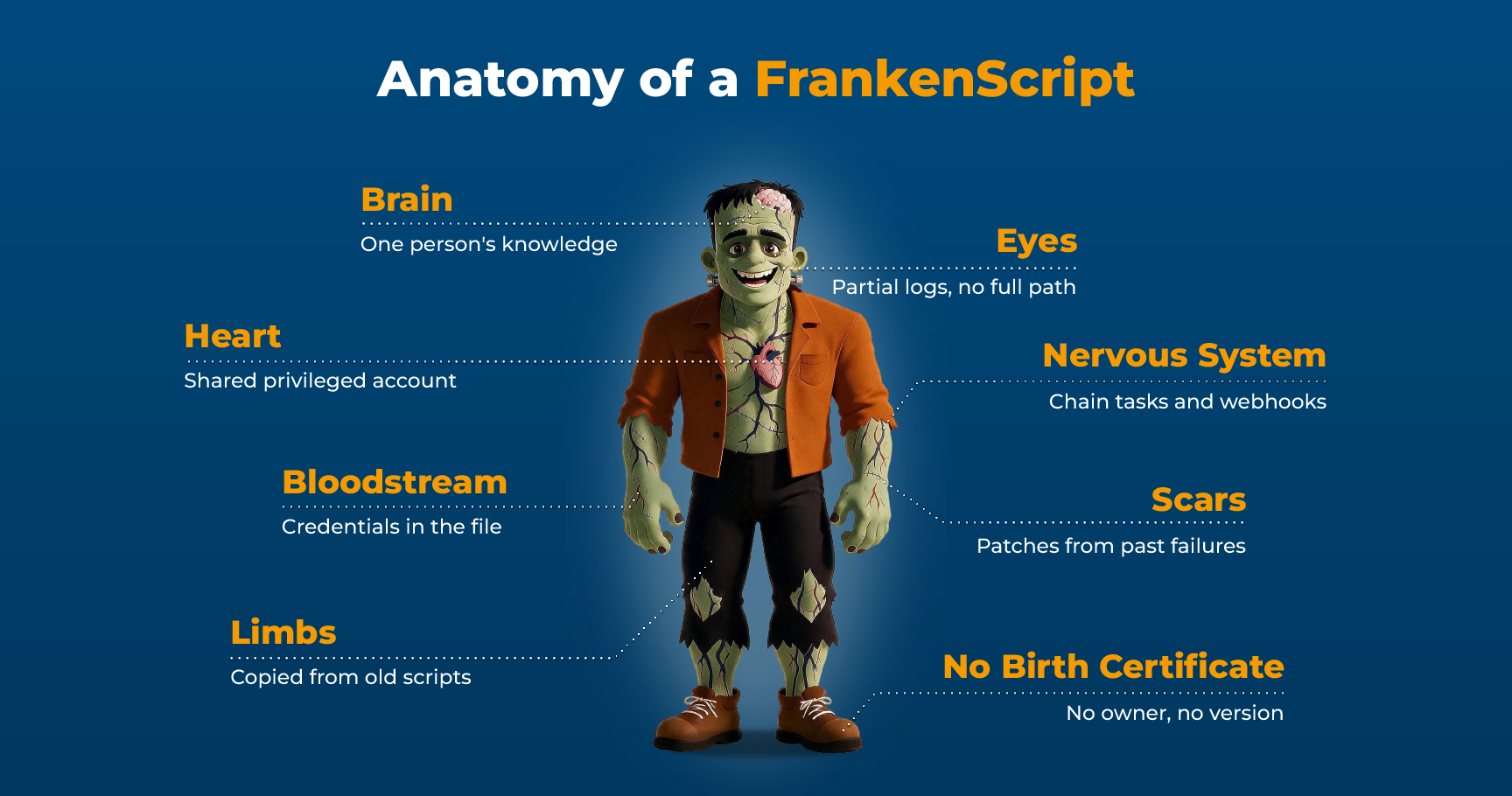
A script that has become essential for a business process yet lacks an owner, has no controlled execution path, or has no records of who ran it against what is a FrankenScript. It makes no difference if it’s from your most senior engineer who always writes squeaky clean code. If they’re running it from their own workstation using an account shared across the team, all is not well.
That ugly, uncommented script inherited from the employee who retired three years ago? If there’s a single authoritative version, a log of every run and who executed it, someone gets alerted if it fails, and you can reverse it, it could qualify as governable automation. Everyone worries about how much it costs to maintain code. With automation, the issue is the price of ungoverned scripts, not refactoring.
Incomplete automation governance is still common
That concern probably resonates in many firms. In late 2025, ScriptRunner Software GmbH conducted a survey of senior system engineers at enterprises with 1,000+ employees that run Microsoft 365 and Azure. Of the 180 IT managers and senior system engineers we surveyed, 72% reported that their organization does not enforce full governance policies. Although 58% do have a partial solution in place, 14% have no governance at all for their automated scripts and workflows. These are also self-assessments: clean code in a central repository isn’t enough, but many of the 28% are likely counting this as full governance.
No one, by the way, needs to rewrite all their scripts and re-invent the wheel. This is about making sure it doesn’t fly off the vehicle at speed. That’s what a governed automation platform is for.
The “never change a running system” trap
The riskiest automation can be the one that never fails. Because the better it works, the more dependencies accumulate over time. When ownership, privileges, or underlying systems change, you can be left with broken critical infrastructure that cannot be easily fixed. Or worse.
The most expensive case of ungoverned automation on record isn't a PowerShell script, but the shape of the failure is nevertheless highly instructive.
Knight Capital's automation catastrophe
In 2003, Knight Capital stopped using an old trading feature called Power Peg. But the company didn't delete the code. Instead they left Power Peg installed on its servers and only disabled it with a configuration flag.
Power Peg had originally contained a safety mechanism: a counter kept track of how much of an order had already been filled and stopped the system from buying more shares once the order was complete. During changes made in 2005, that counter was moved to a different part of the software. Because Power Peg was considered dead code, nobody was checking whether this old safety mechanism was still working as intended.
For seven years, absolutely nothing happened
Then, in 2012, Knight built a new trading feature. But, critically, the developers reused the configuration flag that had once controlled Power Peg.
The new software had to be installed manually on eight servers.
Engineers updated seven of them.
On August 1, 2012, Knight switched on the flag. On the seven updated servers, the flag activated the new feature as intended. On the eighth server, still running old software, the same flag activated Power Peg.
But Power Peg no longer had working brakes
The server began sending orders over and over again at machine speed. In roughly 45 minutes, Knight racked up about four million executions. The SEC later put the resulting loss at $460 million; Knight announced a $440 million loss the following day.
Knight's initial attempt to fix the problem made it worse. Technicians assumed the new software was causing the malfunction, so they rolled back the seven servers that had just been updated. That meant all eight servers were now running the old software. And the configuration flag was still being used for orders. So instead of one server with runaway Power Peg, the rollback caused the flag to activate it on all eight.
The lesson for FrankenScripts
No bad line of code produced this outcome. It came out of a chain of ordinary decisions and mistakes. Old code was disabled instead of removed. A safety mechanism was changed without retesting the dormant code it protected. An old configuration flag was reused. Deployment depended on manually updating eight machines. One machine was missed. The team hit the panic button and rolled back, which deployed the malfunctioning code everywhere.
Power Peg lied around on production servers for nine years after it was switched off. On the morning of August 1, Knight's systems sent 97 automated alerts naming the dormant component before the market opened. No procedure required anyone to act on them. Every step was taken by people following the procedures that existed, on a component whose reach nobody was required to establish before touching it. In isolation, most of this was harmless. Together, it destroyed Knight Capital.
The average Frankenscript will not leave behind a path of destruction like this. But it has the same missing owner problem, and it is probably emailing somebody, too.
How Brose SE avoided a FrankenScript scenario with ScriptRunner
Brose SE in Coburg, Germany is an automotive supplier that provides parts for every third new car manufactured around the world. Before adopting the ScriptRunner automation platform for their Microsoft IT operations, Brose was using a job scheduling tool in the system management environment and for SAP background processes. But for some tasks like deleting a DNS record, there were individual scripts. These tools made it possible, however, to take unwanted actions such as deleting entire DNS zones. By deploying ScriptRunner a governed automation solution, Brose was able to take scripts, credentials, targets, and queries and combine them to form secure actions that can be securely delegated. Instead of unnecessary permissions, users get dropdowns, and management now has centralized logging and role-based access control.
The controls you already have can’t prevent a FrankenScript
Git repositories and logging are useful. Git’s version control records changes to files over time. None of this tells you who can run the automation, against what, and with whose approval. Git governs the code, not its execution.
A different central script repository will not fix this gap either. A folder containing three thousand scripts centralizes storage, not execution. Centralization alone doesn’t guarantee good credential hygiene, either: GitGuardian’s 2026 State of Secrets Sprawl report found hardcoded secrets in 32.2% of internal repositories, versus 5.6% of public ones, roughly six times as often.
A PowerShell execution policy is certainly also a good thing to have. Microsoft describes it as a safety feature that helps control the conditions under which scripts run. It does not govern privileged production access.
Logs can create the same false confidence. A technical log may show that a command ran and whether it succeeded. To be auditable, your governance has to include much more: requester, approval, script version, execution identity, target, result and retention.
Microsoft’s JEA documentation illustrates the distinction. Other systems may record only the run-as identity, leaving PowerShell logs or session transcripts to establish which connected user actually triggered the action. If every production change appears to come from ‘svc-automation’, you’ve got a record of the credential but no record of the person behind it.
All of these controls are individually good to have. But they represent isolated parts of governance, which however demands a complete solution. A Frankenscript can be version-controlled, centrally stored or even extensively logged — and still give the wrong people permission to run it.
It’s alive! Containing the blast radius
Reviewing every single script in your IT landscape isn't realistic, so it pays to start with the automation that can do the most damage. The three deciding factors here are the privileges a script runs with, how far it can reach, and how hard the result is to undo.
Without governance, these are usually properties of the script itself, which is why nobody can describe them without reading the code. The goal is to manage this via the execution layer the script runs in — governed, logged, and changeable without touching a line of PowerShell.
Take any automation that’s important for your company’s operations.
Can you name the owner?
Can you state the privileges it uses?
Can you define everything it can reach?
Can you say who may execute it and who approves that execution?
Can you attribute a bad run and reverse what it changed?
If answering these involves reading the code or asking around, you're running a FrankenScript.
This is the operating model behind governed enterprise PowerShell automation for Microsoft IT: existing scripts continue to run, but execution moves into a controlled layer. ScriptRunner enables centralized, attributable execution records, credential vaulting, named access controls and secure delegation. This also closes the gap between somebody approving a request and somebody actually executing it — the problem explored in closing the ITSM approval-to-execution gap.
Your automation grew up. Now it’s the operating model’s turn.