.svg)
.svg)

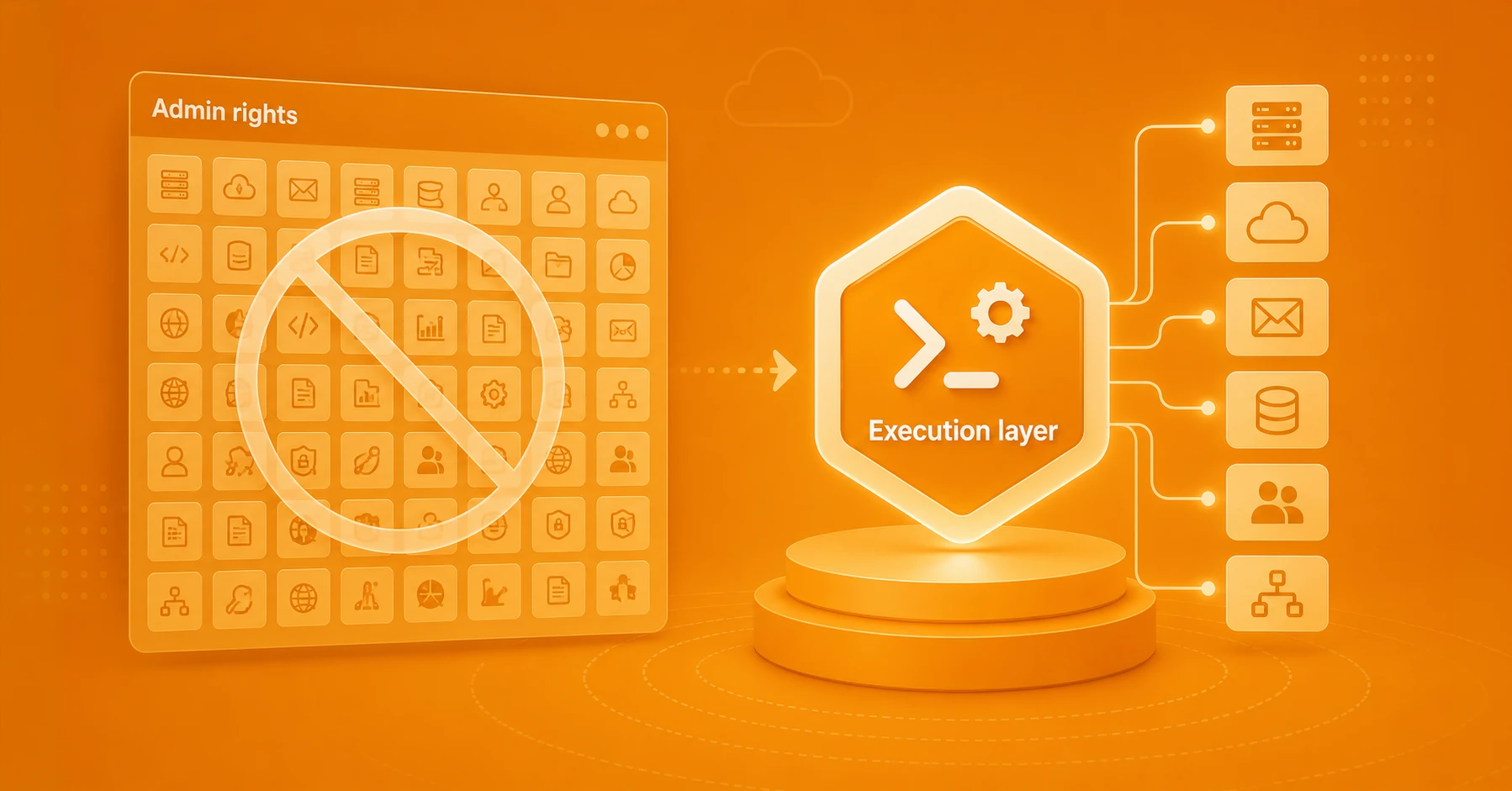
You've set up workflows for requests, but tickets are still sitting for weeks. ITSM platforms are great for routing and approvals, but they can only take you so far. What's missing is a governed execution layer that actually runs the approved AD/Entra/Exchange/M365 action. The ITSM system routes and approves, the execution layer carries out the action. That's the last mile of enterprise PowerShell automation for Microsoft IT environments.
Why has the execution layer suddenly become so important?
ITSM and ticketing systems that handle requests (ServiceNow, Jira, etc.) are now widespread, yet execution frequently lags across Microsoft platforms. At the same time, 34% of organizations are seeing support ticket volumes increase. The result is more workflows and tickets than ever, but no consistent, governed means of carrying out all the required actions. That's why you need an execution layer that can implement these changes across multiple Microsoft platforms automatically. Sometimes a large ITSM or Helpdesk solution will claim to offer full automation of submitted tickets. Even so, significant manual effort is still required in many cases.
Part of the reason is that processes now span HR, ITSM, M365, AD/Entra, SAP, AWS, and more. Enterprise software may integrate with many of the platforms in typical Microsoft-based IT landscapes. And yet those integrations are still not enough to automate fulfillment across every repeatable use case.
Teams are overwhelmed with repetitive tasks that should be automated. New AI applications only feed the fire. What's missing is the ability to automate from end to end. Organizations need a governed execution layer for Microsoft IT that handles the last mile of automation with clearly defined, auditable access and deterministic reliability.
What if we let our ITSM or ticketing system do it all?
The lack of a dedicated execution layer shows up in longer resolution times and missed or strained SLAs. We've seen cases of tickets taking 4-6 weeks to process internally. And this is happening while many IT leaders are feeling pressure to improve performance with even fewer resources due to a shortage of skilled employees.
When you focus on the ticketing or request workflow, you're limited by what the platform that creates the ticket can do. The intake is clean, the request routes for approval, and the board shows green. But too often, a person has to open a console and run the change by hand. It looks like automation, but in practice the last mile is missing or too difficult to implement.
Because many organizations have separate teams for instance for local AD/LDAP admin and M365, Azure, and Entra, requests that involve multiple systems (and teams) become even more complex on the fulfillment side. If only a few privileged admins have expertise across multiple platforms, those individuals quickly become a bottleneck. What happens when one goes on vacation? Or worse, leaves the company? Granting broader admin rights to other teams might feel like an option, but the security and operational risk that involves can be a deal-breaker.
A clear path out of the manual execution jungle
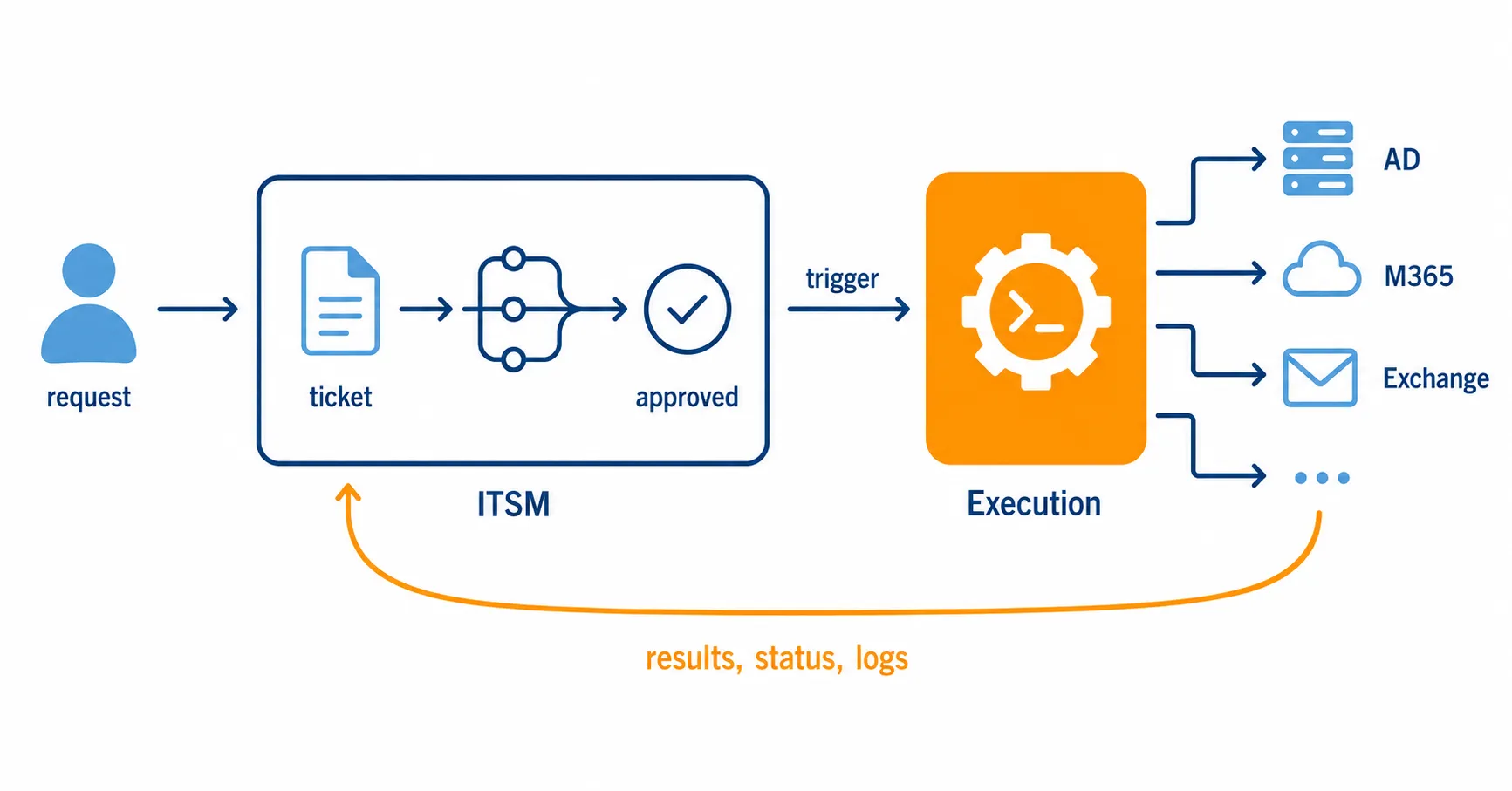
Real enterprise automation requires not only a platform to manage request workflows, routing, and approvals, but an execution layer that can receive triggers from those systems and fulfill the approved actions. For Microsoft-based IT operations, PowerShell is the standard automation language. But PowerShell by itself cannot deliver enterprise-grade governance, security, and repeatable workflows across platforms, teams, and geographies.
The goal is predictable outcomes. Requests that flow from ticket to result without manual intervention, execution that's consistent regardless of who triggers it, and traceable actions. To achieve this, the request workflow remains in the ITSM, ticketing, or ERP system while execution moves to a governed layer those systems trigger. As a PowerShell execution layer, ScriptRunner runs approved actions, enforces permissions at runtime, logs each execution, and returns results directly to the ticket, closing the loop.
Instead of one-off scripts and hard-coded automation flows, your IT operations gain a reusable action layer that multiple teams can build on. You're also getting automation that's audit-ready by default.
How can I tell if my company needs an execution layer?
You may need an execution layer for your Microsoft-based IT operations if...
- Approved tickets still wait for admins to take action
- Fulfillment throughput is capped by human availability
- To unblock work, you're granting privileges to people who should not need them
- Changes can take weeks to get implemented, shadow workarounds have emerged
- You can document the approval, but not what actually ran, creating an evidence gap in audits
- Complex cross-system fulfillment depends on one expert who has skills across multiple platforms
- Friction between teams arises due to delays, errors, and accountability conflicts
These are the symptoms when request management exists, but governed execution does not. They're not tooling issues but rather signals that something in the operating model needs to change: it's time to evaluate an execution layer instead of trying to make request workflows be something they're not.
A quick comparison: request management vs governed execution
The contrast is simple: ITSM manages demand and approval, but only a governed execution layer ensures consistent, secure, and auditable outcomes.
These differences illustrate what it means to move from incomplete workflows to full automation with policy-driven execution and full traceability.
How ScriptRunner completes enterprise workflows
ScriptRunner is a central, policy-driven PowerShell automation platform for Microsoft ecosystems. It lets teams retain ownership of their platforms and processes while providing the secure, auditable execution layer that's critical for eliminating repetitive manual tasks. ScriptRunner lets you eliminate manual handoffs by integrating with ITSM platforms like ServiceNow and Jira via REST APIs and webhooks. This allows tickets and workflows to trigger predefined automation actions. ITSM systems send structured requests to ScriptRunner endpoints, which then execute approved PowerShell actions under controlled policies. Then, ScriptRunner returns results, status, and logs back to the originating ticket. This keeps the workflow in the ITSM tool while moving execution into a centralized, governed layer that maintains full auditability and traceability.
The private Swiss hospital group Hirslanden runs this model in production: its ITSM tool controls the request workflows and triggers approved actions in a dedicated ScriptRunner instance via REST API. Before centralizing execution, work was routed to whichever team or site held the right expertise and access rights — a database problem could mean waking the one SQL engineer at night because the helpdesk on duty wasn't able to act. Today, self-services are 95% automated, half of them zero-touch, and helpdesk teams resolve more without working more hours.
The bottom line: fund the last mile, not another front door
A ticket alone can't give you automation. Tickets capture requests, workflow paths, approval trails, and records of demand. Automation begins only when the approved action gets executed—consistently, securely, with traceability.
ITSM platforms excel at intake, routing, approvals, and visibility, but asking them to become the execution engines for AD, Entra, Exchange, M365, SAP, AWS, and even cross-system fulfillment scenarios is not realistic. At some point, trying to get these platforms to do everything breaks the operating model. That's when it's time to invest in the execution layer those systems were never built to provide.
Implementing a governed last mile eliminates manual handoffs, curbs privileged access sprawl, gives teams controlled ways to trigger approved work, and feeds execution evidence back into the systems where the business process already lives. Once implemented, ticket resolution times drop, pressure on limited human resources eases, and you're free to focus on other strategic priorities.
To learn more about how ScriptRunner provides a managed execution layer to unlock the full automation potential across your Microsoft-based IT operations, book a meeting today.
Frequently Asked Questions
Would an execution layer replace our existing ITSM or ticketing platform?
No. It runs alongside those platforms. Your ITSM or support tool remains the system of record for intake, routing, approvals, and visibility. The execution layer is triggered by those systems and only handles fulfillment: running the approved action and returning results to the ticket. ScriptRunner connects with ServiceNow, Jira, and others via REST APIs and webhooks, building on your existing investment.
Is this the same as RPA or workflow orchestration tools?
Not quite. RPA typically automates UI interactions by mimicking clicks, which is brittle when interfaces change. Orchestration tools coordinate steps across systems but often still call out to scripts or consoles for the actual change. A governed PowerShell execution layer runs the change directly against the platform's API or management surface, enforces permissions at runtime, and produces a per-action audit record. ScriptRunner provides deterministic, PowerShell-based execution with governance built in—rather than screen automation or coordination alone.
Does it run on-premises, in the cloud, or both?
The model is designed for hybrid Microsoft environments, which is where most enterprises actually live—local AD/LDAP alongside Entra, Exchange, and M365. The point of a centralized PowerShell automation layer is that one governed execution layer spans on-prem and cloud systems instead of requiring separate tooling or scripts per environment.
How does it handle security and least-privilege access?
Rather than granting broad standing admin rights to the people or teams who need to fulfill requests, the execution layer exposes specific approved actions that run under scoped, policy-driven permissions enforced at runtime. The requester never needs the underlying privileges themselves—the action carries them. This is how you reduce privileged access sprawl while still enabling teams to complete assigned work. You can also integrate existing password management servers such as CyberArc, Pleasant, 1Password, and many more into ScriptRunner to enable password rotation compliance.
What does an audit trail actually capture?
Each execution records the actor, the target, the time, and the result—and it can tie that back to the originating ticket. That closes the common evidence gap where you can show who approved a change but not what actually ran. For SOX, ISO, or internal audit purposes, the approval record and the execution record line up against each other.
Who owns the systems once execution is centralized?
The owning teams keep ownership. Centralizing execution doesn't mean centralizing control of AD, Entra, or M365. Teams continue to own their platforms and define which actions are available; the execution layer just provides the governed, auditable runtime those actions pass through.
When is an execution layer overkill?
If your fulfillment volume is low, your changes are genuinely one-off rather than repeatable, and a single admin can keep up without becoming a bottleneck, such a platform may not pay off yet. The case strengthens as ticket volume grows, actions repeat, multiple teams and systems are involved, and audit requirements tighten.