.svg)


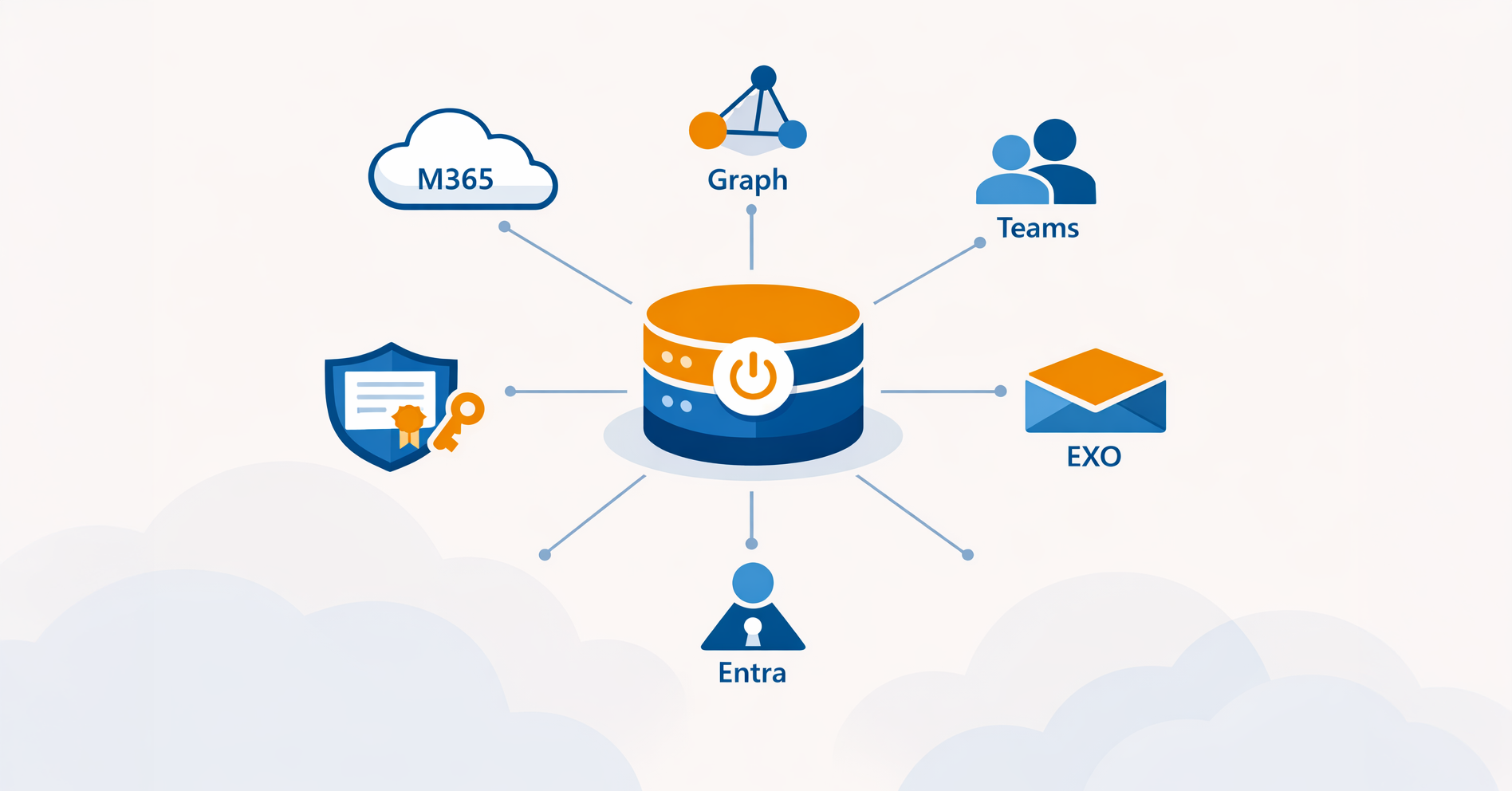

Almost every modern automation task touches Microsoft 365: creating mailboxes in Exchange Online, adding members to Teams, provisioning users in Microsoft Entra ID. The scripts themselves are usually the easy part. The hard part is the connection - because since Microsoft retired basic authentication, every script has to authenticate to the cloud using app registrations, service principals, and certificates. In ScriptRunner, all of that lives in a single, reusable object: a Microsoft 365 & Azure target.
The Problem: Every Script Has to Solve the M365 Connection From Scratch
Connecting PowerShell to Microsoft 365 used to be simple: a username, a password, and a Connect command. Microsoft has since shut that door. App-only, certificate-based authentication is now the standard for unattended automation, and it is considerably more involved to set up.
Done the manual way, the burden lands inside every script. Each one carries its own Connect-MgGraph or Connect-ExchangeOnline call, complete with an application ID, a tenant ID, and a certificate thumbprint. Some scripts still rely on an interactive sign-in - which means they cannot run on a schedule or be delegated to a help desk operator at all. The app registrations and certificates that make any of it work are scattered across the tenant, set up by whoever happened to build the first script, and rarely documented anywhere.
The result is a familiar pain point: there is no central, policy-driven control over how automation reaches Microsoft 365. When a certificate expires, multiple scripts fail at once and nobody is quite sure which ones. When the admin who configured the original app registration leaves, the knowledge of how it all fits together walks out with them.
Why the Usual Workarounds Break Down at Scale
The common fixes hold up for a handful of scripts and then quietly fail. Hardcoding a certificate thumbprint into each script ties your automation to one machine and one certificate lifecycle. Sharing a client secret across scripts spreads a credential you can never properly rotate. Letting each admin sign in to the tenant interactively means automation only runs when a human is sitting there to authenticate it.
None of these approaches gives you a consistent identity for automation, a reliable way to audit which scripts connected to the tenant and how, or a clean separation between the people running automation and the permissions that automation actually uses. As the number of M365 scripts grows, that gap turns into a genuine governance and compliance problem.
What a Microsoft 365 Target Actually Is
Creating one is straightforward. In the Targets view you click Create and choose Microsoft 365 & Azure. The target then bundles everything needed to reach the cloud into one reusable object: the endpoint (your Entra ID tenant), the identity used to authenticate (an app registration and service principal using certificate-based, app-only authentication), and the access methods PowerShell uses to connect.
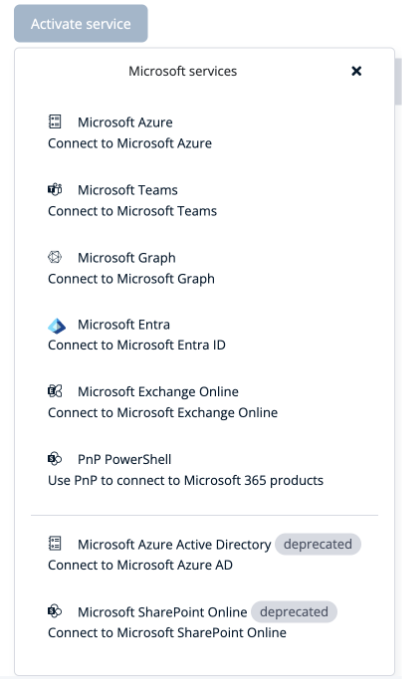
What makes the Microsoft 365 & Azure target especially useful is that a single target can connect to several Microsoft services at once. Under its Microsoft services configuration you enable the connections you need - Microsoft Azure, Microsoft Teams, Microsoft Graph, Microsoft Entra ID, Exchange Online, and PnP PowerShell for SharePoint. ScriptRunner uses the current, modern modules here; the older Azure AD and SharePoint Online PowerShell modules are still offered but clearly marked as deprecated, steering you toward Graph and Entra for anything new.
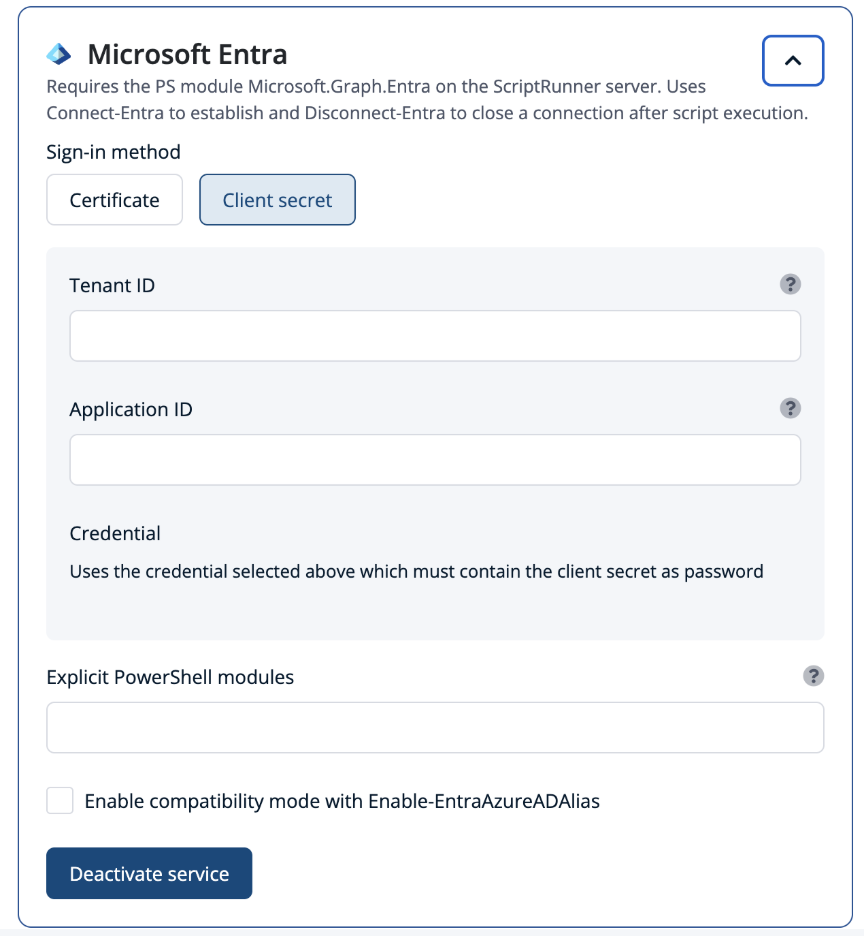
Under the hood, this rests on a single, well-defined identity for cloud automation. When ScriptRunner Server is registered as an application in Entra ID, its built-in Azure AD Home Tenant target is configured automatically, and the application ID and certificate thumbprint live on the target rather than inside any script. Service principals manage M365 and Azure with PowerShell, so the platform always knows who it is when it connects.
This follows ScriptRunner’s principle of separation of powers. Users are granted roles inside ScriptRunner; ScriptRunner Server handles the connection to Microsoft 365 entirely independently of those users. A help desk operator can run an Action that creates a mailbox or resets a Teams membership without ever holding tenant permissions, seeing the certificate, or knowing the application ID. The script stays clean - no Connect boilerplate, no thumbprints - because the target already knows how to reach the cloud.
Why This Matters
One identity, configured once. The connection to Microsoft 365 is defined a single time on the target, using certificate-based app-only authentication. No secrets live in scripts, and when a certificate is renewed you update it in one place instead of hunting through dozens of files.
One target, many services. A single Microsoft 365 & Azure target can reach Azure, Teams, Graph, Entra ID, and Exchange Online together. A script that touches more than one service connects through one governed object instead of stitching together separate logins for each.
Users need no permissions in the tenant. Because ScriptRunner Server owns the connection, the people running Actions never need their own M365 admin rights. This is real separation of duties: delegated operators get exactly the outcomes they are entitled to, and nothing more.
Modern authentication, handled for you. The complexity of app registrations and app-only auth is solved once at the platform level. As Microsoft continues to tighten cloud authentication, your automation keeps working without rewrites to every script.
Multi-tenant ready. Beyond the home tenant, additional tenant configurations can be used - particularly valuable for managed service providers who automate across many customer tenants from one platform.
Interactive object selection through Azure Queries. Using the same M365 connection, ScriptRunner can present live lists of users, groups, and group members pulled from Entra ID via Microsoft Graph, letting an operator pick the right object from a dropdown instead of typing a UPN by hand.
Beyond a Single Tenant
The Microsoft 365 target is one specific type within ScriptRunner’s broader target model - the same model that covers Active Directory, Exchange, VMware, and Windows or Linux servers. For the full setup walkthrough of app registration, service principals, and certificate-based access, see ScriptRunner, Azure and M365 – a perfect trio. For the wider concept of what a target is and why it matters across all system types, see the Targets Overview article.
Key Takeaways
- Created via Create → Microsoft 365 & Azure, the target bundles the tenant endpoint, an app-registration identity, and the PowerShell access methods into one reusable object
- A single target can connect to several Microsoft services at once - Azure, Teams, Microsoft Graph, Entra ID, Exchange Online, and PnP PowerShell
- ScriptRunner uses the current Graph and Entra modules; the legacy Azure AD and SharePoint Online modules remain available but are flagged as deprecated
- Certificate-based, app-only authentication is set up once on the target - no secrets, thumbprints, or Connect boilerplate inside scripts
- Separation of powers means users run M365 Actions without holding any tenant permissions of their own
- Additional tenant targets support multi-tenant and MSP scenarios from a single platform
- Azure Queries surface live Entra ID and M365 objects so operators can select users and groups directly
Bottom Line
Automating Microsoft 365 should not mean replicating the same fragile authentication code across every script. With a Microsoft 365 target, ScriptRunner solves the connection once - securely, centrally, and with full separation between the people running automation and the permissions it relies on. Your scripts get shorter, your tenant access gets governed, and your automation keeps running even as Microsoft’s authentication landscape keeps shifting.
To see how centralized Microsoft 365 targets could simplify your cloud automation, book a meeting with us.