.svg)


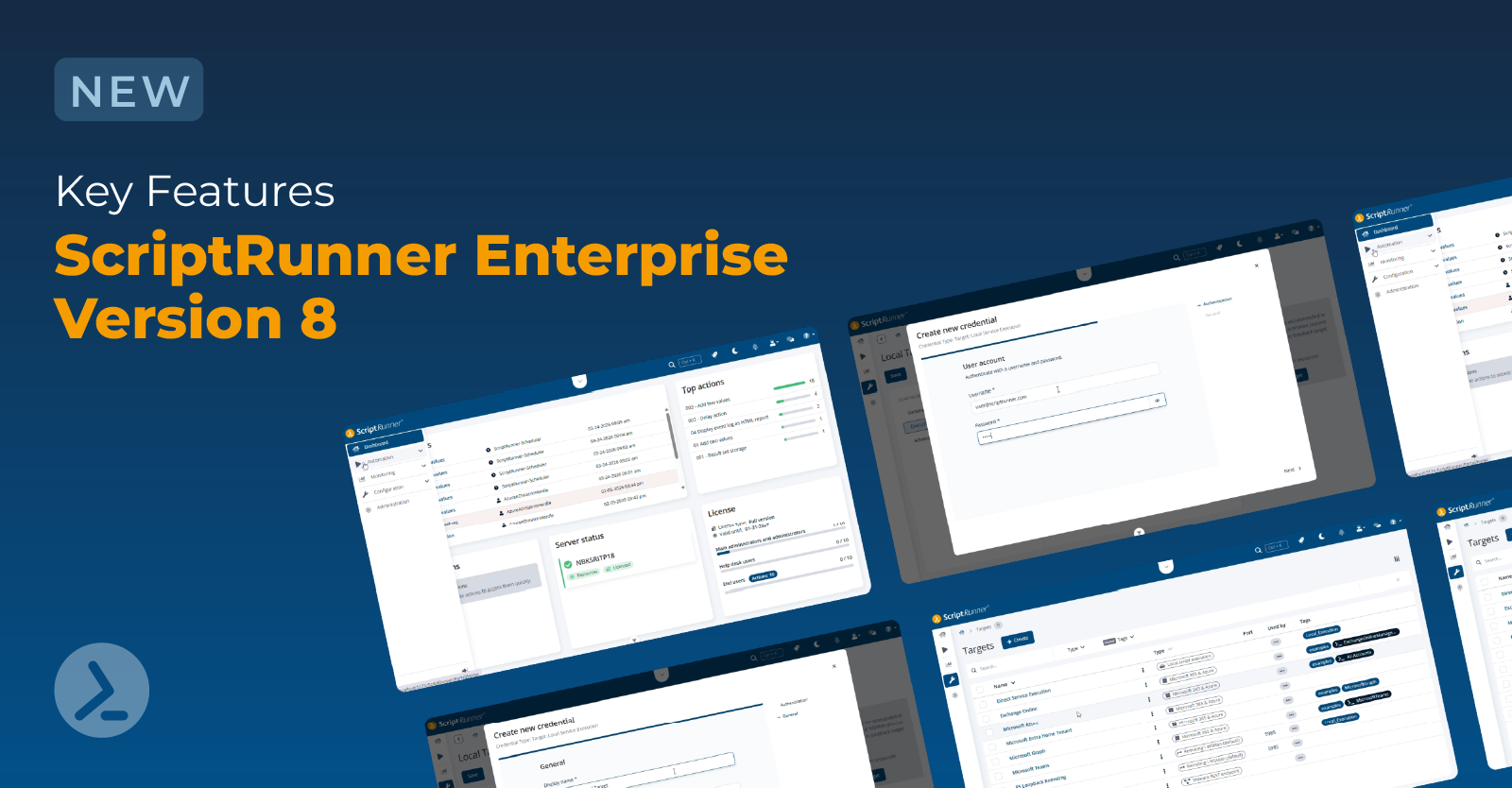

Redefine enterprise automation with ScriptRunner’s new workflow engine
Introduction
ScriptRunner Enterprise Version 8 introduces a new workflow engine that makes multi step automation a core capability of the platform. With the streamlined, node based workflow designer, complex processes can be built, visualized, and orchestrated directly within ScriptRunner, without relying on additional orchestration tools or custom glue code.
Built on integrated n8n technology, the workflow engine enables visual orchestration while seamlessly combining low code design with PowerShell automation. This allows IT teams to design, trigger, and manage workflows in a clear and intuitive way, while advanced features such as conditional logic and error handling help ensure reliability as processes grow in complexity.
Overall, ScriptRunner Enterprise Version 8 provides a scalable and easy to maintain orchestration layer that improves how automation is designed, executed, and managed across the enterprise, laying the foundation for more structured, transparent, and resilient automation.
ScriptRunner’s new workflow designer
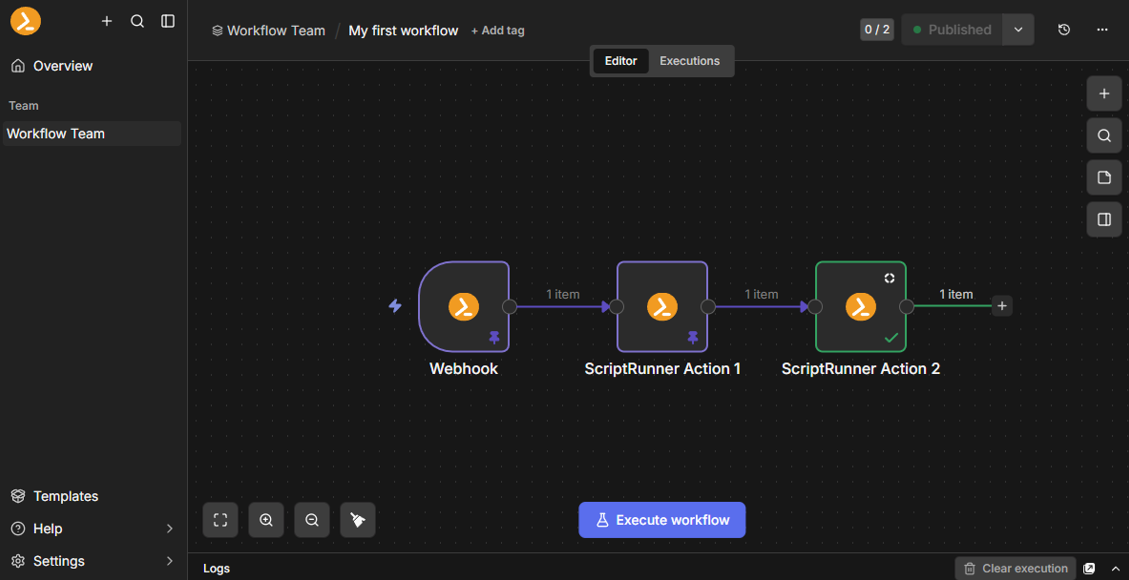
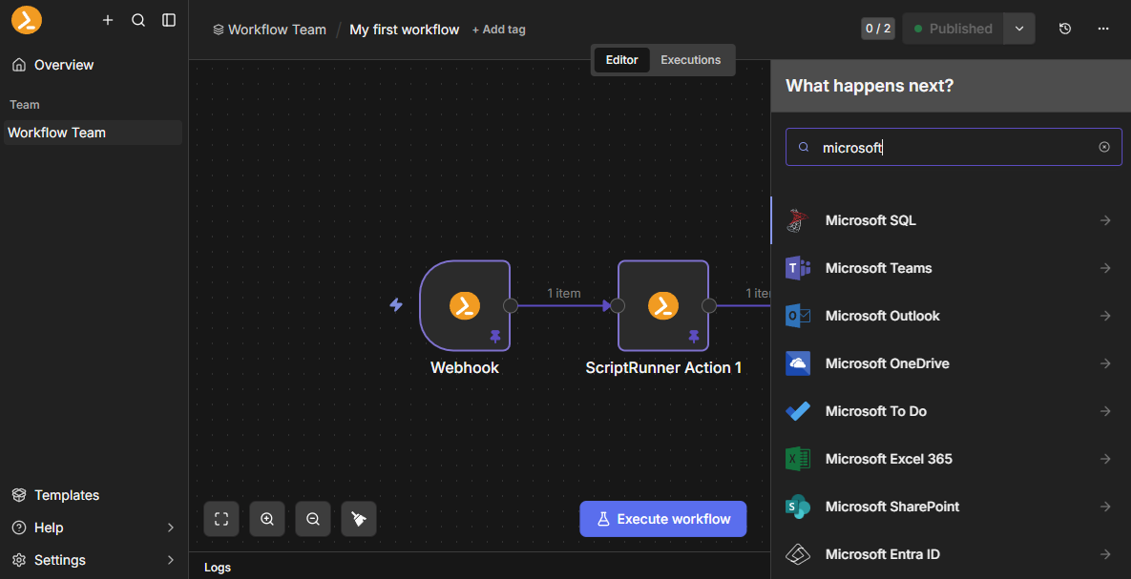
ScriptRunner Enterprise Version 8 introduces a modern, visual workflow designer that makes it easy to build multi step automation flows. The interface supports automatic saving, scalable event driven execution, and a wide range of node types, including ScriptRunner actions, API calls, and AI components.
The workflow designer allows you to create orchestration workflows that span systems and services using a fast and intuitive drag and drop experience. ScriptRunner actions, sequential and parallel branches, merge nodes, input forms, and webhook triggers can be combined freely to model processes of any complexity. The visual layout makes relationships, data flow, and dependencies immediately clear, enabling rapid testing and refinement of automation pipelines.
Workflow management in the ScriptRunner Portal
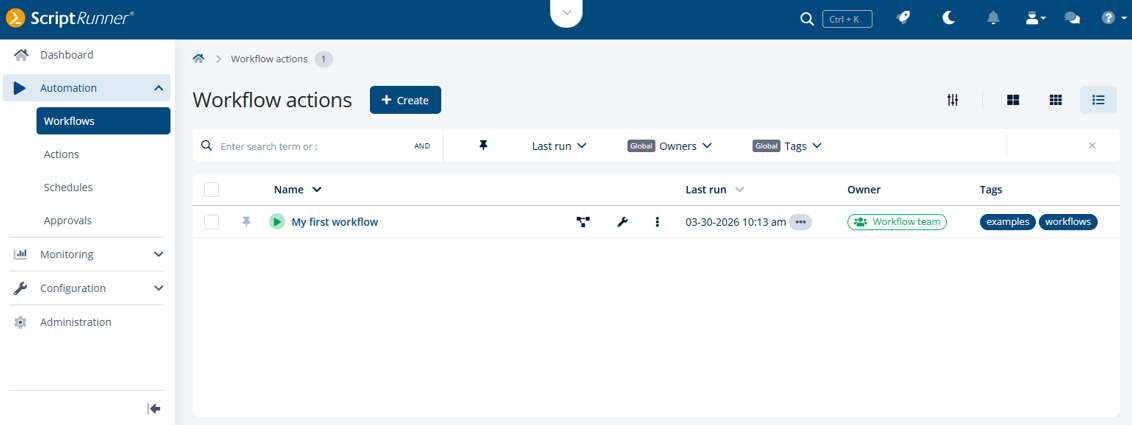
In the ScriptRunner Portal, you can manage, run, and monitor your workflows in one place: view workflow settings, track executions, browse reports, and understand how data flowed through each step.
You benefit from simplified access and clear execution results, making workflows a reliable and controlled part of your daily operations. This central management experience ensures transparency, governance, and consistent use of automated processes across your organization.
Through the ScriptRunner Portal, you create ScriptRunner workflow actions that invoke the workflows created in the workflow designer. Each workflow action always belongs to a workflow team (i.e. the owner) and is linked to a workflow that the team has created in the workflow designer.
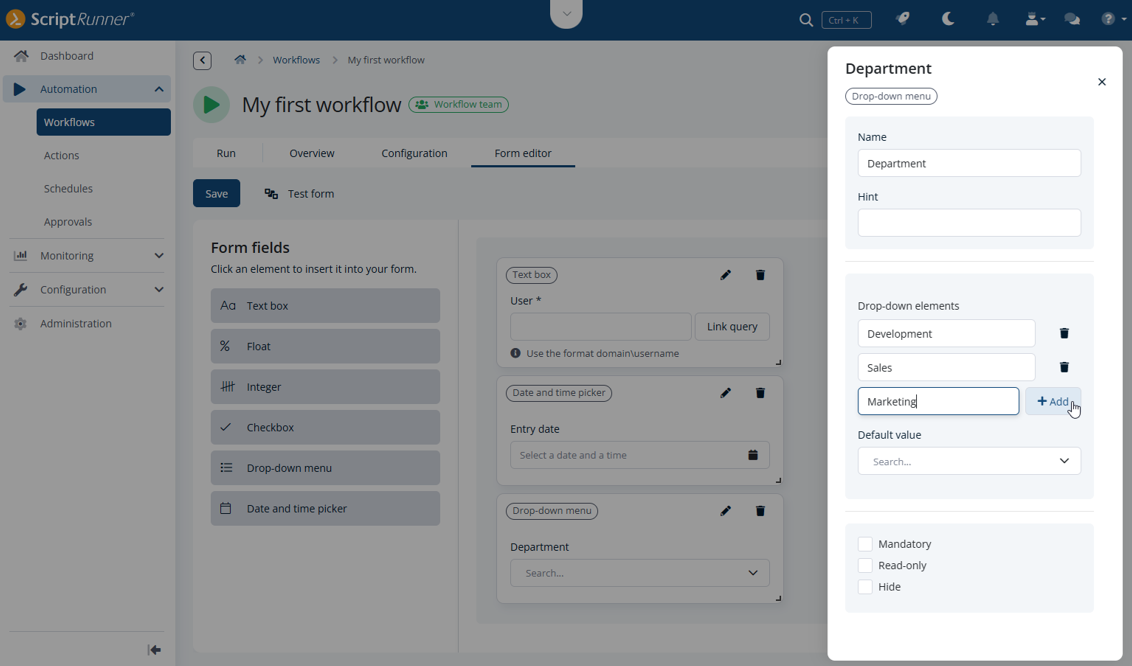
The new form editor of a workflow action enables you to design custom input forms that precisely define the parameters your workflow expects at runtime. By configuring only the input fields you really need, the form later ensures that users provide exactly the data the workflow requires. These values are reliably passed to the linked workflow during execution.
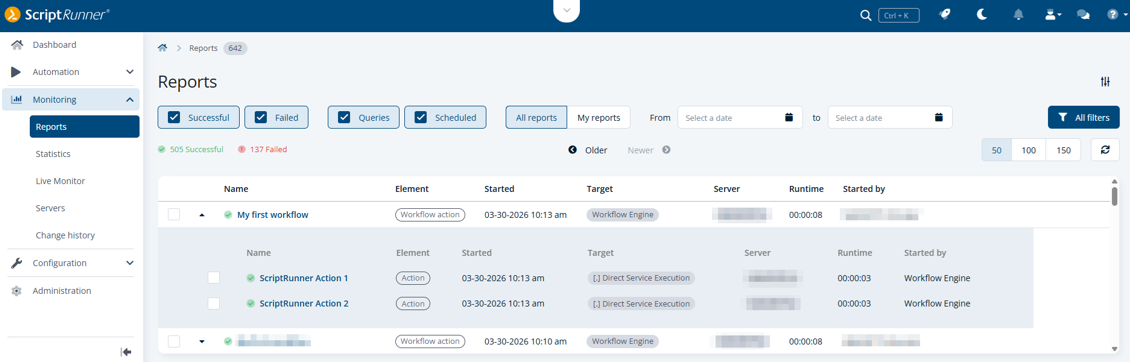
Each workflow execution generates a hierarchical reporting structure consisting of a single parent report that represents the overall workflow run, and individual child reports for every action executed within that workflow. The parent report aggregates execution status, timing, and context, while the child reports provide detailed, action level information such as input parameters, execution results, logs, and error states. This reporting model ensures full traceability across all workflow steps and enables precise analysis, monitoring, and troubleshooting of complex, multi step executions.
With its new workflow engine, ScriptRunner turns automation into a structured, enterprise ready orchestration capability. Workflows combine design, governance, and execution into a single, scalable model that makes complex automation easier to build, operate, and standardize across the organization.
Want to see it in action? Have a quick demo to discover more on ScriptRunner Workflows, here:
Optimize your search for workflows and actions with the new search filter syntax
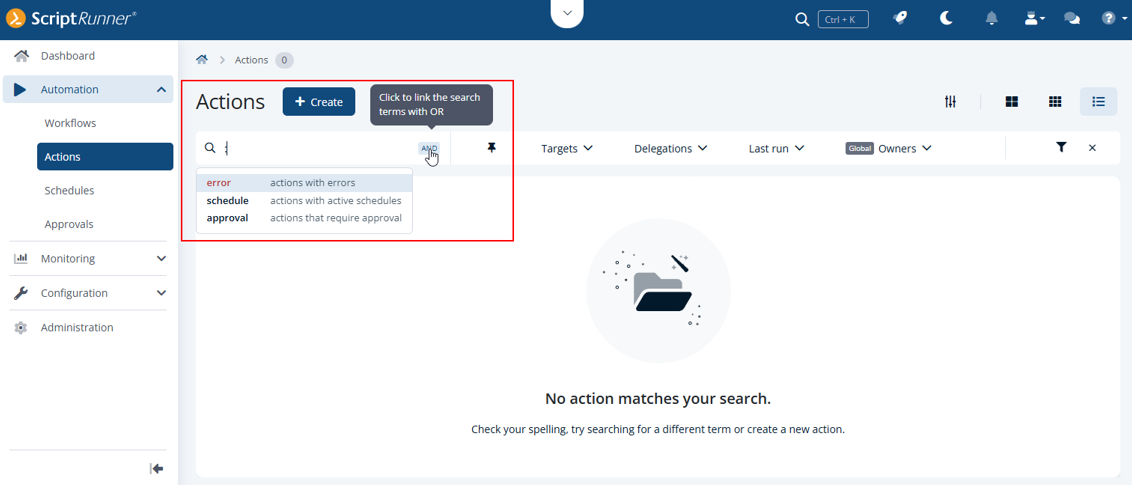
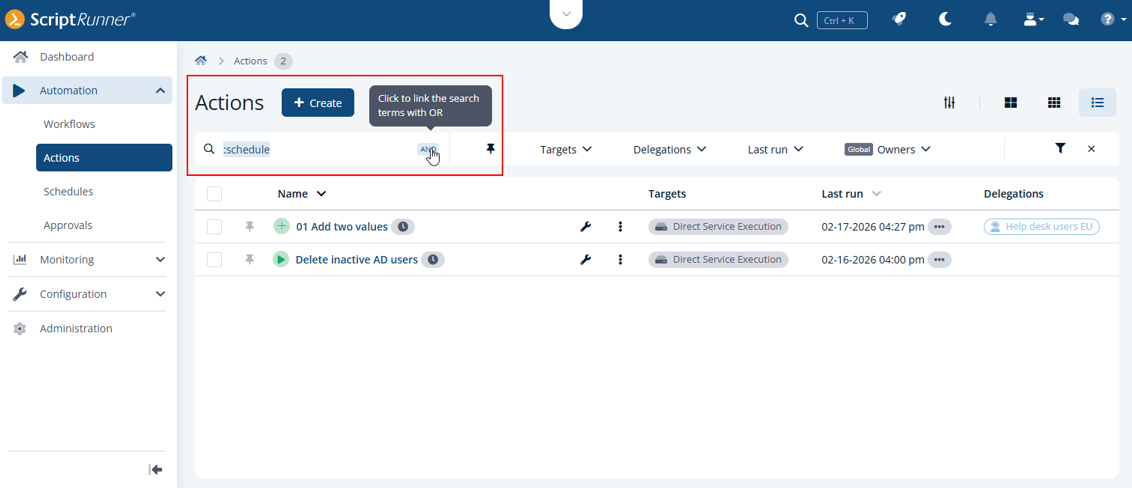
The search field supports multiple workflow and action statuses for greater flexibility. You can use a colon to search for specific statuses that you want to filter for. Currently, the following types are supported: scheduled actions, workflows and actions with errors, and actions requiring approval. More to come.
When those statuses are applied as filters, they appear as badges in the search field, making them easy to distinguish from free-text searches.
You can complete statuses using the Tab key or select them with the mouse and keyboard. Further, you can combine statuses and free-text search with AND/OR operators to refine results, for example, to find all scheduled actions that currently have an error.
Keep track of running workflows and actions in the live status bar
At the top center of the ScriptRunner Portal, a compact status panel provides live visibility into workflows and actions that are currently in progress and were started interactively by the logged in user. Available to main administrators, administrators, and help desk users, this panel keeps users informed about the current state of their running workflows and actions at a glance.
Once a workflow or action has completed, the corresponding report can be opened directly from the live status bar. When viewing a workflow report, users can easily navigate through the reports of all actions that belong to that workflow, making it simple to review execution details and outcomes without switching contexts.

Configure Password Server and Email Notification connectors in the Portal
The Password Server and Email Notification connectors can now be configured directly via the ScriptRunner Portal, making their setup more transparent and accessible for you. As with all integrations, you should follow the installation and configuration guidelines provided by the respective third party vendors.
The Portal provides a clear overview of all password servers that you can connect to ScriptRunner. Configuration settings are managed individually per password server type, ensuring that connector specific requirements are handled correctly. For security and consistency reasons, only one Password Server connector can be active in a ScriptRunner environment at any given time.

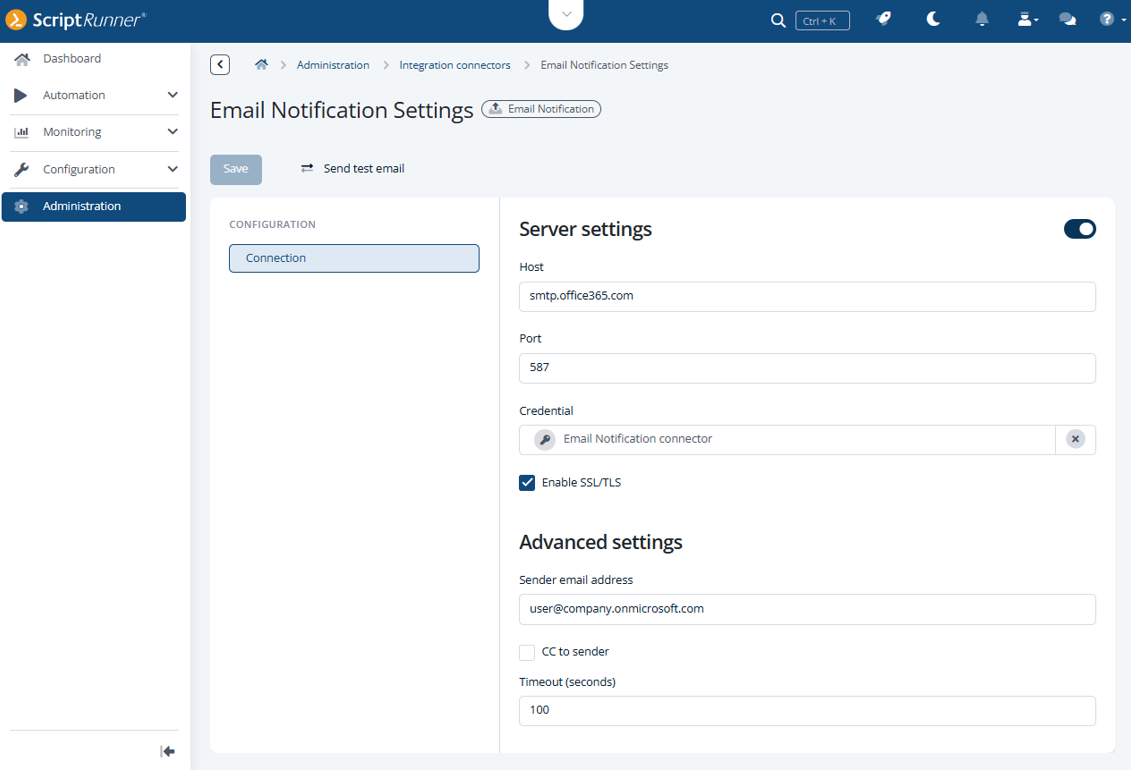
The Email Notification connector can now also be configured through the Portal. In addition to managing the required connection settings, the Portal offers a built in test email function that allows you to verify the configuration immediately and ensure that email notifications can be sent successfully.
In our third blog article of the series, you'll learn more about further improvements and changes that come with ScriptRunner Enterprise 8.