.svg)


.png)

Some automation tasks do not touch one system, they touch dozens. Applying a security baseline to every Windows server, running a health check across every domain controller, rolling a change out to a whole fleet. Doing that one target at a time is slow and error-prone, and scripting the loop yourself reintroduces the hardcoded inventory that targets were meant to eliminate. ScriptRunner solves this with target collections: a single object that groups many targets so one Action runs against all of them at once.
The Problem: Bulk Operations Done One System at a Time
A target gives a script one clean place to connect, but plenty of real work is aimed at a group of systems, not a single machine. Without a way to define that group, a bulk task turns into a manual chore: you select every target by hand each run, or hardcode a list of server names in the script and loop over it.
Both put the inventory in the wrong place. A hardcoded list drifts out of date the moment a server is added or retired; selecting targets by hand is fragile - miss one in a list of forty and it silently goes unpatched. The core pain point is that there is no central, maintainable definition of which systems an automation applies to.
Why the Common Workarounds Break Down
The usual fixes each fail in their own way. A $servers array ties the inventory to the code, so every membership change is a code edit and re-test. A text or CSV file of hostnames lives outside the platform - ungoverned and invisible to anyone auditing what your automation can reach. Picking targets by hand does not scale and leaves no record of the intended set. And the moment more than one Action needs the same systems, you are duplicating the list and hoping the copies stay in sync.
What a Target Collection Is
A target collection is a target type that combines multiple existing targets into one named object. In the Targets view you click Create, choose Target collection, name it, and add the member targets you want grouped together.
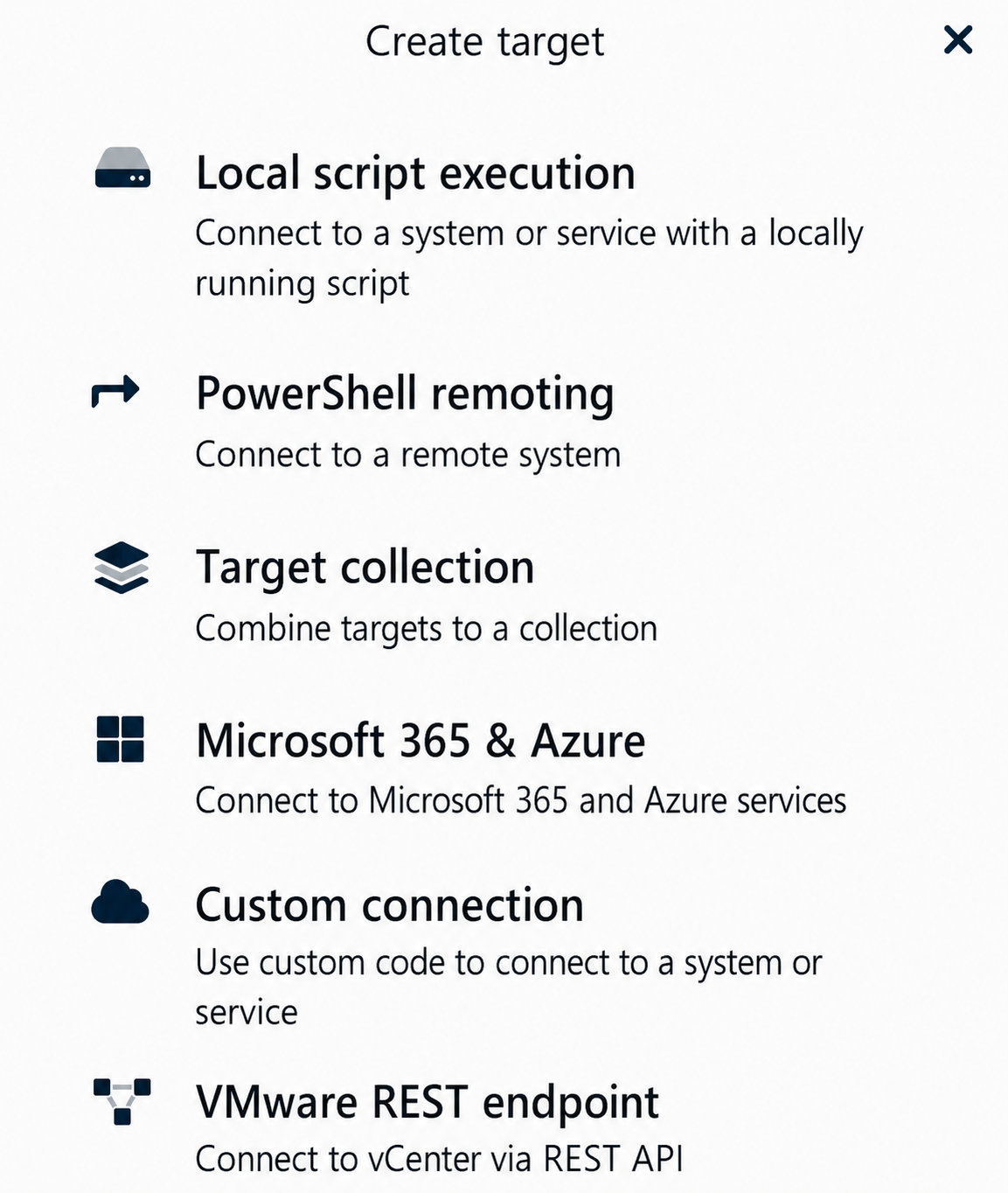
You then assign the collection to an Action exactly like any other target, and it runs against every member. Crucially, each target still connects with its own credential and access method, just as it would individually. The collection does not flatten or share credentials, it simply fans the same script logic across the whole set. Your script stays clean and unaware of how many systems it is hitting.
Choosing How It Runs: Execution Modes
Grouping targets is only half the story. A collection also decides how an Action runs across its members, through an execution mode set in its configuration - and the same group can behave very differently depending on which you pick.
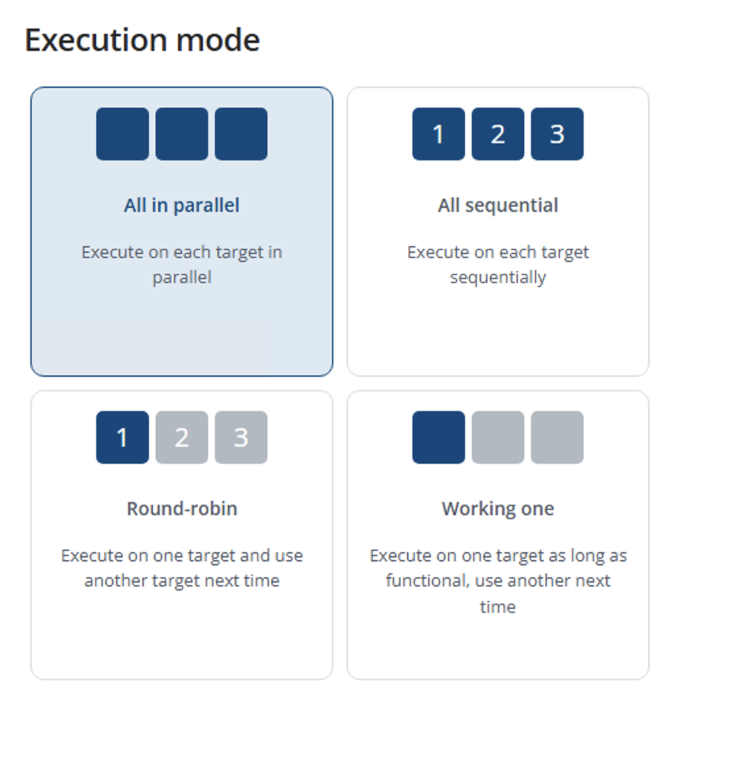
All in parallel runs on every target at once. The fastest option, and the natural choice for independent bulk work like applying a baseline to a hundred servers, where systems do not depend on one another.
All sequential runs on each target one after another, in order - what you want when a rollout must be controlled, or when hitting every system at once would overwhelm a shared dependency.
Round-robin runs against one target this time and a different one next, rotating through the collection. It spreads recurring load evenly across equivalent systems so no single machine carries all the work.
Working one runs against a single target as long as it stays functional, moving to the next only if it fails. This turns the collection into a resilient, failover-style endpoint that keeps succeeding as long as any member is healthy.
That range is what makes collections more than a convenience: the same object can act as a bulk fan-out, a controlled rollout, a load balancer, or a high-availability pool, just by changing one setting.
Using It in Practice
In practice the pattern is simple. You name the collection under General, add its members under the Targets tab, choose an execution mode, and save - then reuse it from any number of Actions and schedules. When membership changes, you update the collection once and every Action that references it follows automatically. ScriptRunner also logs each member's result separately, so a bulk run against forty servers produces forty records rather than one opaque “done” - if three fail, you see exactly which three. Tags complement collections for looser grouping, while a collection gives you an explicit, named set you manage deliberately.
Why This Matters
One object, many systems. A single collection replaces a hand-picked list or hardcoded array - assign it once and the Action runs everywhere it should.
Membership maintained in one place. Add or remove a target and every Action and schedule using the collection picks up the change immediately, with no edits to scripts.
Execution that fits the job. Run the same collection as a parallel bulk operation, a sequential rollout, a round-robin load spread, or a failover pool - chosen with one setting, not rewritten in script logic.
A documented inventory of scope. The collection is a central answer to “which systems does this automation touch?” - exactly what security and compliance teams need answered quickly.
Beyond a Single Collection
Target collections build on the broader target model. If you are new to that concept, start with How ScriptRunner Targets Help You Run PowerShell Scripts Securely at Scale. Collections become especially powerful when paired with scheduling - a bulk maintenance job against a whole fleet, running unattended overnight - covered in How to Master Scheduled Automation in ScriptRunner. And the same grouping idea extends to the cloud: you can collect multiple Microsoft 365 & Azure targets to act across several tenants at once, as described in the Microsoft 365 & Azure Targets article.
Key Takeaways
- A target collection (Create → Target collection) groups multiple existing targets into one named, reusable object
- Assigning a collection to an Action runs it against every member, each using its own credential and access method
- Execution modes - all in parallel, all sequential, round-robin, or working one - control how the Action runs across members, from fast bulk fan-out to failover
- Membership is managed in one place, so every Action and schedule using the collection stays current automatically
- Tags offer complementary dynamic grouping, and collections pair naturally with scheduling for unattended fleet operations
Bottom Line
When automation needs to reach many systems, the answer should not be a brittle server list buried in a script or a tedious round of manual target-picking. A target collection turns “run this everywhere it applies” into a single, governed object you define once and reuse everywhere - and the execution mode lets you decide whether that means all at once, in order, in rotation, or with failover. Your scripts stay focused on logic, your inventory stays maintainable, and every system runs securely and is logged on its own.
To see how target collections can simplify bulk automation across your estate, book a meeting with us.