.svg)
Microsoft Automation Governance
Your Automation stack might be a FrankenScript.PowerShell scripts solve problems fast. But as automation grows, so do the risks around ownership, access, visibility and audits. ScriptRunner brings your existing PowerShell and Microsoft automation into one governed platform.



.svg)


FrankenScript
Is your stack a FrankenScript?
Find out in 5 questions.
Learn More About FrankenScripts
Explore practical resources to help you identify governance gaps, understand the risks of DIY automation, and build a more controlled approach.
START HERE
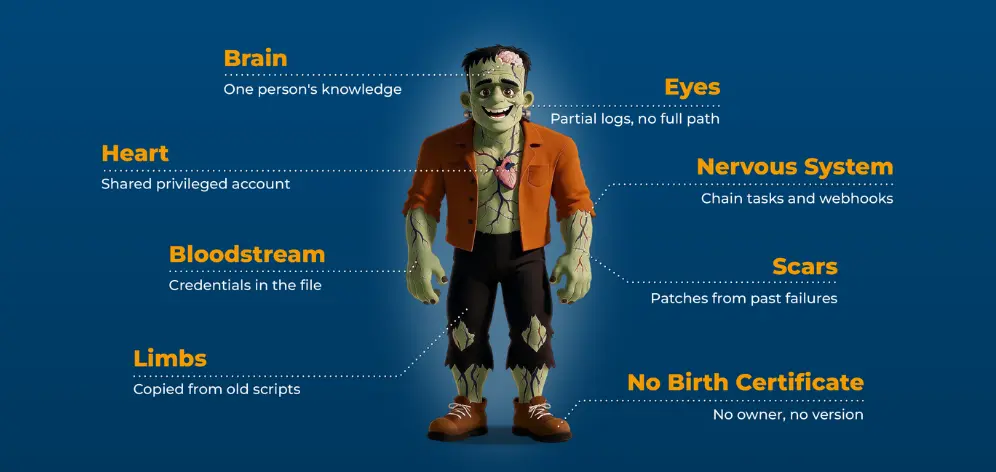
Anatomy of a FrankenScript
How useful scripts grow into critical infrastructure, and why they get harder to own and audit.
Read Blog →
GOVERNANCE & AUDIT
5 questions auditors will ask about your PowerShell automation
Check whether you could answer them today.
Read Blog →
BLOG SERIES
DIY automation vs. a platform
When does building your own automation become owning a platform?
Read Blog →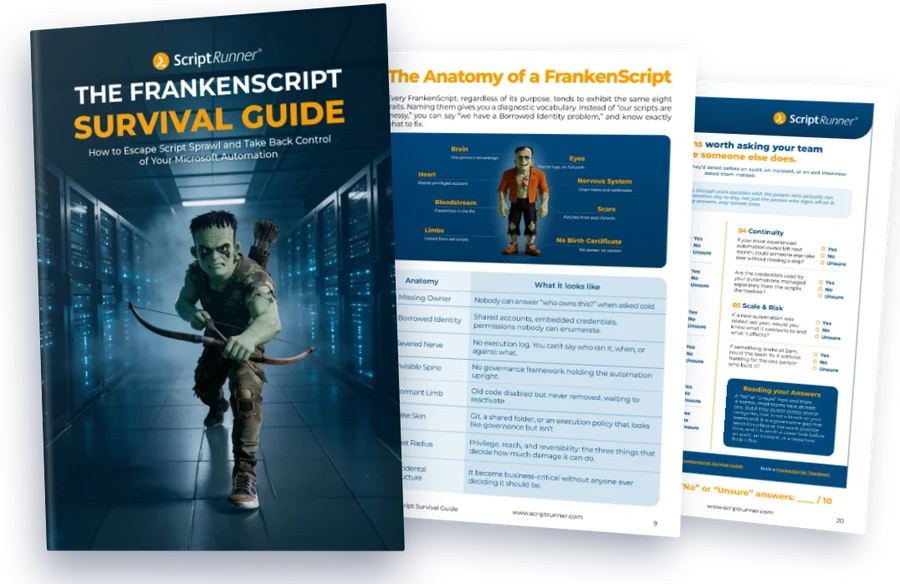
Tame Your Critical Automation
A practical guide to identifying risky automation, establishing ownership, tightening execution controls and moving from unmanaged scripts to governed automation.

Find every FrankenScript with a complete automation inventory
Diagnose your gaps with the Governance Gap Checklist
Follow the 30-day recovery plan for your highest-risk scripts

ON-DEMAND WEBINAR
Escape the FrankenScript Trap
Learn how Brose empowered local IT teams, automated routine tasks, and saved over 4,000 hours without sacrificing governance or security.
View the Recording →
ON-DEMAND WEBINAR
From DIY Scripts to Enterprise Muscle
See how Inventx evolved from script sprawl to enterprise grade Microsoft Automation. Get practical insights on secure delegation, governance, and automation at scale.
Watch the Recording →From scattered scripts to governed automation in three moves
Keep your existing PowerShell scripts. ScriptRunner adds governance, security, and reporting on top.
01
See everything
Bring scripts under centralized management with versioning and governance, so nothing lives only on one person's device or server.
02
Govern it
Store credentials securely outside scripts, control who can run what with role-based access, and keep a full record of what ran, when and why.
03
Delegate safely
Give the helpdesk simple web forms with validated inputs, so routine tasks get done without admin rights or PowerShell skills.
What changes when you govern it
The FrankenScript
Automation nobody fully owns
Credentials hidding in scripts
Knowledge held by one expert
Unclear execution history
Excessive administrative access
Manual governance
With ScriptRunner
Clear ownership, centrally managed
Secure credential management
Knowledge shared across the team
Complete audit trails
Role-based delegation
Policy-driven governance
Teams that tamed their scripts

BROSE
Automotive, 30,000+ employees
4,031 hours saved
over 18 months on tracked actions. About 170 automated actions let local IT teams act without high-level admin rights.
Read the story →
RHENUS LOGISTICS
Logistics, 40,000+ employees
400+ scripts automated
with SOX- and NIST-aligned auditing, and new locations onboarded in weeks instead of months.
Read the story →
DUNDEE PRECIOUS METALS
Mining, 2,100+ employees
1,000+ hours saved
in the first six months, with ServiceNow integration and centralized automation monitoring.
Read the story→Built for the People Who Deal With the Monster
For IT Admins
You didn't build a monster on purpose. You built it one fix at a time.

Spend less time on fixes
See what's actually running
Turn your scripts into reusable pieces
Stop being the only person who can touch it
For IT Decision Makers
"We can build this ourselves" got you here. It won't get you through an audit.
Standardize how you do things
Move faster without taking on more risk
Approvals and records are built in
Get more out of your AI and automation spend
FAQs
What is ScriptRunner?
Can we not just write PowerShell scripts ourselves?
Is DIY not cheaper?
Our PowerShell expert has it covered.
We already have automation in place. Do we start over?
Will our security team block another tool?
We do not have time to implement something new.
What makes ScriptRunner different from DIY automation?


