.svg)
.svg)

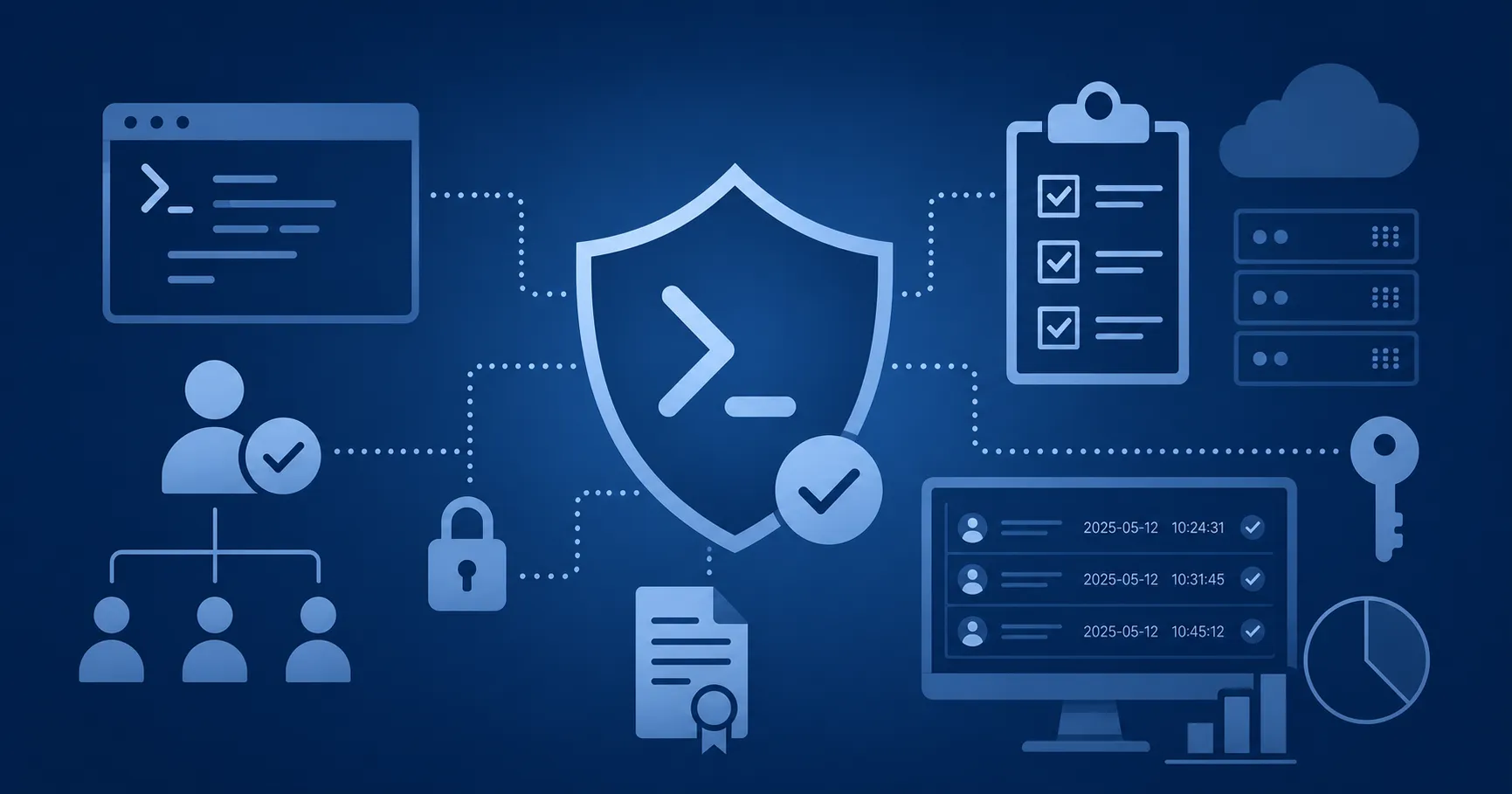
Your workflows, PowerShell scripts, and scheduled jobs work fine. But who ran what, under whose approval, and could you prove it to an auditor? Under NIS2, leadership is personally accountable. That's why governance and compliance for automation means enforcing organization-level policy on every script run, with attribution, a standing audit trail, and compliance reporting.
These requirements extend across the Microsoft enterprise landscape including Microsoft 365, Azure, Entra ID, Active Directory, Exchange, and hybrid infrastructure. A scope this broad outgrows ad hoc scripts and per-team schedulers fast.
What Is Governance and Compliance for Microsoft IT Automation?
Governance and compliance for Microsoft IT automation means the discipline of setting organization-level policy for automated execution, enforcing that policy at the point of execution, attributing and auditing every run, and reporting the resulting evidence against regulatory obligations. The definition is deliberately narrow and concerns how scripts are allowed to run, not how they are written.
Four components carry the discipline. Organization-level policy states who may run what, where, and under which conditions. Enforced execution control applies those rules to every run, with no side doors. Attribution and a centralized audit trail record the actor, the target, the time, and the approval behind each run. Compliance reporting turns those records into evidence an auditor will accept.
All four presume a controlled execution layer underneath. Policy cannot attach to runs that happen on individual workstations, in personal task schedulers, or inside runbooks nobody documented. The relationship runs in one direction: centralizing execution creates the conditions for governance, and governance is the policy, attribution, approval, and reporting model enforced on that centralized execution path.
An auditor rarely asks whether you have a policy. They pull a sample from your change log (the run that modified Exchange permissions on November 12, say) and ask who executed it, who approved it, and where the evidence is, with a deadline attached.
Policy on Paper vs. Policy in the Execution Path
The test of any governance program is whether policy determines what actually executes. A policy document describes intended behavior. The execution path determines actual behavior. When the two diverge, the gap surfaces as audit findings, security exposure, and operational blind spots.
The following five contrasts separate these two concepts.
- Voluntary adherence vs. programmatic certainty
A written standard can be ignored, forgotten, or worked around under deadline pressure, and eventually it will be. A rule applied at run time holds regardless of who is busy that week. - Scattered per-tool logs vs. a centralized audit trail
When every scheduler, scripting tool, and admin workstation keeps its own records, no complete account of automation activity exists anywhere in the organization. A centralized trail gives you one answer instead of a reconciliation project. - Evidence hunting before audits vs. audit-ready by default
Teams either spend the weeks before an audit assembling evidence, or they hold standing evidence year-round. - Per-tool settings vs. organization-wide policy
Rules configured tool by tool drift apart within a year, usually without anyone deciding they should. Organization-wide policy applies the same way no matter where a script originated. - Individual discipline vs. institutional governance
An environment that stays compliant because two senior admins are careful depends entirely on those two admins. Institutional governance survives vacations, resignations, and scales as the organization grows.
Agentic automation raises the same enforcement question in even sharper form, and the argument for platform-enforced governance for agentic automation follows directly from these five contrasts.
The Risks of Ungoverned Automation in Microsoft Ecosystems
Ungoverned automation is a collection of artifacts that no one in the organization can vouch for: unknown PowerShell scripts, unattributed runs, written policy that isn't always enforced at execution, and a compliance state you can't report. How common are these failure modes? ScriptRunner's benchmark report, The State of Microsoft Automation 2026, surveyed 180 IT managers and senior system engineers at enterprises of 1,000 or more employees in late 2025. The results show what's at stake.
Shadow automation. Scripts pile up outside sanctioned paths in personal folders, on jump hosts, inside team-specific schedulers. None of it is visible to an audit, and much of it is also invisible to IT leadership. It also tends to outlive its authors. When the admin who built them gives notice, dozens of scheduled tasks can keep running on hosts nobody else can name. Shadow automation governance and compliance risks compound in the AI era, and decentralized PowerShell compliance blind spots surface long before an auditor does.
No attribution. When automation runs under shared service accounts or individual identities, nobody can say who ran what, when, or with whose approval. During an incident, that gap slows response. During an audit, it becomes a finding. It is also the norm rather than the exception: 69% of the organizations surveyed cannot track who triggered which automation. The playbook for closing PowerShell automation monitoring blind spots starts with exactly this question.
Policy and practice drift. A written automation standard is common. An execution path that enforces it is rare, and rules that live only in documents drift away from what teams actually do. Closing that gap is the case for unified PowerShell governance across IT teams, enforced where scripts run rather than filed where nobody looks.
Fragmented evidence. Execution records sit in per-tool logs: one set in Task Scheduler, another in Azure Automation, a third on an admin's workstation. The condition is nearly universal; 83% of organizations run scripts across three or more disconnected tools. Assembling a coherent account of automation activity becomes a project in itself, and the gaps between the fragments cannot be examined at all. Recent breach patterns have turned centralized oversight of Microsoft automation security from a tidiness argument into a security requirement.
Ungoverned agentic execution. AI agents that trigger scripts multiply execution paths faster than any manual process can track them, and every unattributed agentic run inherits the four failures above at machine speed. Ungoverned AI agents in enterprise automation is the version of this problem your organization will meet next, if it hasn't already.
Taken together, these failures form an unmanaged risk surface with direct business consequences: failed audits, regulatory findings, slower incident response, and loss of operational control. The survey found that only 28% of organizations enforce full governance policies. Another 58% apply partial controls, and 14% have none at all.
Security agencies and regulators have arrived at the same conclusion. In Keeping PowerShell: Measures to Use and Embrace, the NSA, CISA, and their UK and New Zealand counterparts document how attackers abuse PowerShell after gaining access, and their recommendation is to configure, monitor, and govern it rather than remove it. Articles 20 and 21 of the NIS2 Directive go further: management bodies must approve cybersecurity risk-management measures and oversee their implementation, with personal accountability attached. A measure that cannot be shown to operate does not meet that bar.
What Changes When Automation Is Governed
Governed automation has a definable end state: audit-ready by default, with every script known, every run attributed, every rule enforced, and every record reviewable. Each property below is produced by the execution model itself.
Full visibility. Every script is inventoried and every run happens on a sanctioned path, which replaces shadow automation with an inventory leadership can actually describe. The mechanism is identity control: when execution identities and credentials are available only through the sanctioned path, a script run anywhere else has nothing to run as. Making Microsoft automation audit-ready by default means building this property in, rather than assembling it before each audit.
Attribution by default. Every run can answer who triggered it, what it touched, when it ran, and whose approval covered it. The record is written at execution, as a condition of execution: a run without an authenticated actor behind it does not start. Auditors test this property first.
Policy enforced at execution. Each run is checked against organization-level policy before it starts. Drift between policy and practice closes structurally, because practice cannot depart from policy without being blocked or recorded.
One audit trail. Execution records accumulate in a single standing trail, complete and reviewable on demand. One execution layer writes one record stream, so there is no second location where evidence can pile up unexamined.
Agentic execution under the same layer. AI-agent runs pass through the same policy, attribution, and audit controls as human-triggered runs. Agents hold no standing privileges of their own; they invoke only sanctioned automations, under the same recorded identity model. Turning written AI policy into working enforcement is its own discipline, one mapped in AI governance policy to practice controls.
Why do so few environments look like this? Ungoverned automation is usually the product of rational decisions rather than negligence. Automation grew from the bottom up, script by script, and every personal scheduler and jump-host folder was a sensible call at the time. Admins also have reasonable objections to governance as they have experienced it: frameworks that demand rewrites of working automation, approval steps that slow the job down, oversight that reads as surveillance. Against governance done as process, those objections usually win.
Enforcement at the execution layer answers the objections instead of overruling them. The scripts stay exactly as they are; the run moves onto a controlled path, under a controlled identity, and policy applies at the moment of execution. Governance arrives without rewrites and without slowing any run that policy already permits. The 2026 benchmark puts numbers on the payoff: organizations that centralized execution report 40% faster incident response and a 60% reduction in privilege-related audit findings.
What an Automation Governance Framework Includes
A working automation governance framework includes six capabilities: policy-driven execution control, attribution with a centralized audit trail, compliance reporting, approval gates with change tracking, credential governance, and an extension of the same controls to agentic execution. Each one answers a question an auditor, a regulator, or an incident commander will eventually ask.
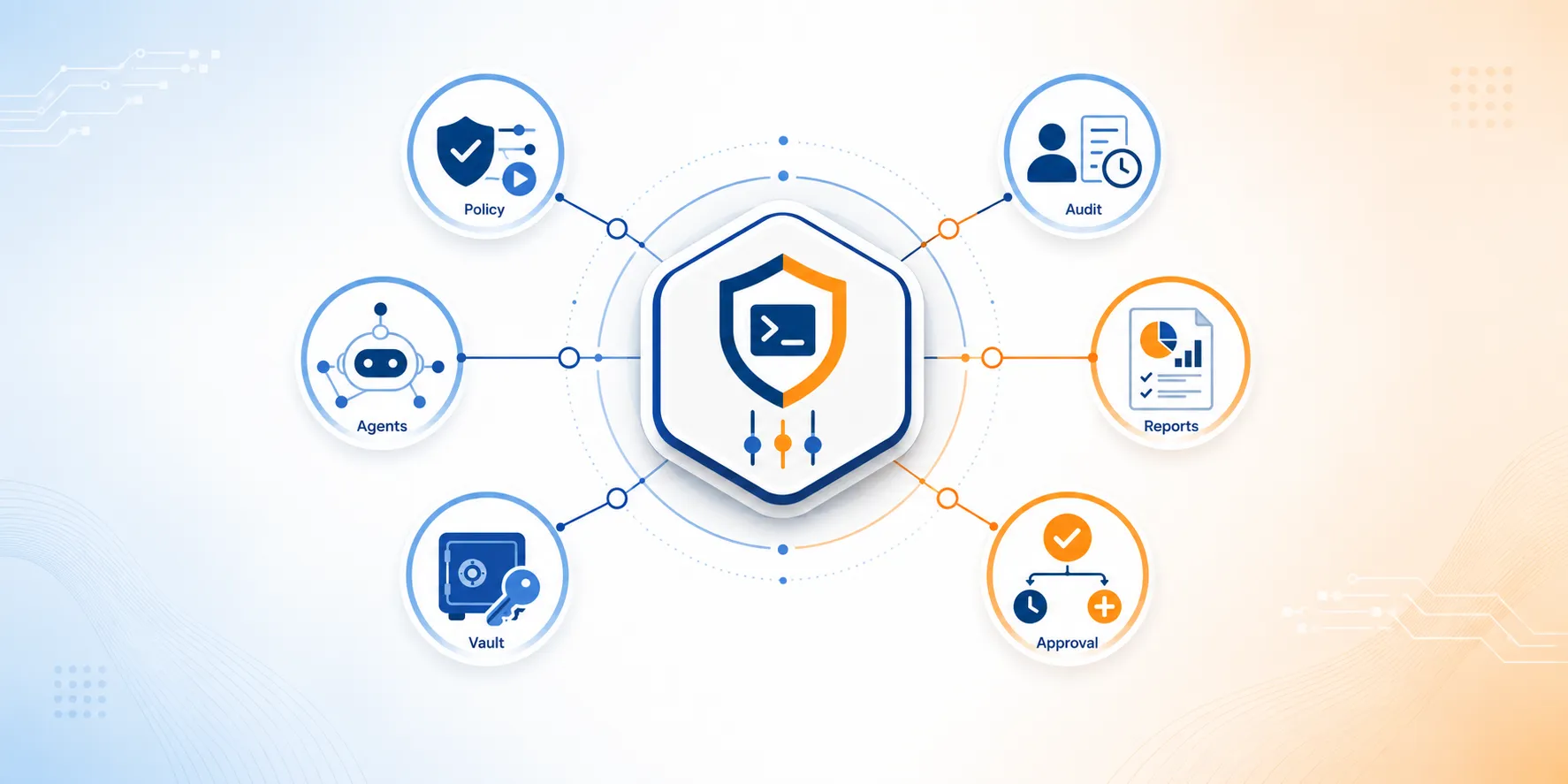
Policy-driven execution control. Organization-level rules govern every run at the point of execution: which scripts may run, on which targets, under which identities, with which parameters. ScriptRunner applies these rules through centralized, policy-driven automation, and the logic behind run-time control is the same logic behind Zero Trust principles for PowerShell governance: verify at the moment of action.
Attribution and a centralized audit trail. Every run is recorded with actor, target, time, parameters, and outcome, producing standing evidence instead of evidence someone reconstructs later. That record underpins security, reporting, and compliance across the environment.
Compliance reporting. Audit records map to regulatory obligations, so NIS2 and SOX evidence comes out of the standing trail instead of being assembled by hand. ScriptRunner's reporting and compliance capabilities handle the output side, and PowerShell governance reporting for NIS2 SOX compliance shows how reporting keeps up as the environment grows.
Approval gates and change tracking. Sensitive actions require a defined approver before execution, and changes to scripts and policies are tracked. Delegation and approval is a discipline of its own, and there is a worked example in approval workflows and audit-ready automation governance.
Credential governance. Scripts no longer contain secrets, which instead now reside in vaults, with access policy-controlled and every credential use recorded. A concrete pattern: removing credentials from PowerShell scripts with Azure Key Vault.
The agentic extension. The same governance layer covers AI-agent execution: agents trigger only sanctioned automation, under enforced identity, with every action attributed and audited. The ScriptRunner platform treats agentic runs as governed runs, a position argued at length in governance frameworks for agentic automation.
Across all six, ScriptRunner functions as the control layer for Microsoft ecosystems: PowerShell execution is centralized, policy-driven, and governed; runs are delegated through defined approvals and audited end to end; and the same controls scale across teams and hybrid infrastructure.
Where Governance Creates Value
Governance pays out twice: once for the leader who owns the operating model, and once for the operators who work inside it.
For the IT director, the returns appear in the KPIs the role is measured on. Audit readiness rises because evidence is standing rather than assembled. Operational risk falls because policy is enforced rather than assumed. Productivity grows without added headcount, because governed delegation lets more people trigger automation safely. Key-person dependency shrinks, because control comes from the platform rather than from the caution of a few senior experts. Both threads run through governance delegation and auditability for scalable automation, with a dedicated look at regulated industries in automation governance foundation for compliance.
For the practitioner, governance removes friction: one sanctioned place to run automation in place of a private collection of scripts and schedulers, and a standing audit trail that retires audit-week evidence gathering. No log exports, no screenshot hunts, and no reconstructing what ran in March.
Common Use Cases in Microsoft Ecosystems
These use cases span Microsoft 365, Azure, Active Directory and Entra ID, Exchange, and hybrid infrastructure.
User lifecycle in AD and Entra ID. Joiner, mover, and leaver runs execute with per-run attribution and approval gates on the sensitive steps, so every identity change is answerable.
Microsoft 365 and Exchange service tasks. Mailbox, license, and tenant operations run under policy, with a standing audit trail behind every change.
Centralized scheduled maintenance. Recurring jobs run centrally instead of in scattered task schedulers, and their logs accumulate in one reviewable trail. Centralizing scheduled PowerShell automation with ScriptRunner is usually the first consolidation win teams take.
Compliance evidence for NIS2 and SOX audits. The standing trail and mapped reporting produce audit evidence as an output of normal operations.
Zero-touch provisioning. Fully unattended provisioning is only defensible when every run is policy-bound and attributed, which is why governed execution for zero-touch provisioning is a precondition rather than an upgrade.
Agentic runbooks. AI-agent actions execute inside the governance layer, under the same identity, approval, and audit controls as everything else. Governance gaps blocking AI agent production readiness explain why so many agent pilots never become infrastructure.
Ungoverned vs. Governed Automation
The contrasts above condense into one comparison. Both columns describe operating states of the same environment.
Adjacent Automation Disciplines
Governance does not operate in isolation. Four adjacent disciplines shape how far it reaches, and each raises decisions of its own.
Enterprise PowerShell automation covers the centralized execution platform itself: script management, controlled execution, scheduling, and hybrid Microsoft coverage. It is the foundation this discipline governs: centralization produces the audit trail, and governance turns that trail into proof. If the platform layer is the open question in your organization, the place to start is enterprise PowerShell automation for Microsoft IT.
Secure delegation and approval covers who may run what, and how execution rights extend safely through role-based access, just-enough administration, and approval mechanics. Leaders deciding how far to open automation to service desks and application teams will want the full treatment of secure delegation and approval for Microsoft IT.
IT orchestration and workflows covers chaining governed actions into multi-step processes across systems. If your next question is how governed building blocks combine into end-to-end workflows, that answer belongs to IT orchestration and workflows for Microsoft IT.
Automation tool consolidation covers shrinking the scattered-tool surface that governance must otherwise stretch across. Fewer execution paths make policy easier to enforce and evidence easier to hold, and the case for automation tool consolidation for Microsoft IT starts there.
How to Start with Automation Governance
Start with inventory: inventory before policy, and policy before enforcement. The sequence below stages governance so that each step produces value on its own, and none of it asks teams to stop working while the model changes underneath them.
- Inventory the automation landscape. Every script, its owner, its trigger, and the credentials it uses. What is unknown cannot be governed.
- Define organization-level policy. Who may run what, on which systems, and with what approval.
- Centralize execution under that policy. Bring script runs onto one controlled layer. Every later step depends on this one.
- Switch on attribution and the centralized audit trail. From this point forward, every run is recorded with actor, target, time, and approval.
- Gate sensitive actions. Add approval requirements and change tracking where the risk warrants them.
- Stand up compliance reporting. Map the standing trail to NIS2 and SOX obligations, so evidence becomes an output and audits stop being projects.
- Extend the layer to agentic automation. New AI-driven execution paths enter the environment already governed.
- Delegate wider under the controls. With policy enforced and every run attributed, execution rights can extend to more people safely, which is where the delegation discipline takes over.
Governance arrives staged. Each stage tightens control and produces its own evidence, and none requires a big-bang transformation of how teams already work.
Governance as Operational Infrastructure
Governance and compliance for PowerShell automation is operational infrastructure for Microsoft-centric organizations, on the same footing as identity or backup. A binder of rules records an intention; an execution layer that enforces policy, attributes every run, and holds standing evidence makes that intention part of how the environment operates. Organizations that reach this state stop preparing for audits as events, because their automation can account for itself on any given day.
If you'd like to talk to us about automation governance for Microsoft ecosystems, just book a meeting with our automation experts.
Frequently Asked Questions
What is automation governance for Microsoft IT operations?
Automation governance for Microsoft ecosystems is the organization-wide system of policies and controls that determines who may run scripts, which scripts they may run, where they may run them, and under which conditions. Effective governance enforces these rules at execution time and records every run in a centralized audit trail.
What is the difference between automation governance and automation security?
Automation security protects scripts, credentials, identities, and systems from unauthorized access or misuse. Automation governance defines how automation is approved, executed, attributed, audited, and reported across the organization. Security is therefore one part of a broader governance model.
Why is centralized execution necessary for automation governance?
Governance policies cannot be enforced consistently when scripts run from individual workstations, personal task schedulers, jump hosts, and disconnected automation tools. Centralized execution provides one controlled path on which organizations can enforce policy, manage identities, apply approvals, and create a complete audit trail.
What should an automation audit trail record?
An automation audit trail should record who triggered each run, which automation was executed, which systems it targeted, when it ran, which parameters were used, whether approval was required, and what outcome it produced. Capturing this information during execution creates standing evidence instead of requiring teams to reconstruct it before an audit.
How does automation governance support NIS2 and SOX compliance?
Automation governance provides evidence that cybersecurity and change-control policies are operating in practice. Enforced execution rules, authenticated attribution, approval records, change tracking, and centralized audit logs can be mapped to relevant NIS2 and SOX obligations for compliance reporting.
Do existing scripts need to be rewritten to bring them under governance?
Not necessarily. Governance can be applied by moving the execution of existing PowerShell scripts onto a controlled path where identities, permissions, approvals, and logging are centrally enforced. This changes how the scripts are executed rather than requiring them to be rewritten.
How should an organization start implementing automation governance?
Start by inventorying existing scripts, owners, triggers, execution locations, and credentials. Then define organization-level policies, centralize execution, enable attribution and auditing, add approval gates for sensitive actions, establish compliance reporting, and extend the same controls to AI-agent execution.